Historical feature tutorial. Centrali Pages was retired in v8.0.0 (CEN-1474). The builder, hosted runtime and related SDK/MCP tools are unavailable. Build application frontends outside Centrali using the SDK or REST API.
Every backend platform eventually faces the same question: your data is structured, your API is ready, your logic is wired up — but how do you actually put something in front of users?
Building a frontend is a whole separate project. You need a framework, a build pipeline, hosting, auth integration, and someone who knows CSS. For internal tools, customer portals, or simple data views, that overhead doesn't make sense.
That's why we built Centrali Pages.
What Pages Does
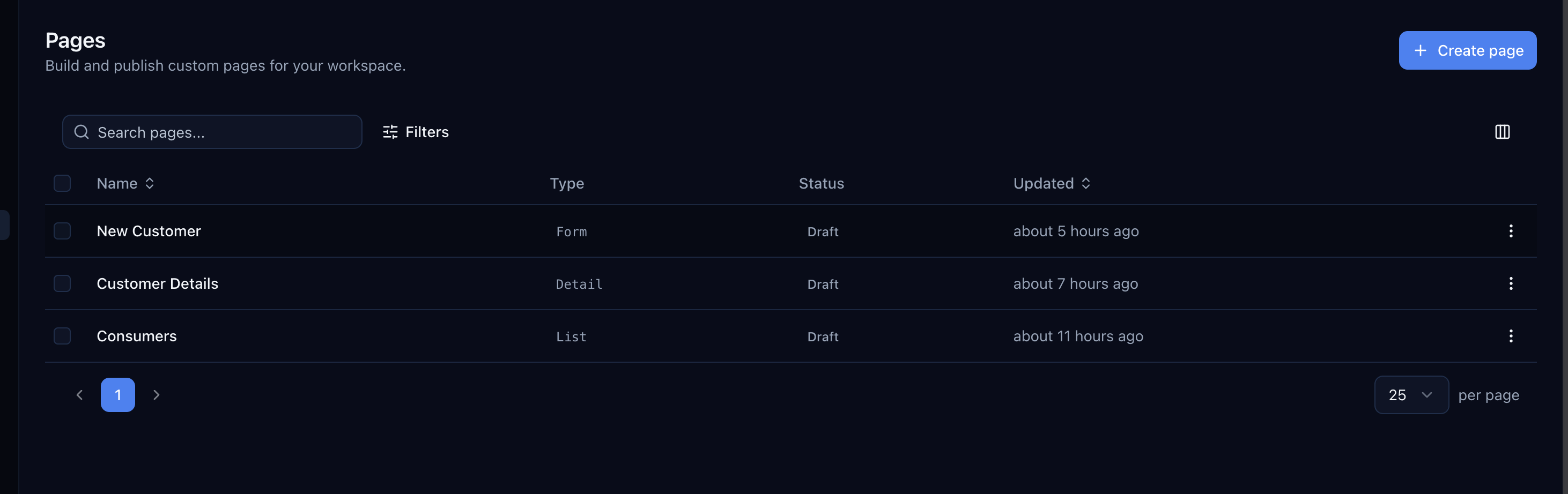
Pages lets you build and publish hosted web pages directly from the Centrali console. Each page is backed by your collections and goes live at a unique URL with one click.
There are four page types:
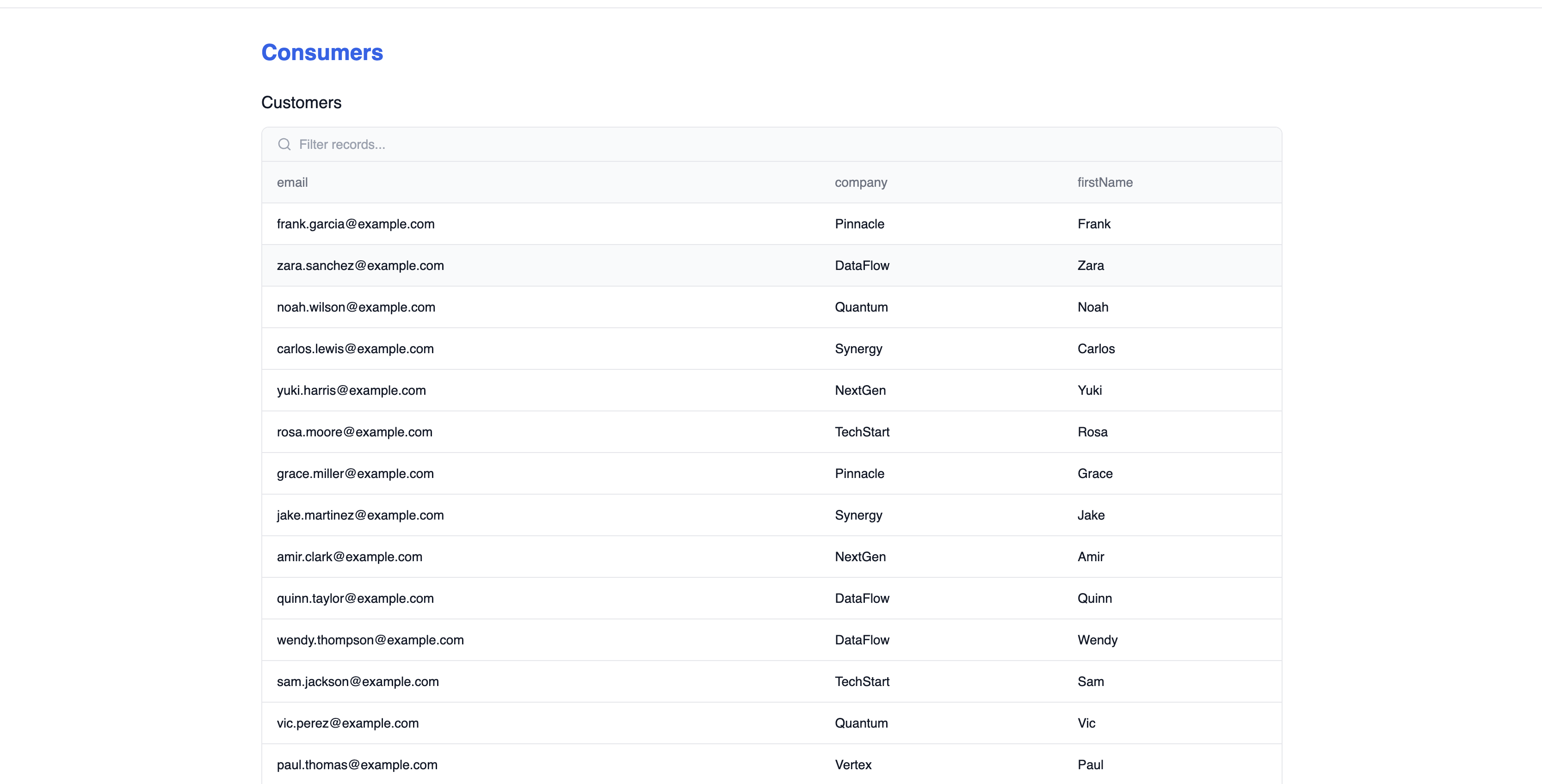
- List — A filterable, sortable data table connected to a collection. Perfect for directories, inventories, or any browsable dataset.
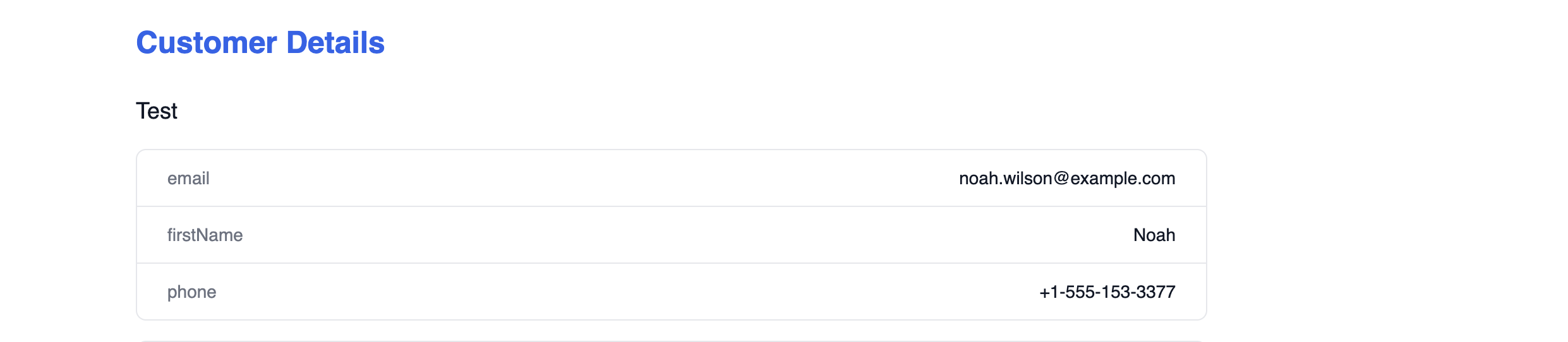
- Detail — A single-record view that displays fields from a collection. Use it for profile pages, order details, or any record that needs its own URL.
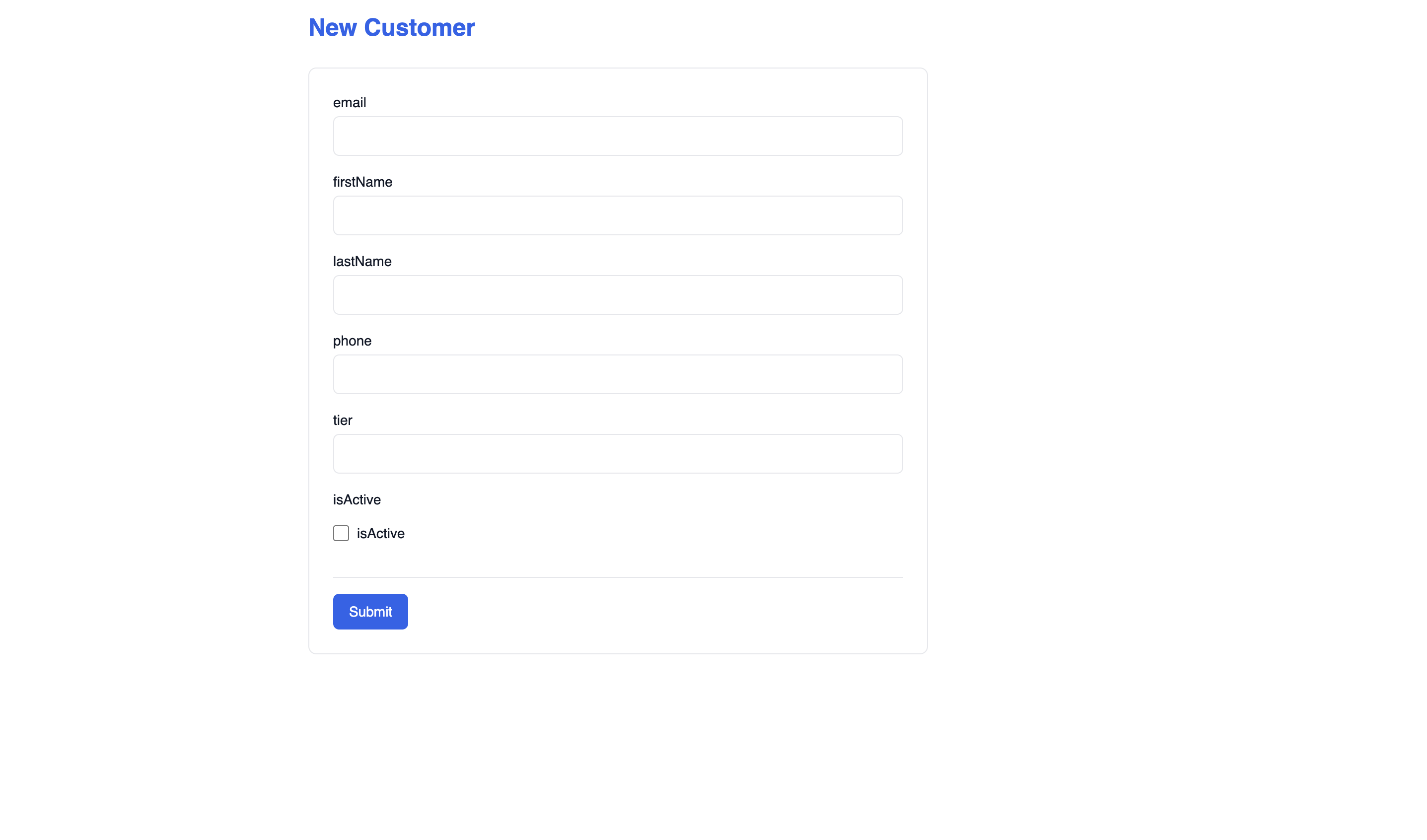
- Form — A submission form that creates records in a collection. Great for signups, feedback, intake forms, or any data entry workflow.
- Dashboard — Metric cards and charts that summarize your data at a glance. Ideal for status pages, analytics views, or operational overviews.
No React. No build step. No deployment pipeline. You configure the page in the console, hit publish, and it's live.
The Page Editor
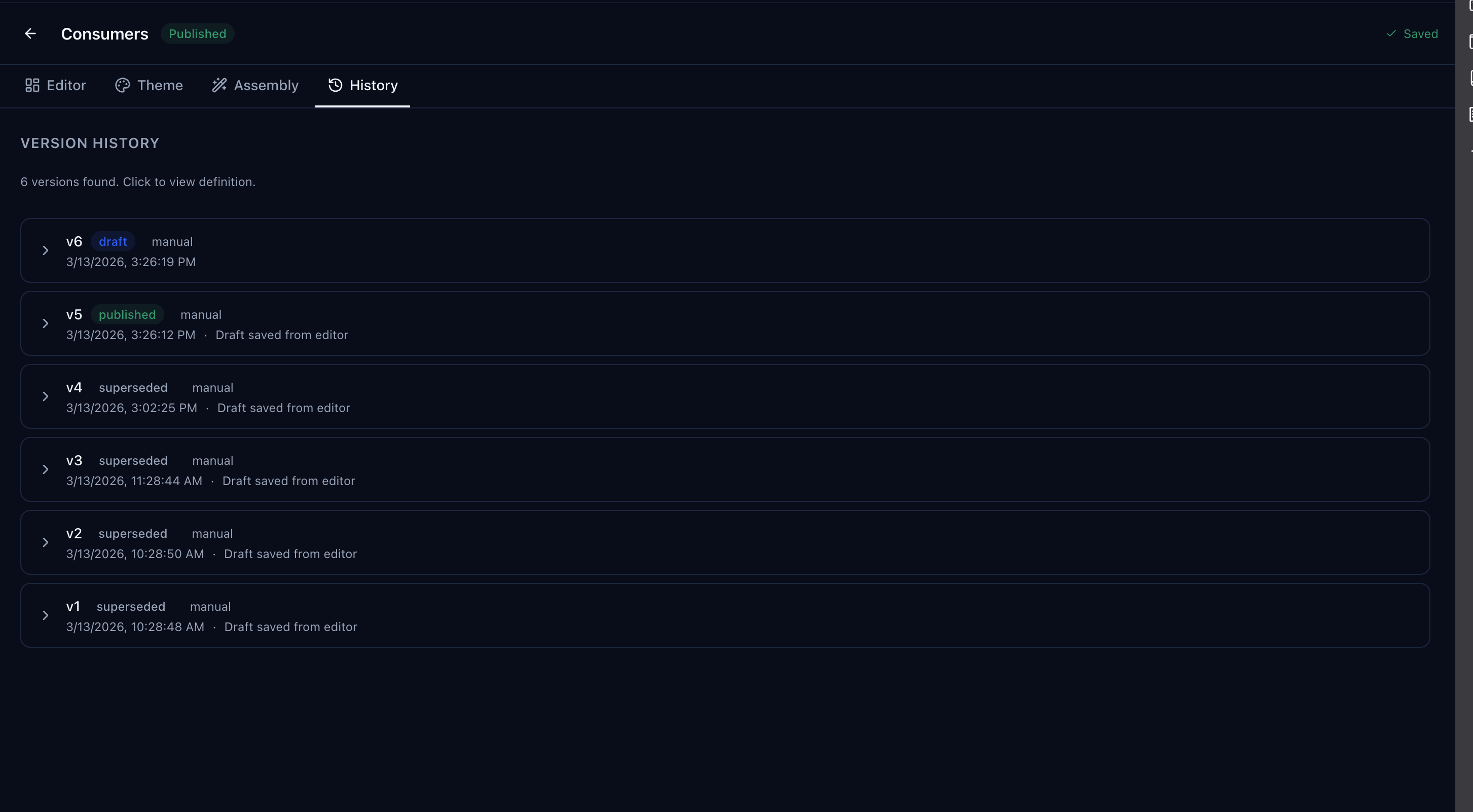
Every page is built through a visual editor with four tabs: Editor, Theme, Assembly, and History.
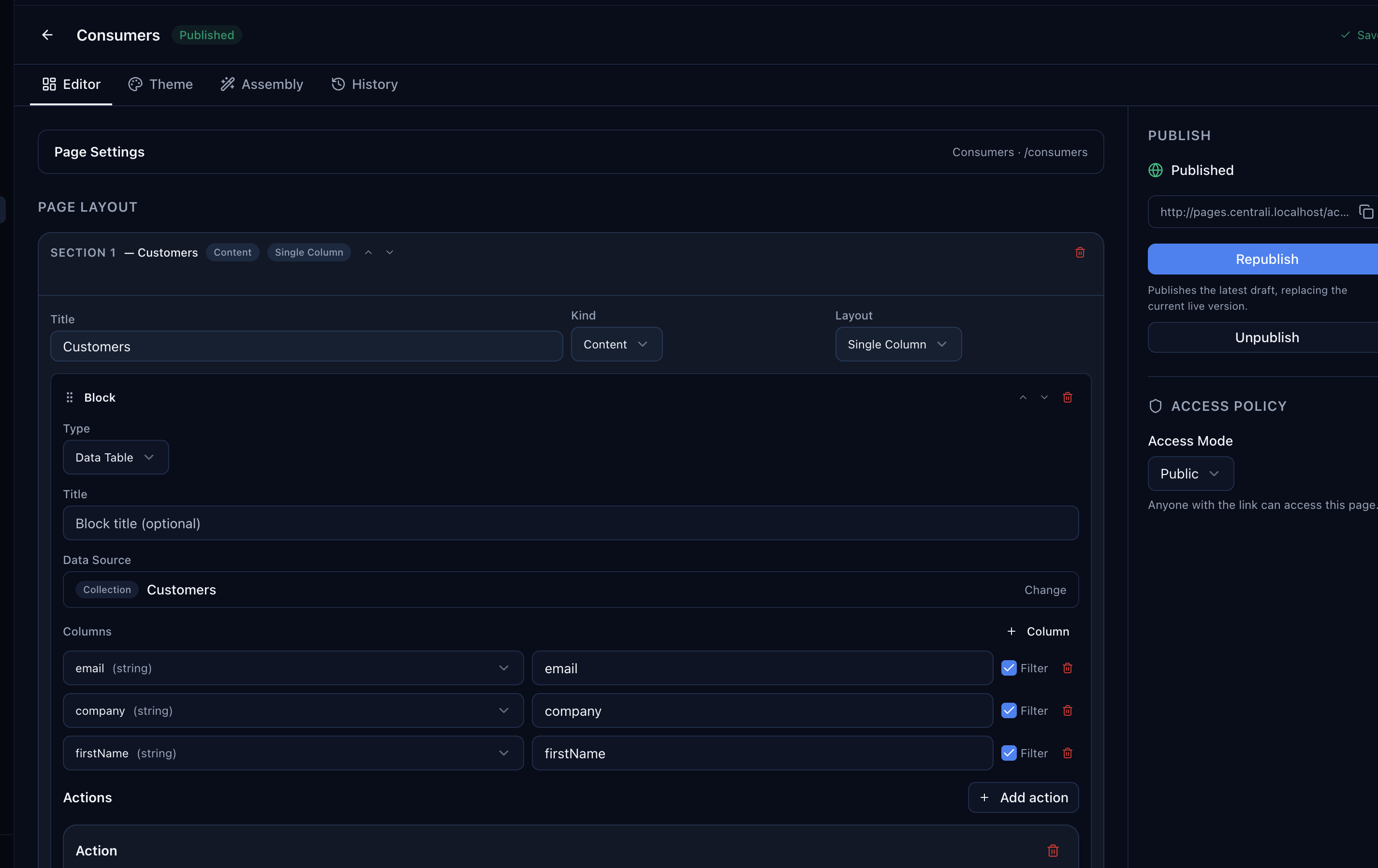
The Editor tab is where you define the page structure. Each page is made up of sections, and each section contains blocks. A block might be a data table, a form, a metric card, or a chart — depending on the page type.
For a list page, you pick a collection, choose which columns to display, toggle filtering per column, and configure row actions. For a form page, you select a collection and the form fields are automatically generated from your schema.
Actions: Pages That Do Things
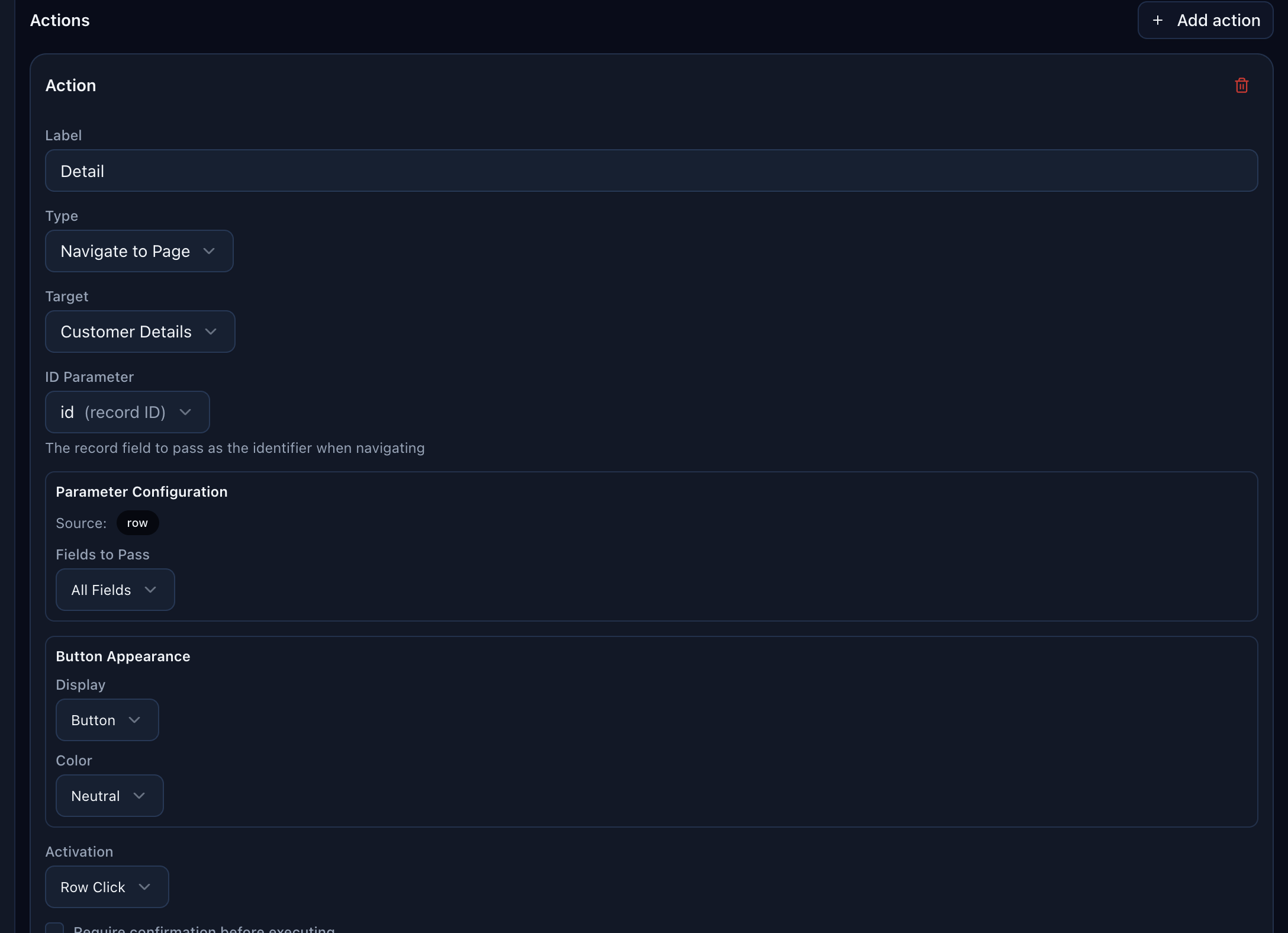
Static pages are useful, but pages that do things are better. The action system lets you wire up buttons and row clicks to real operations:
- Navigate to Page — Link pages together. Click a row in a list page to open the detail page for that record, passing the ID automatically.
- Invoke Trigger — Fire an HTTP trigger when a button is clicked. Use this to kick off workflows, send notifications, or call external APIs.
- Run Function — Execute a compute function directly from a page button. Process data, generate reports, or run any server-side logic.
Each action supports parameter passing, confirmation dialogs ("Are you sure?"), and post-action feedback via toast notifications so users know what happened.
Theming
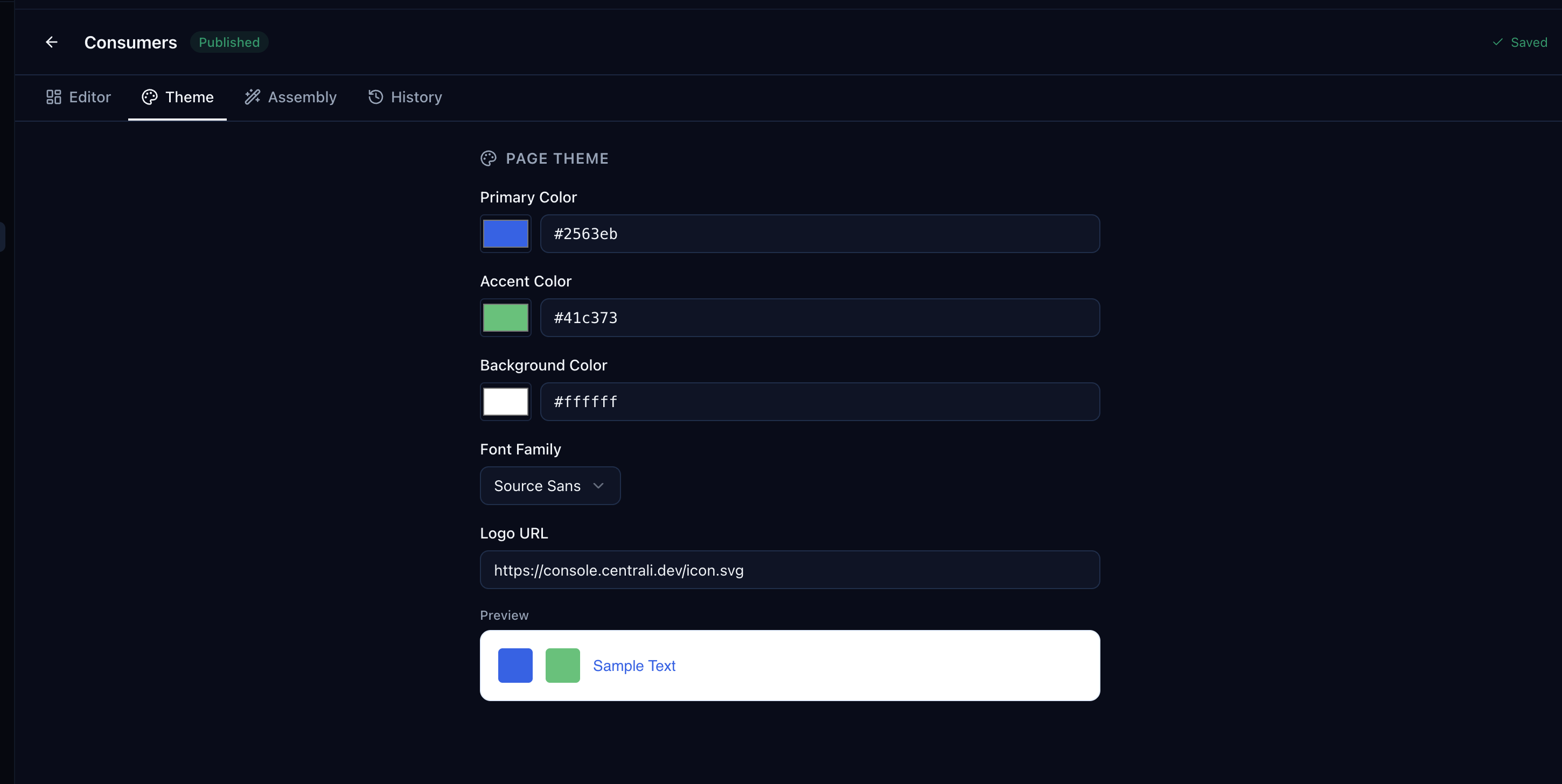
Every page can be customized with your own brand. The Theme tab lets you set:
- Primary and accent colors — Applied to headings, buttons, and interactive elements.
- Background color — Light, dark, or anything in between.
- Font family — Choose from a curated set of web fonts.
- Logo URL — Display your logo in the page header.
A live preview at the bottom of the theme panel shows your changes before you publish.
Version History
Every time you save a page, Centrali creates a versioned snapshot. The History tab shows every version with its status — draft, published, or superseded.
You can expand any version to see the full page definition at that point in time. If a publish goes wrong, roll back to any previous version with one click.
What It Looks Like Live
Here's what published pages look like to end users. These are real pages running on the Centrali Pages runtime, backed by live collection data.
A list page showing a filterable customer directory:
A form page for creating new customer records:
A detail page showing a single customer record:
Beta: What That Means
Pages is shipping as a beta. The core workflow — create, configure, publish, version — is solid and ready for use. But we're still iterating on a few things:
- Custom CSS — Not yet supported. Theming covers colors and fonts, but pixel-level control is coming.
- Conditional visibility — Showing or hiding blocks based on user roles or data conditions is on the roadmap.
- Embeddable pages — Embedding a page as an iframe in an external site is planned but not yet available.
We're shipping it now because it's useful now. Your feedback during the beta will directly shape what we build next.
Try It
Pages is available today in the console under the Pages section in the sidebar. Create a page, connect it to a collection, and publish it — the whole flow takes about two minutes.
If you run into anything unexpected, let us know. That's what betas are for.