Catching the webhook is the easy part.
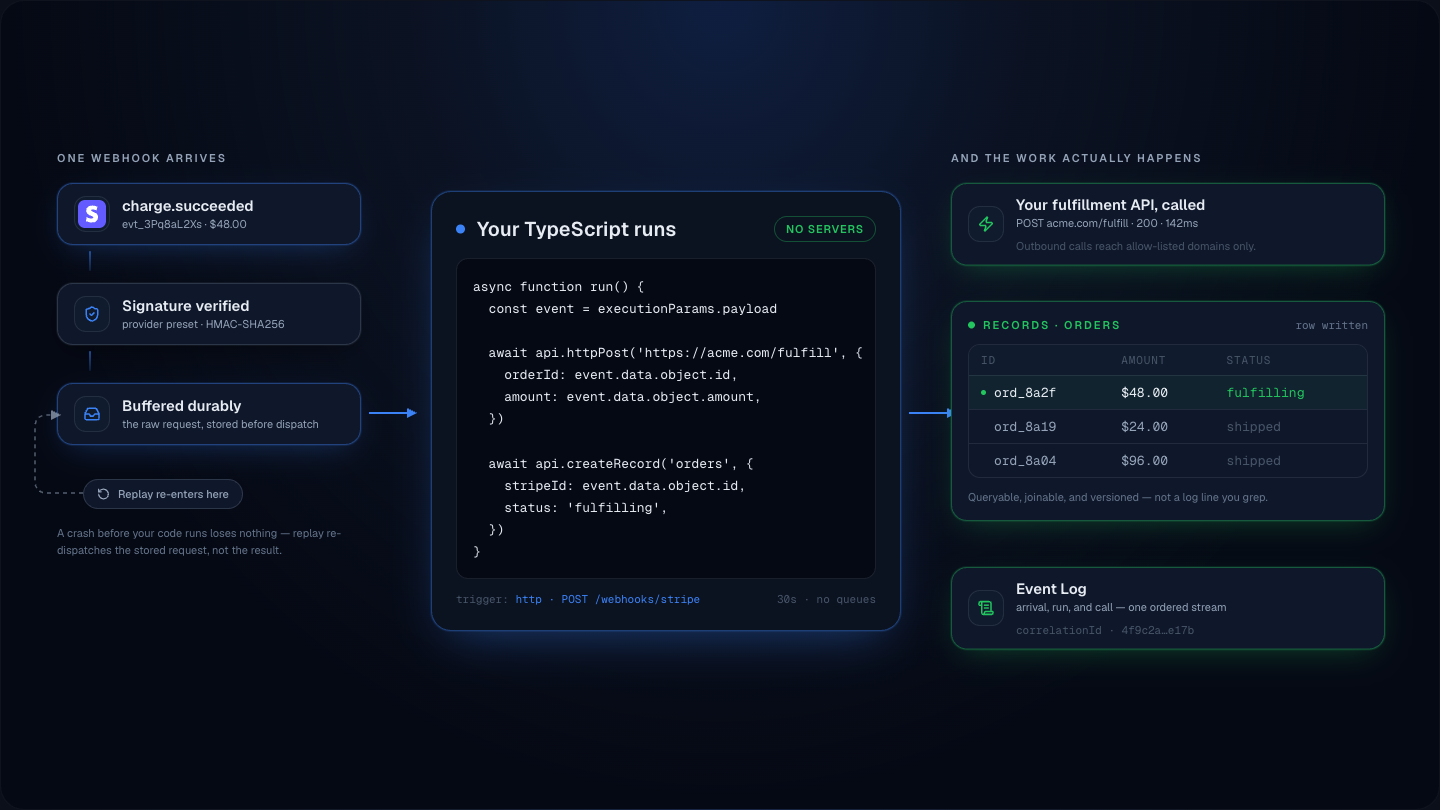
Verify it, keep it as a queryable record, run JavaScript when it lands, and replay it when something downstream breaks — from one SDK.
Stripe, Shopify, Clerk, Resend, or any HMAC sender. Bring your own auth and frontend.
Pick the closest fit
Each links to a deeper guide or landing page with code, examples, and a template you can ship.
Need a webhook destination for a quick test?
Centrali Play gives you a temporary capture URL and JSON event reads, without an account.
Explore Centrali Play →Simple, transparent pricing
Start free with generous limits. Pay only as your usage grows. No hidden fees. No per-seat billing.
Pay only for what you exceed. No per-seat fees. No lock-in.
Run Centrali from your AI.
Connect a compatible MCP client to query workspace data and work with backend tools. Setup requires authentication and workspace permissions; review proposed writes before authorizing changes.
Start your backend in minutes
No credit card. Create an endpoint, paste the signing secret, and every handler runs only on verified events.
Takes less than 5 minutes to get started.
Common questions
Questions developers ask while evaluating Centrali.
What is Centrali?
Centrali is the backend for the webhooks you receive. Configure an HTTP trigger with signature validation: verified arrivals are buffered before function dispatch. Opt into collection persistence for queries and search; replay retained buffer rows through the trigger's current configuration. Centrali also sends signed outbound webhooks to your own customers.
What can I receive webhooks from?
Configure common-provider signature presets or a compatible custom HMAC scheme. Verified HTTP-trigger arrivals are buffered; enable optional collection persistence or normalize records in your function for queries, search, and reactions.
What do I get out of the box?
A signed inbound endpoint, a database, search, retries, delivery logs, replay, and a console UI to see all of it. You write JavaScript for the parts that need logic — everything else is already wired up.
Do I bring my own database, auth, or frontend?
Auth and customer-facing frontend, yes — Centrali works with any auth provider (Clerk, Auth0, custom) and any frontend stack for your app. Centrali Pages is retired; build application frontends outside Centrali using the SDK or REST API. Database: no, Centrali stores your data in its own collections so the SDK, search, and webhook records all live in one place.