Centrali can store webhook events from any provider that sends HTTP POST requests. The signature settings are configurable per trigger, so each provider gets its own verification rules — Stripe, GitHub, Shopify, Twilio, or anything else.
This walkthrough uses GitHub as the example: one function, one trigger, signature verification, permanent storage. The same pattern works for any provider.
New to webhooks as a concept? Start with What Is a Webhook? How They Work, With Examples for the fundamentals — delivery, retries, and signatures — then come back here for the GitHub ingestion walkthrough.
How GitHub Webhook Signatures Work
GitHub signs every webhook delivery with HMAC-SHA256. The signature arrives in the x-hub-signature-256 header, prefixed with sha256=:
x-hub-signature-256: sha256=d57c68ca6f92289e6987922ff26938930f6e66a2d161ef06abdf1859230aa23c
This is different from Stripe's compound header (t=...,v1=...), which is why signature settings are per-trigger rather than a global config. Every provider has its own format.
Step 1: Write the Store Function
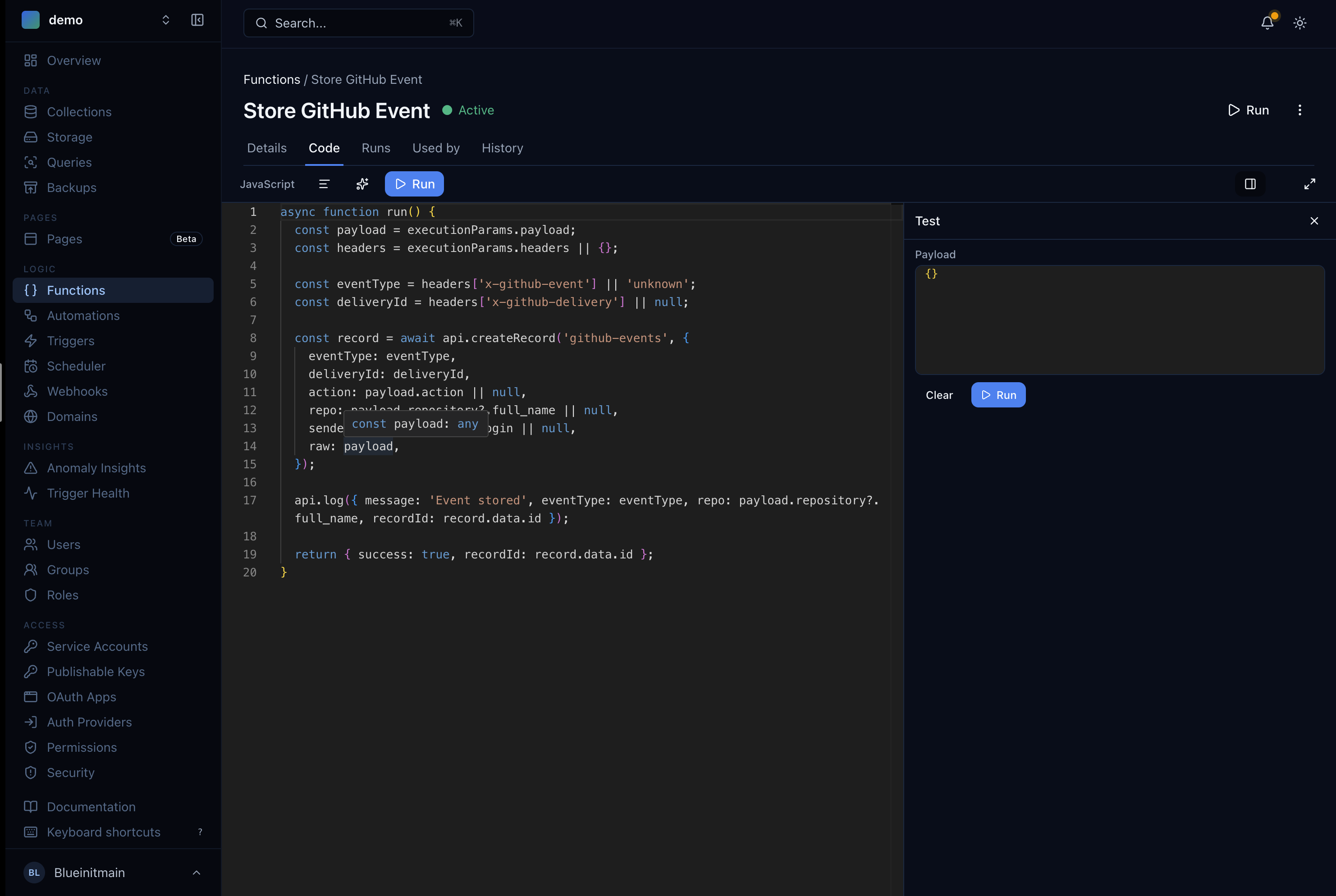
In the Centrali console, go to Logic > Functions and create a new function called Store GitHub Event.
async function run() {const payload = executionParams.payload;const headers = executionParams.headers || {};const eventType = headers['x-github-event'] || 'unknown';const deliveryId = headers['x-github-delivery'] || null;const record = await api.createRecord('github-events', {eventType: eventType,deliveryId: deliveryId,sender: payload.sender?.login || null,action: payload.action || null,repo: payload.repository?.full_name || null,raw: payload,});api.log({ message: 'Event stored', eventType, repo: payload.repository?.full_name,recordId: record.id });return { success: true, recordId: record.id };}
A few things to note:
executionParams.payloadis the raw HTTP body GitHub sends. For HTTP triggers, this is the full POST body — no wrapping.executionParams.headersgives you the request headers. GitHub puts the event type inx-github-eventand a unique delivery ID inx-github-delivery.- The function flattens key fields (
eventType,sender,repo,action) to the top level for easy filtering and keeps the full payload inraw.
Before running this, create a schemaless collection called github-events. Schemaless mode accepts any shape — a push event looks nothing like an issues event.
Step 2: Create the HTTP Trigger
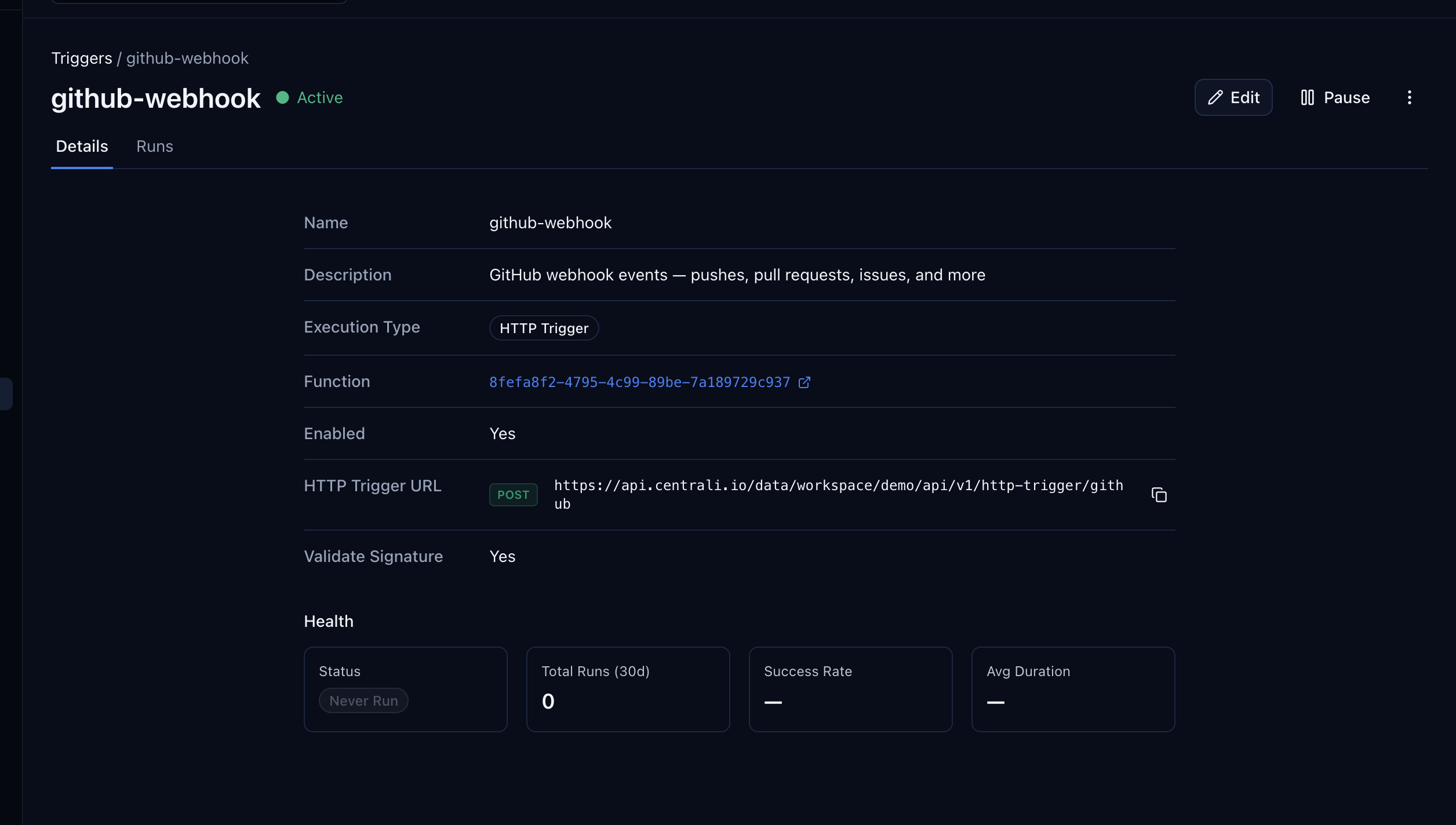
Go to Logic > Triggers and create a new trigger.
| Field | Value |
|---|---|
| Name | github-webhook |
| Function | Store GitHub Event |
| Type | HTTP Trigger |
| Path | github |
This gives you a public webhook URL:
https://api.centrali.io/data/workspace/{your-workspace}/api/v1/http-trigger/github
Configure Signature Verification
GitHub uses a simpler signature format than Stripe — no compound header, no timestamp. Toggle Validate Signature on and configure:
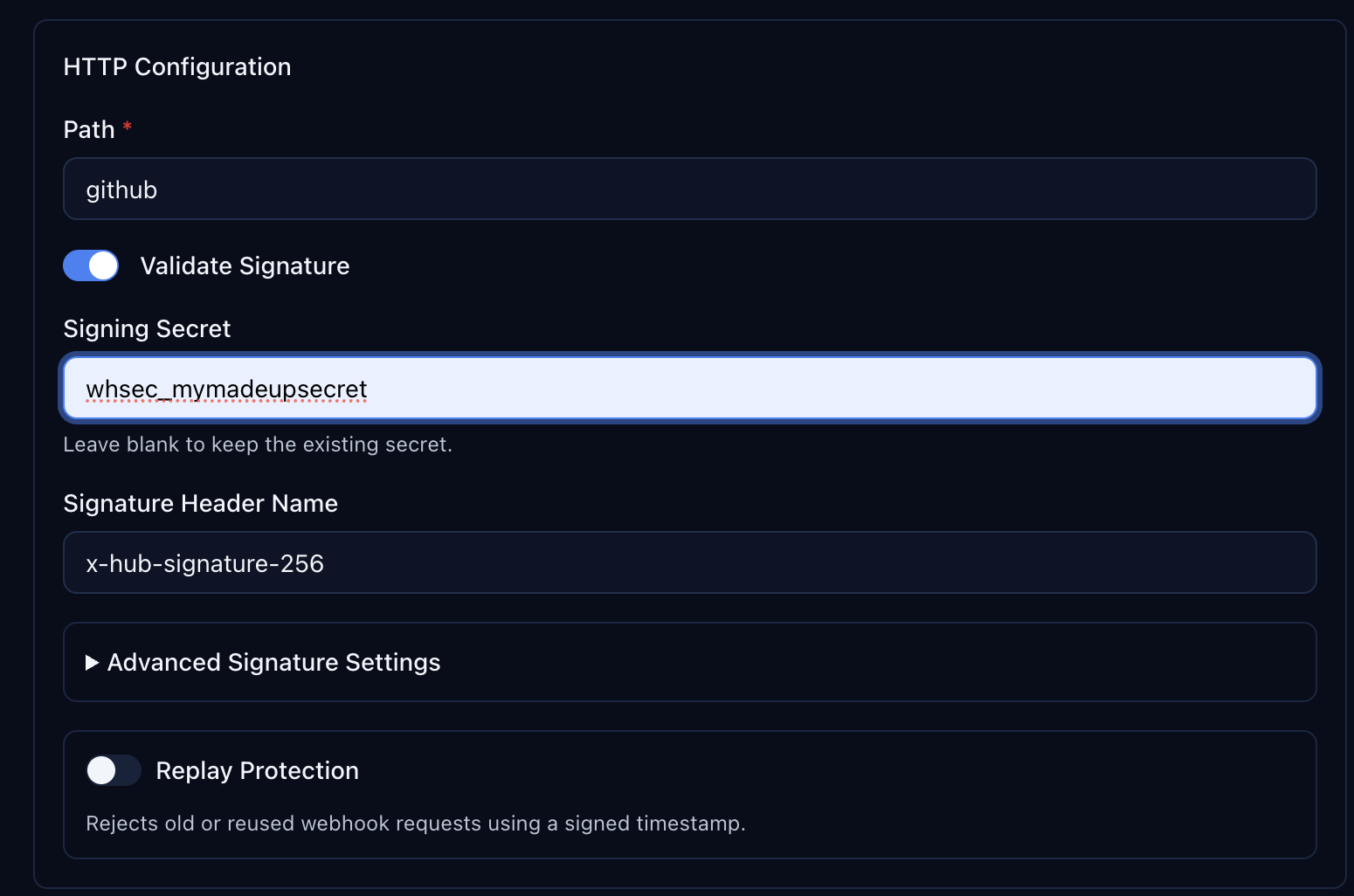
| Setting | Value |
|---|---|
| Validate Signature | On |
| Signing Secret | Your GitHub webhook secret (you'll set this in GitHub too) |
| Signature Header Name | x-hub-signature-256 |
Expand Advanced Signature Settings to see the extraction defaults:
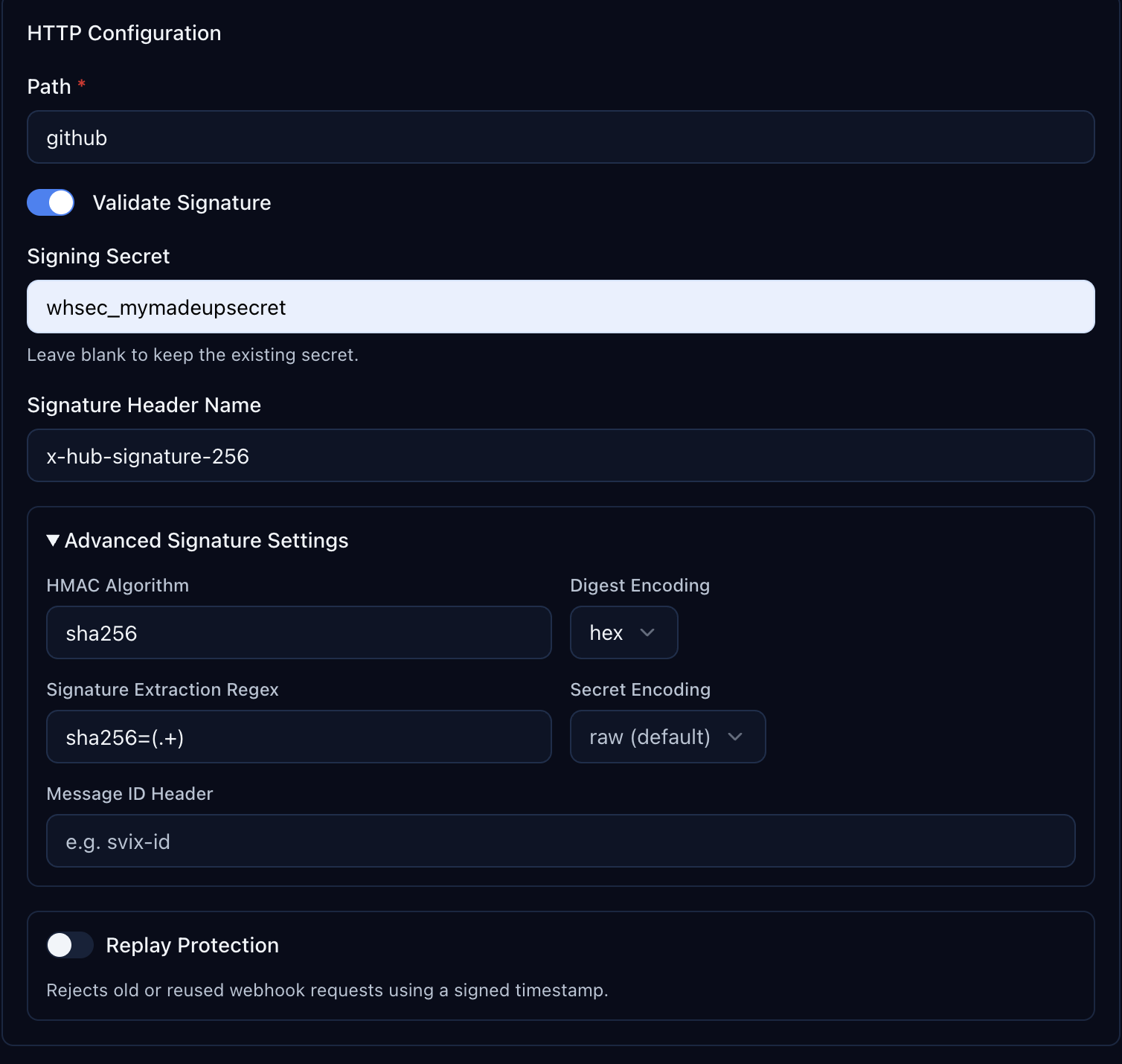
| Setting | Value |
|---|---|
| HMAC Algorithm | sha256 |
| Digest Encoding | hex |
| Signature Extraction Regex | sha256=(.+) |
| Secret Encoding | raw (default) |
The extraction regex sha256=(.+) strips the sha256= prefix from GitHub's header value, leaving just the HMAC digest for verification.
Step 3: Configure the Webhook in GitHub
Open your repository on GitHub. Go to Settings > Webhooks > Add webhook.
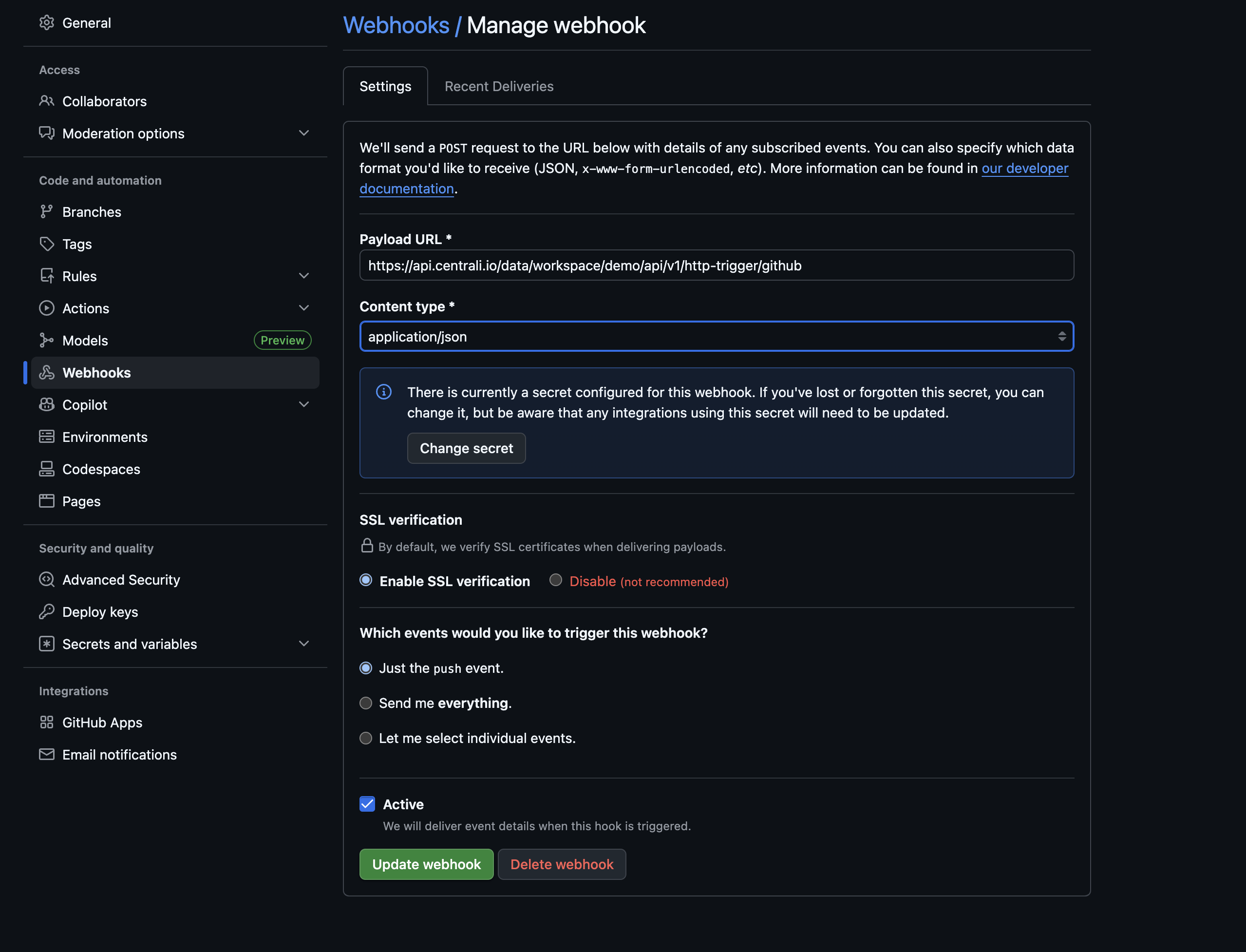
| Field | Value |
|---|---|
| Payload URL | Your Centrali HTTP trigger URL |
| Content type | application/json |
| Secret | The same secret you entered in the Centrali trigger |
| Events | Choose which events to receive |
Click Add webhook. GitHub sends a ping event immediately to verify the endpoint is reachable.
Step 4: See Your Data
Push a commit, open a pull request, or create an issue — any event you subscribed to. Then open the github-events collection in the Centrali console.
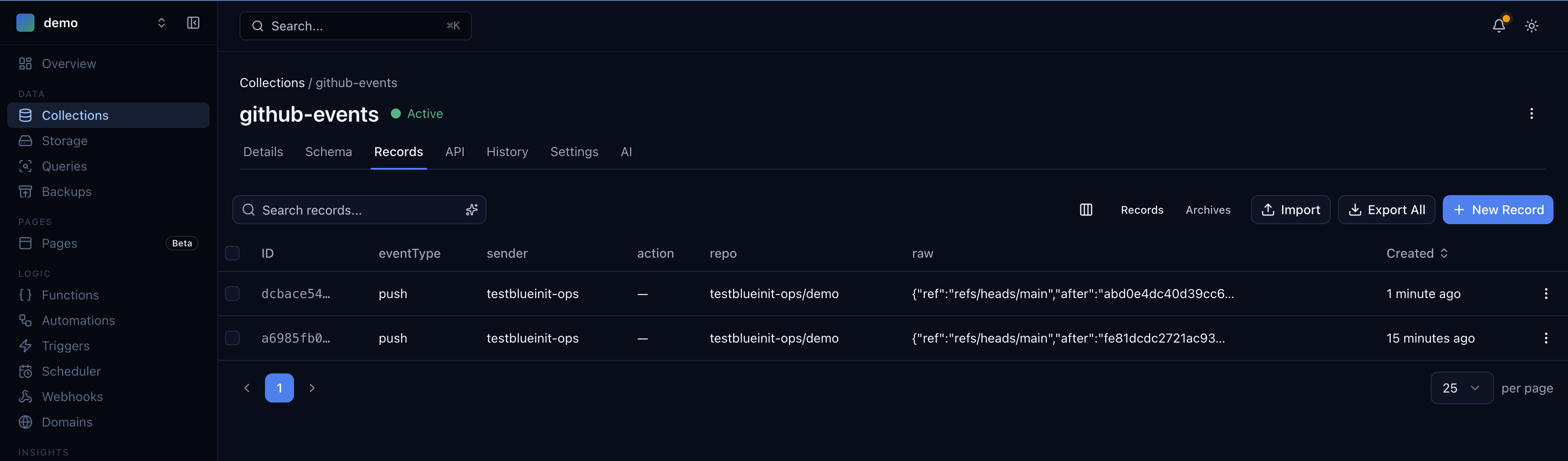
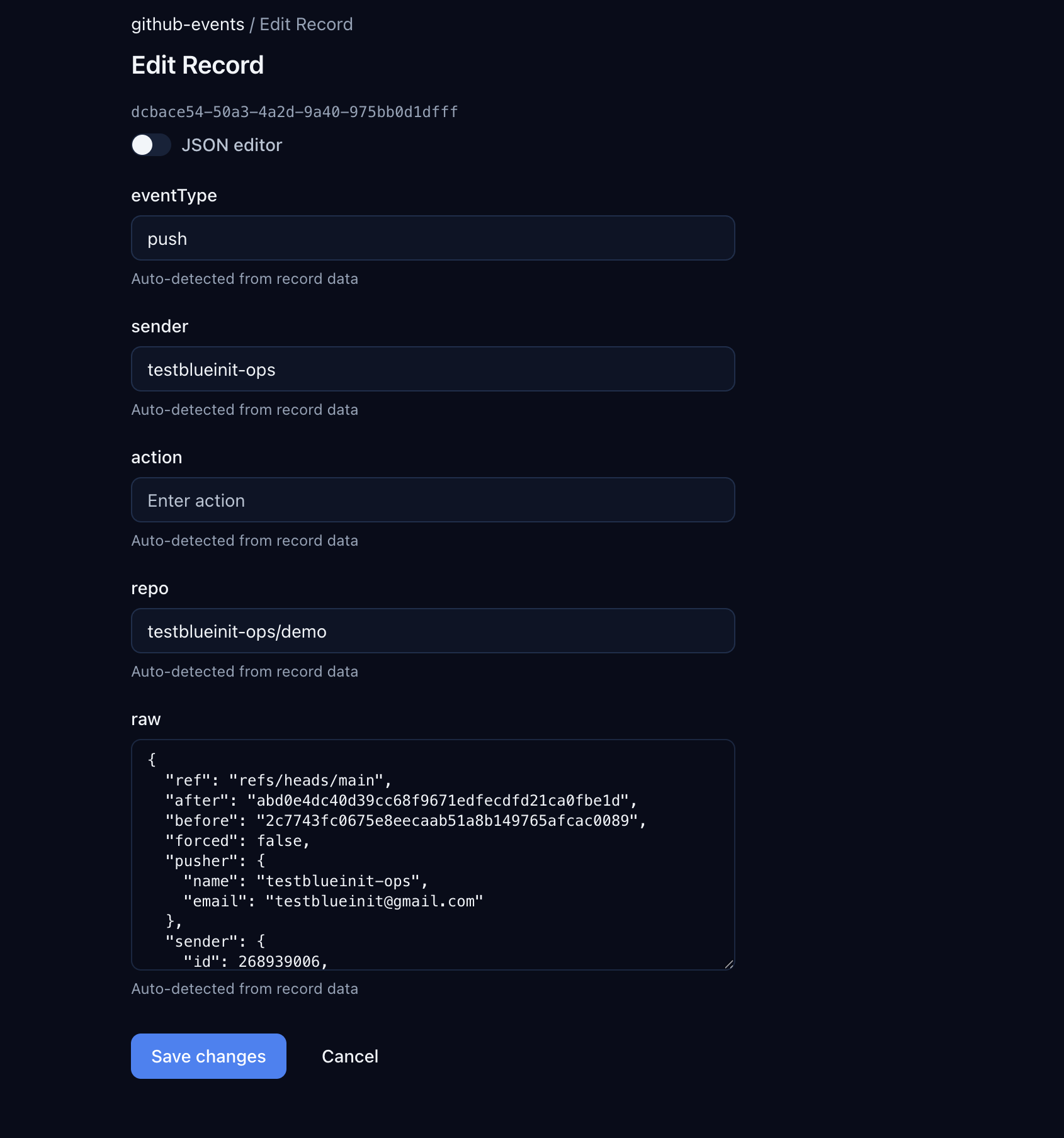
Click into any record to see the flattened fields and the full raw payload:
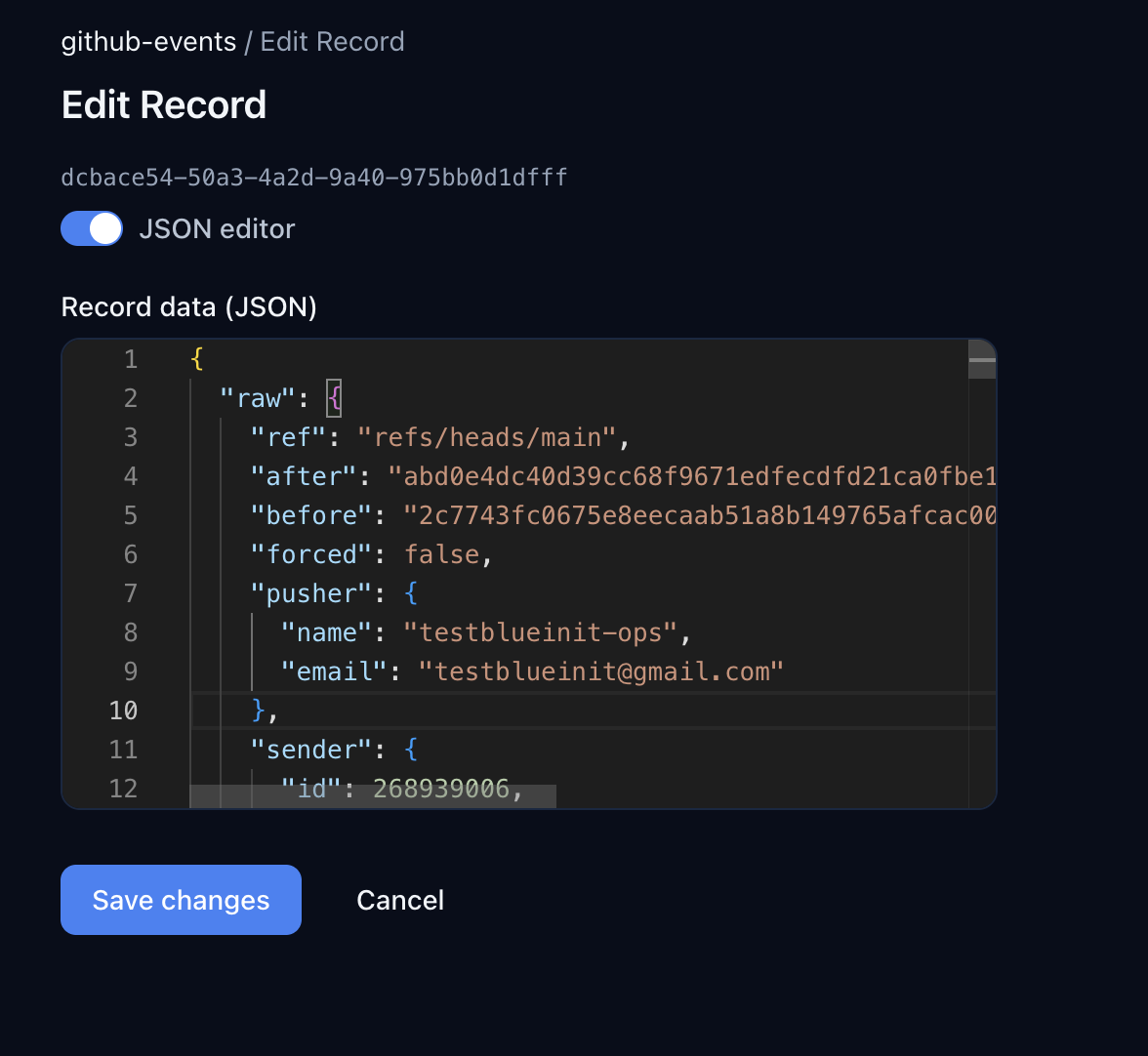
Toggle JSON editor to see the complete payload GitHub delivered:
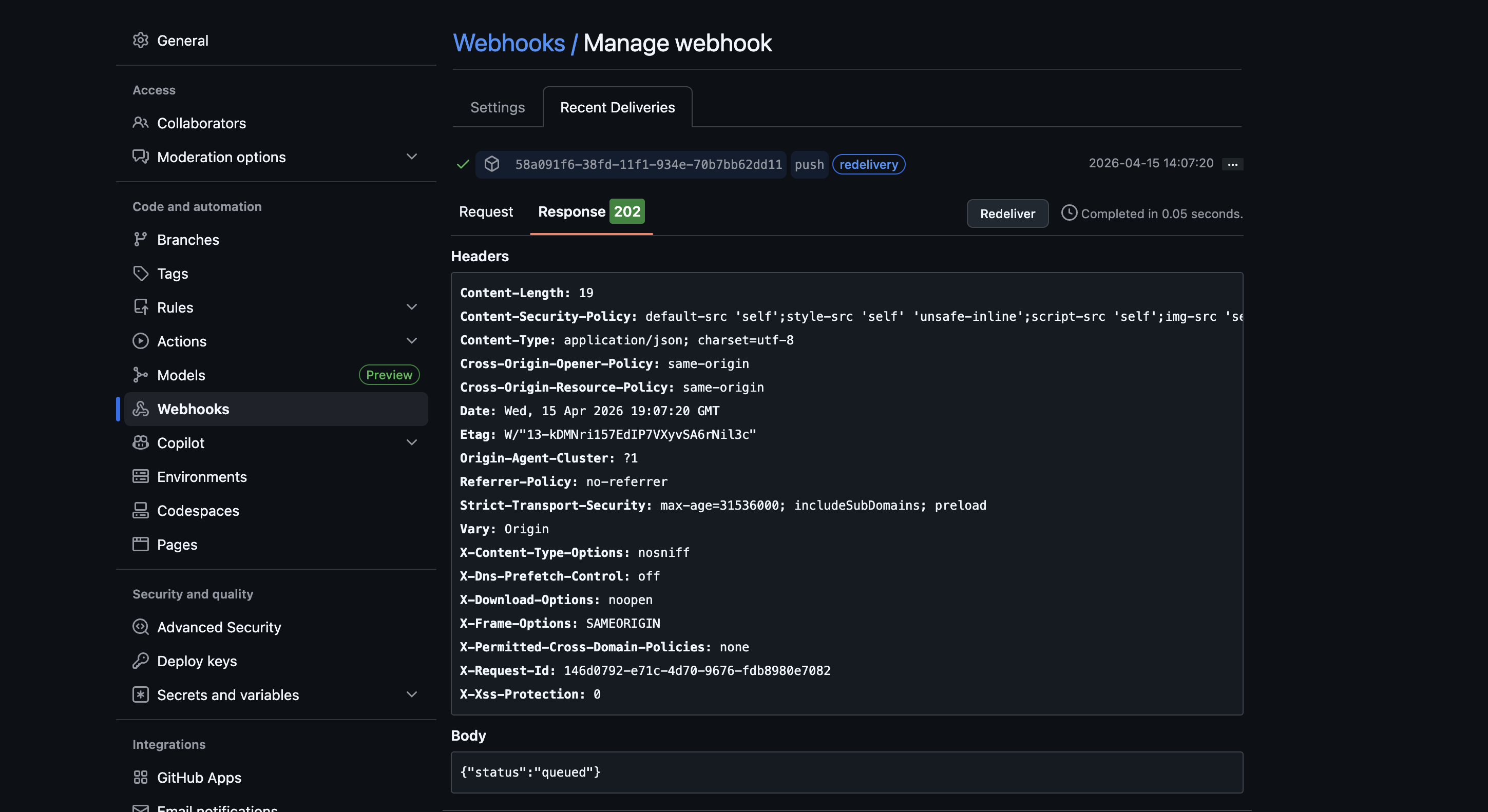
You can verify the delivery on GitHub's side too. Go to your webhook settings and click Recent Deliveries — you'll see the response status and headers:
The Pattern Works for Any Provider
The function + trigger pattern is the same regardless of the provider. The only things that change are:
| Provider | Signature Header | Extraction Regex | Secret Format |
|---|---|---|---|
| Stripe | stripe-signature | v1=([^,]+) | whsec_... (raw) |
| GitHub | x-hub-signature-256 | sha256=(.+) | Any string (raw) |
| Shopify | x-shopify-hmac-sha256 | (entire header) | API secret (base64) |
| Twilio | — | — | Uses URL-based auth |
For providers that don't sign webhooks at all, just leave signature verification off. The function and collection work the same way.
Query Programmatically
import { CentraliSDK } from '@centrali-io/centrali-sdk';const centrali = new CentraliSDK({workspaceId: 'your-workspace',clientId: process.env.CENTRALI_CLIENT_ID,clientSecret: process.env.CENTRALI_CLIENT_SECRET,});// All push eventsconst pushes = await centrali.queryRecords('github-events', {'data.eventType': 'push',});// Events from a specific repoconst repoEvents = await centrali.queryRecords('github-events', {'data.repo': 'your-org/your-repo',});// Pull request events from a specific userconst userPRs = await centrali.queryRecords('github-events', {'data.eventType': 'pull_request','data.sender': 'octocat',});
What's Next
- Store Stripe Webhook Events and Query Them Forever — the original walkthrough, if you want to add Stripe alongside GitHub
- Get Alerted When a Stripe Charge Fails — add real-time alerting on top of stored events
- Query Stripe Webhook Events Like a Database — advanced querying patterns that work with any collection
- Your Webhook Data Is Schemaless — Here's How to Give It Structure — turn raw webhook JSON into typed, validated properties