A charge fails. Nobody notices. The customer retries, gets frustrated, emails support. Support logs into Stripe, finds the charge.failed event, and starts debugging — hours or days after it happened.
Stripe can forward events to your endpoint, but it doesn't notify your team. You still need to build the alerting yourself. Stripe's Event Destinations can push to AWS EventBridge or Azure Event Grid, but that means an AWS or Azure account, IAM roles, an event bus, and a cloud bill — all for a notification.
This walkthrough builds a real-time alert that fires the moment a charge.failed event arrives. One function, one trigger, any messaging tool you want. No cloud vendor, no polling, no infrastructure.
Prerequisites: This builds on Store Stripe Webhook Events and Query Them Forever. If you've already got a stripe-events collection receiving events, you're ready. If not, that post takes about 5 minutes. New to webhooks themselves? What Is a Webhook? covers the fundamentals first.
Step 1: Allowlist Your Messaging Domain
Centrali's compute sandbox restricts outbound HTTP to domains you've explicitly approved. Before your function can post alerts, add your messaging provider's domain.
Go to Logic > Domains and add the domain for your tool:
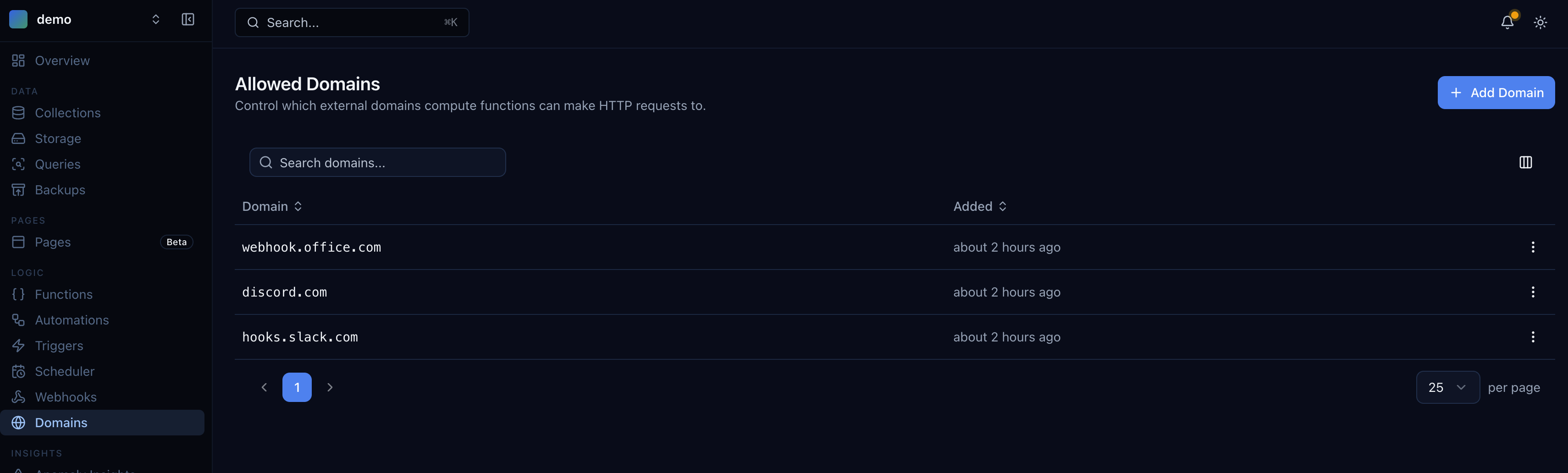
| Messaging Tool | Domain to Add |
|---|---|
| Slack | hooks.slack.com |
| Discord | discord.com |
| Microsoft Teams | webhook.office.com |
| Email (via HTTP API) | Your email provider's API domain |
| Custom endpoint | Your server's domain |
Step 2: Write the Alert Function
Go to Logic > Functions and create a new function called Alert on Charge Failed.
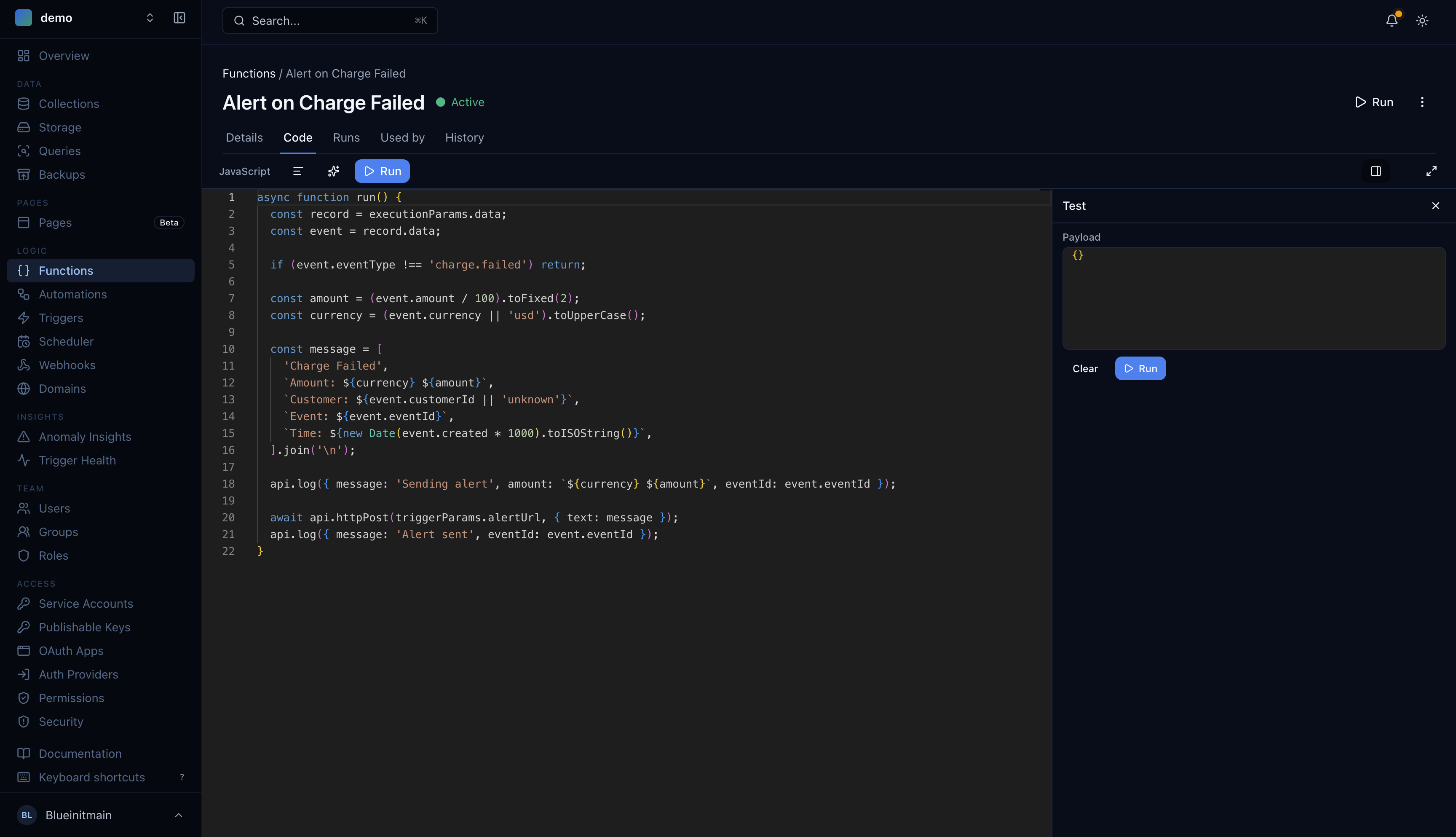
async function run() {const record = executionParams.data;const event = record.data;if (event.eventType !== 'charge.failed') return;const amount = (event.amount / 100).toFixed(2);const currency = (event.currency || 'usd').toUpperCase();const message = ['Charge Failed','Amount: ' + currency + ' ' + amount,'Customer: ' + (event.customerId || 'unknown'),'Event: ' + event.eventId,'Time: ' + new Date(event.created * 1000).toISOString(),].join('\n');api.log({ message: 'Sending alert', amount: currency + ' ' + amount, eventId: event.eventId });await api.httpPost(triggerParams.alertUrl, { text: message });api.log({ message: 'Alert sent', eventId: event.eventId });}
A few things to note:
executionParams.datais the record that was created in yourstripe-eventscollection. The record'sdatafield contains the flattened event fields (eventType,amount,customerId, etc.) from the store function in Post 1.triggerParams.alertUrlis an encrypted parameter you'll set on the trigger — your Slack webhook URL, Discord webhook, or any HTTP endpoint.- The function filters for
charge.failedevents only. Every other event type exits early without sending an alert.
Step 3: Create the Event-Driven Trigger
Go to Logic > Triggers and create a new trigger.
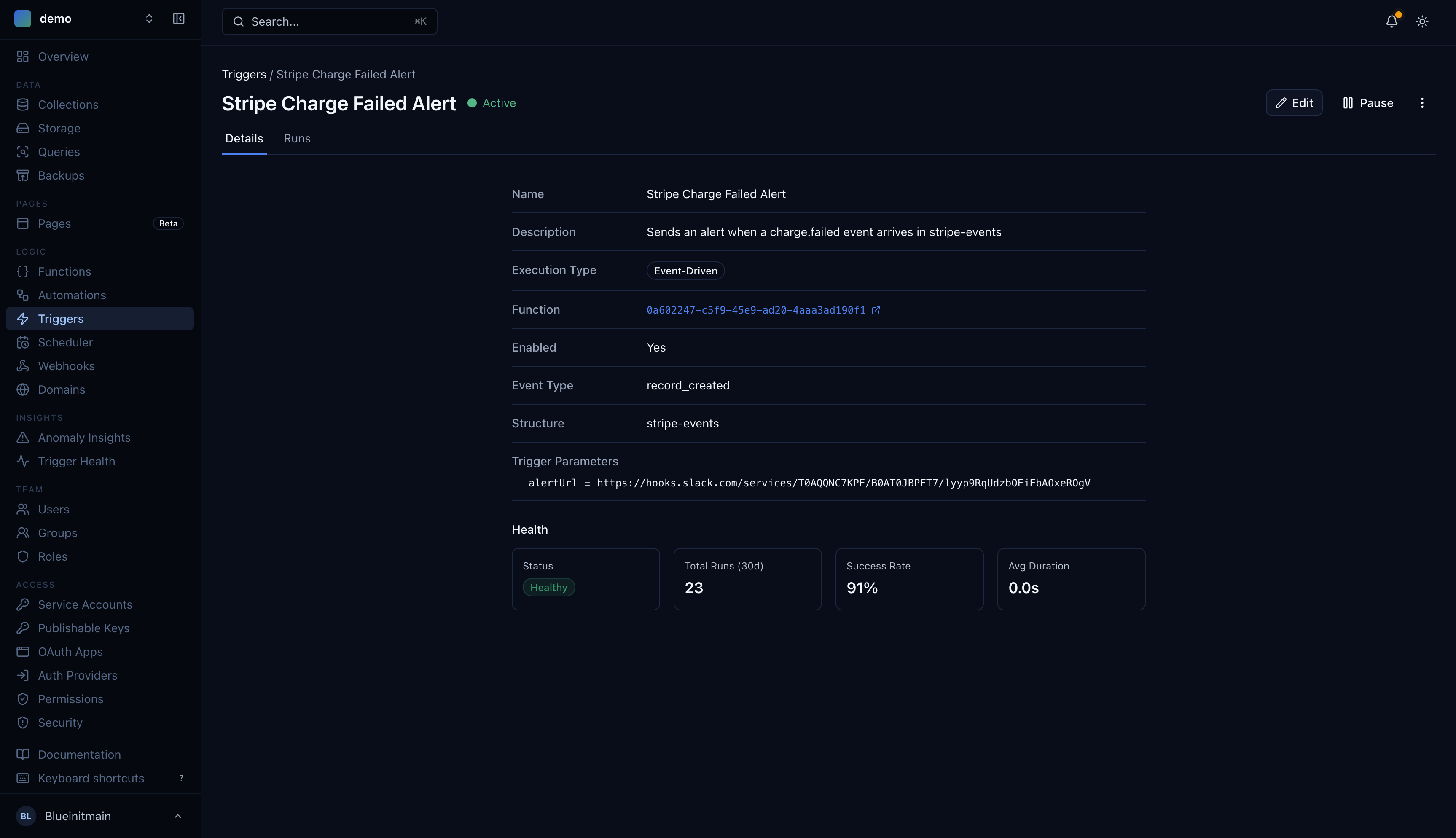
| Field | Value |
|---|---|
| Name | Stripe Charge Failed Alert |
| Function | Alert on Charge Failed |
| Type | Event-Driven |
| Event | record_created |
| Collection | stripe-events |
Under Trigger Parameters, add:
| Parameter | Value |
|---|---|
alertUrl | Your webhook URL (e.g., https://hooks.slack.com/services/T.../B.../xxx) |
Trigger parameters are encrypted at rest. Your webhook URL is never exposed in logs or function code.
Step 4: Test It
Trigger a failed charge from the Stripe CLI:
stripe trigger charge.failed
Or send a test webhook from the Stripe Dashboard. Within seconds, you should see the alert arrive:
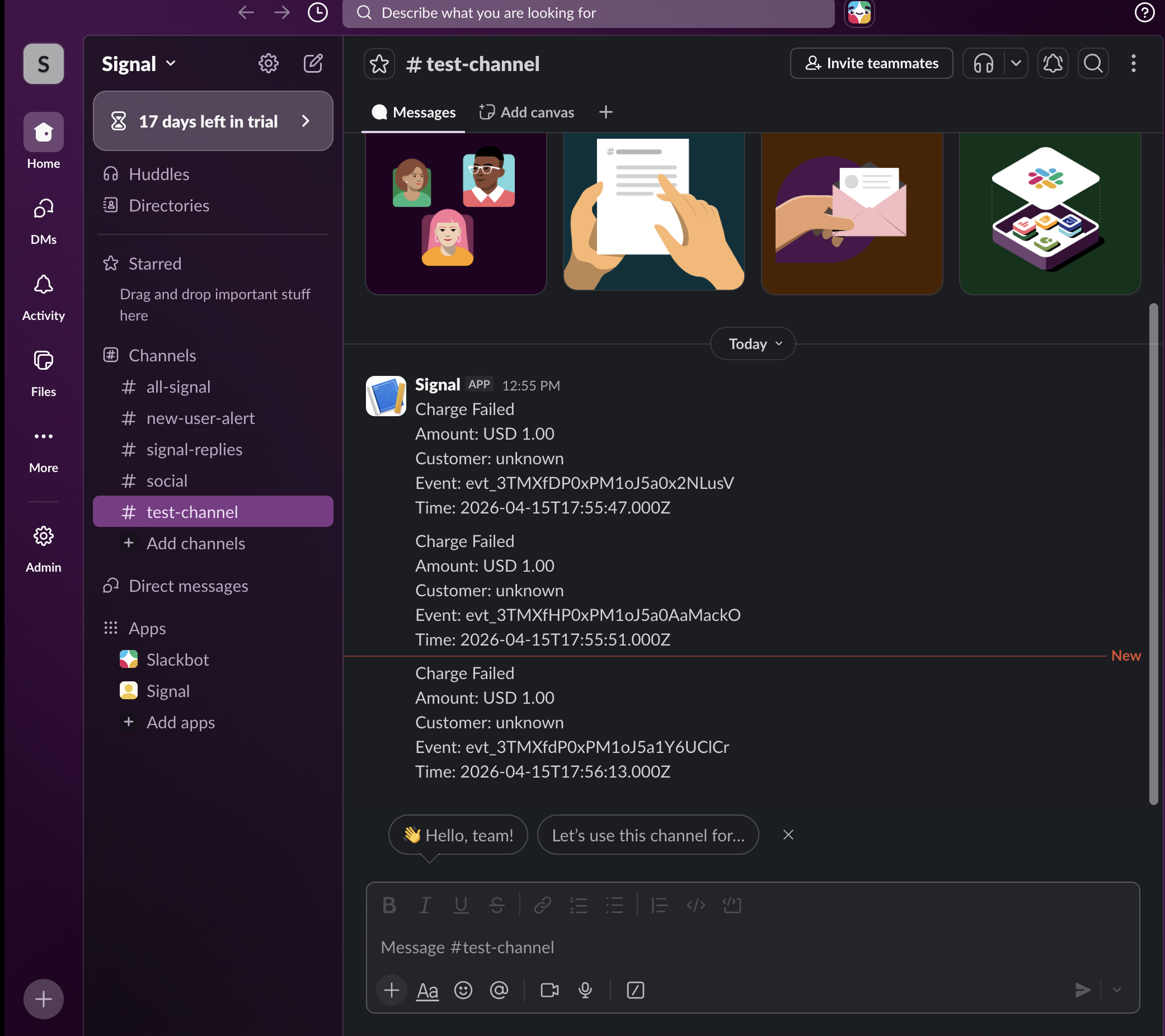
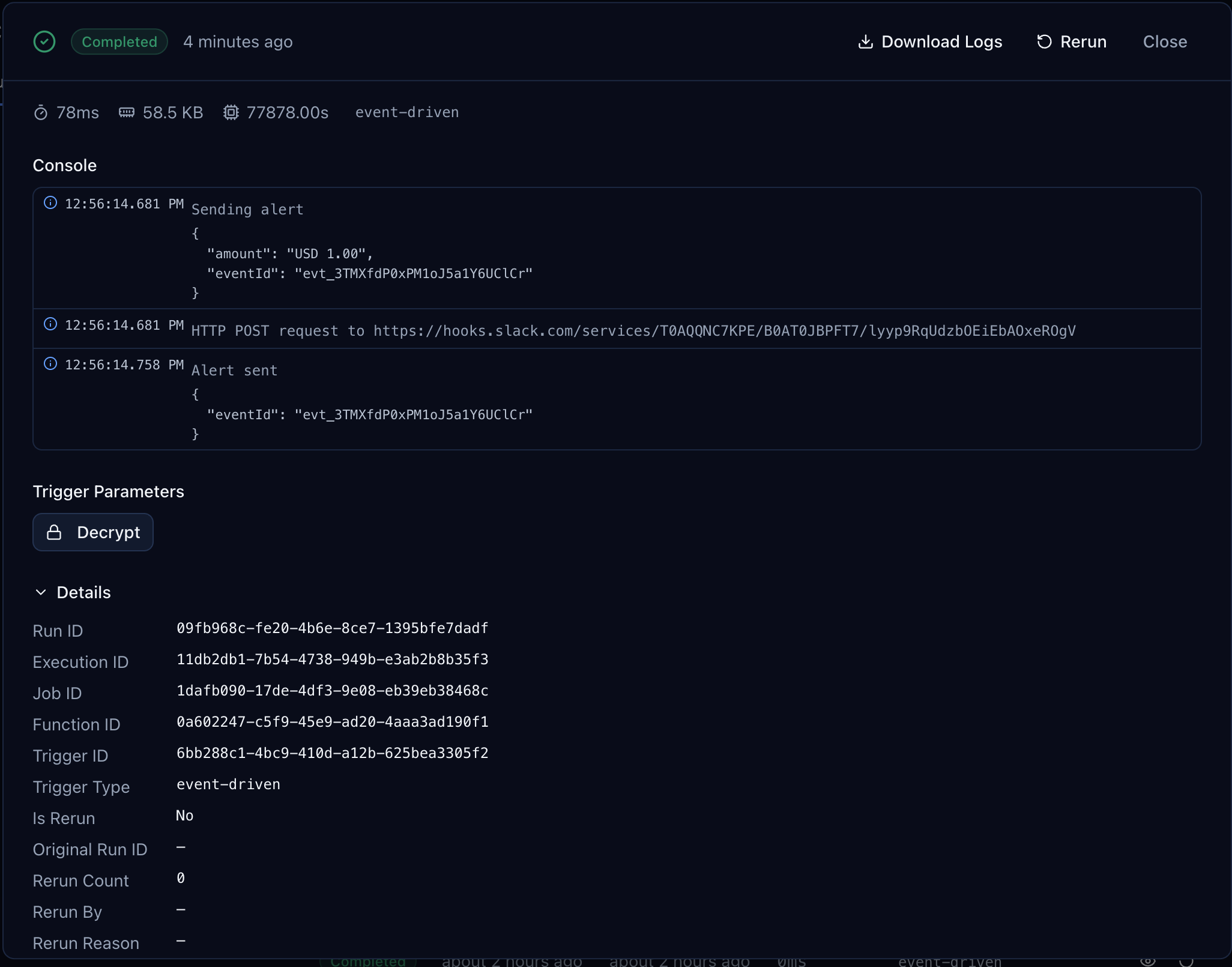
Open the run detail in the Centrali console to see the execution:
Adapting for Other Messaging Tools
The function posts { text: message }, which works with Slack and most webhook APIs. For other tools, adjust the payload:
Discord:
await api.httpPost(triggerParams.alertUrl, { content: message });
Microsoft Teams:
await api.httpPost(triggerParams.alertUrl, {"@type": "MessageCard",text: message,});
Any HTTP endpoint:
await api.httpPost(triggerParams.alertUrl, {event: 'charge.failed',amount,currency,customerId: event.customerId,eventId: event.eventId,});
Going Further
This pattern isn't limited to failed charges. You can alert on any event type by adjusting the filter:
- Disputes: Change the check to
event.eventType !== 'charge.dispute.created' - Failed invoices:
event.eventType !== 'invoice.payment_failed' - All failures: Remove the filter entirely and alert on every event
- Route by type: Use a
switchonevent.eventTypeto send different event types to different channels
You can also build more advanced workflows using orchestrations — chain multiple functions together, add conditional logic, or fan out to several endpoints in parallel.
What's Next
- Store Stripe Webhook Events and Query Them Forever — if you haven't set up the collection yet, start here
- Query Stripe Webhook Events Like a Database — amount ranges, customer segments, daily failure rates
- Your Webhook Data Is Schemaless — Here's How to Give It Structure — turn raw webhook JSON into typed, validated properties