Stripe deletes webhook events after 30 days and the Events API only filters by type and date. If you need to query historical events by customer, amount, or any field — you're building a database, an endpoint, and query logic that isn't your product.
This walkthrough sets up permanent Stripe event storage in Centrali. You'll write a compute function that receives and stores every event, wire it to an HTTP trigger with signature verification, and connect it to Stripe.
New to webhooks? What Is a Webhook? How They Work, With Examples covers the fundamentals — how delivery, retries, and signature verification work — before you wire one up here.
Step 1: Write the Compute Function
In the Centrali console, go to Logic > Functions and create a new function called store-stripe-event.
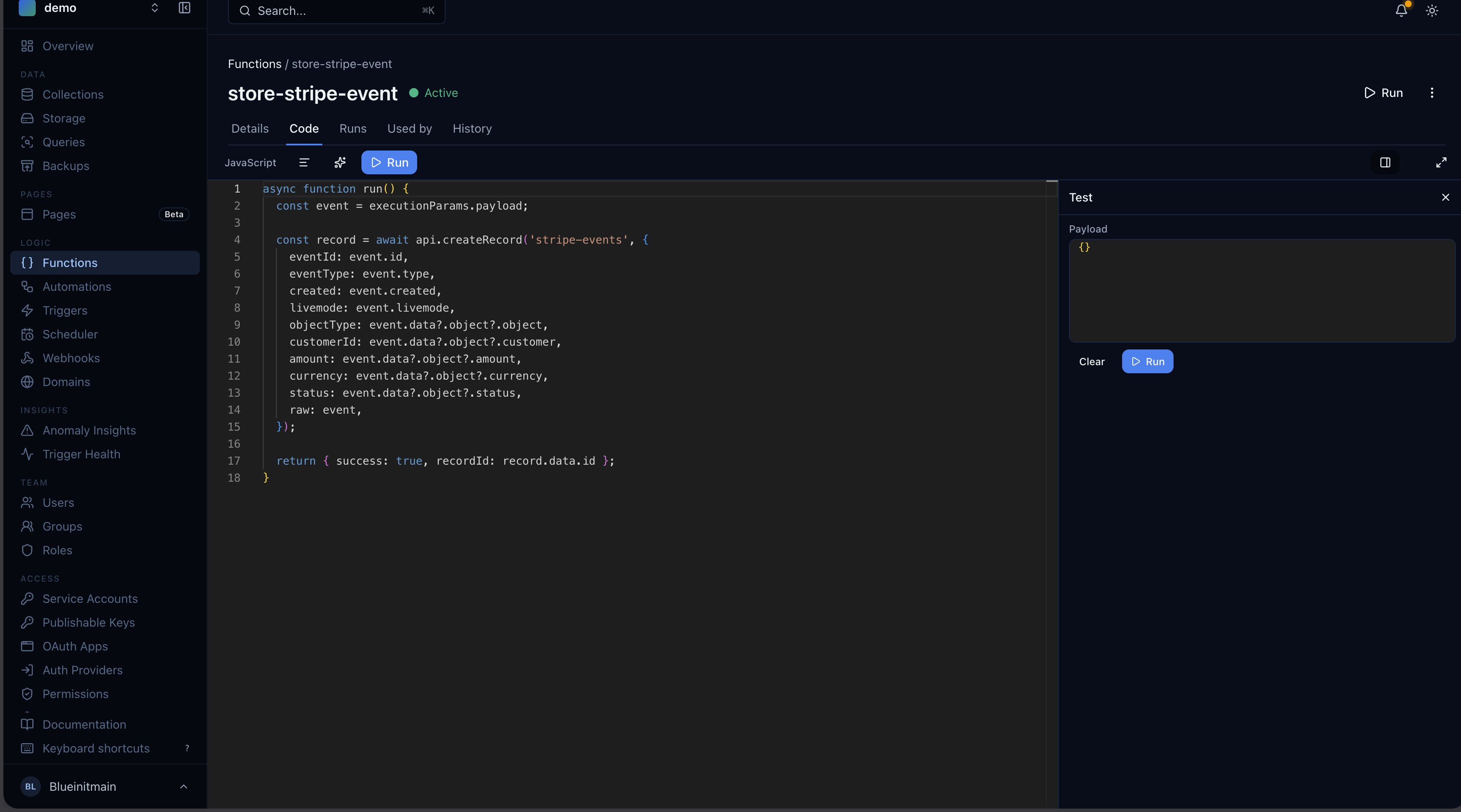
async function run() {const event = executionParams.payload;const record = await api.createRecord('stripe-events', {eventId: event.id,eventType: event.type,created: event.created,livemode: event.livemode,objectType: event.data?.object?.object,customerId: event.data?.object?.customer,amount: event.data?.object?.amount,currency: event.data?.object?.currency,status: event.data?.object?.status,raw: event,});return { success: true, recordId: record.id };}
This function runs every time Stripe sends an event. It flattens key fields (eventType, customerId, amount) to the top level for fast querying and keeps the full payload in raw. You can reshape this however you want — add fields, drop fields, transform values.
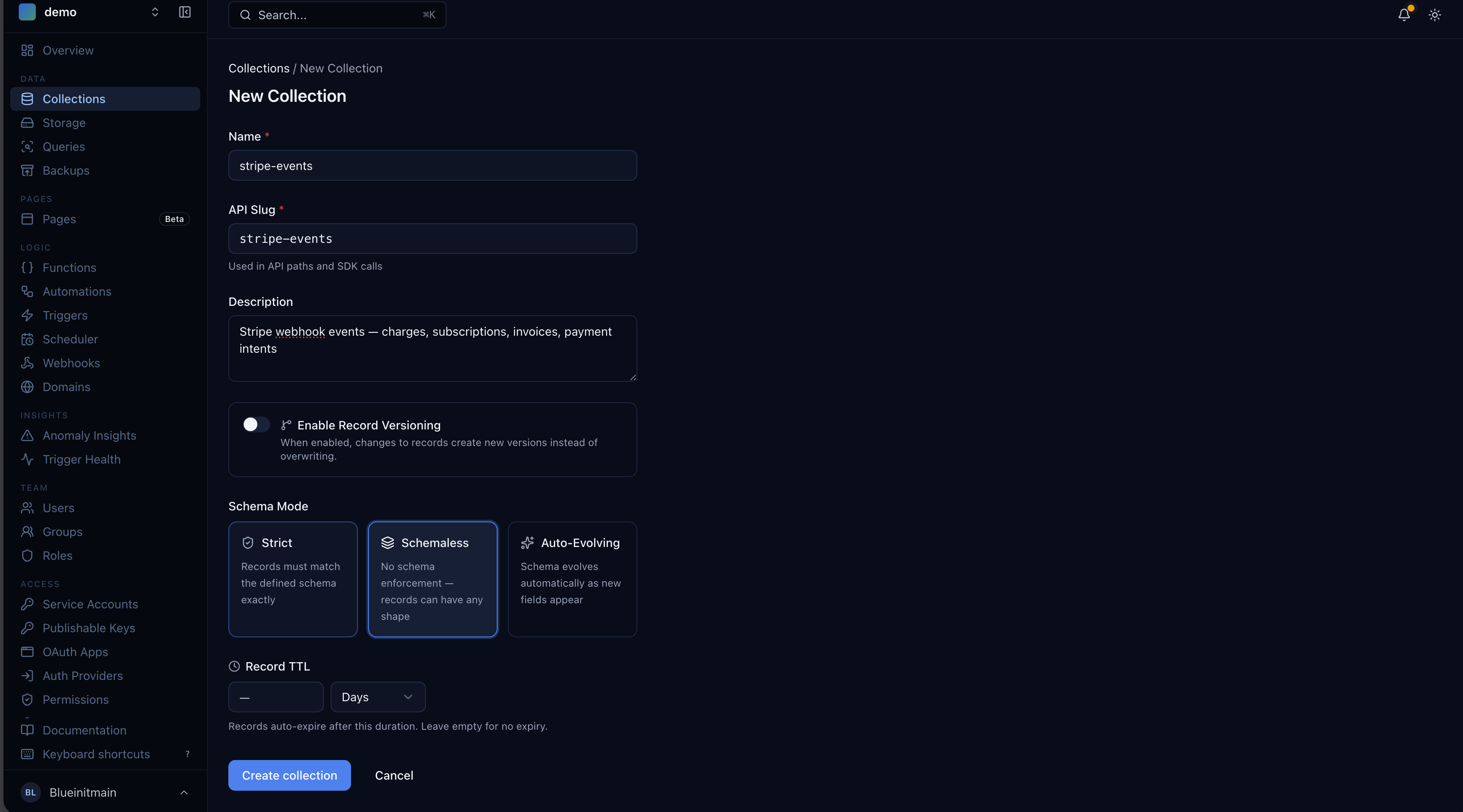
stripe-events is a collection we'll create in a moment. Set it to schemaless mode so it accepts any event shape — charge.succeeded looks nothing like customer.subscription.deleted.
Step 2: Wire Up the Webhook Trigger
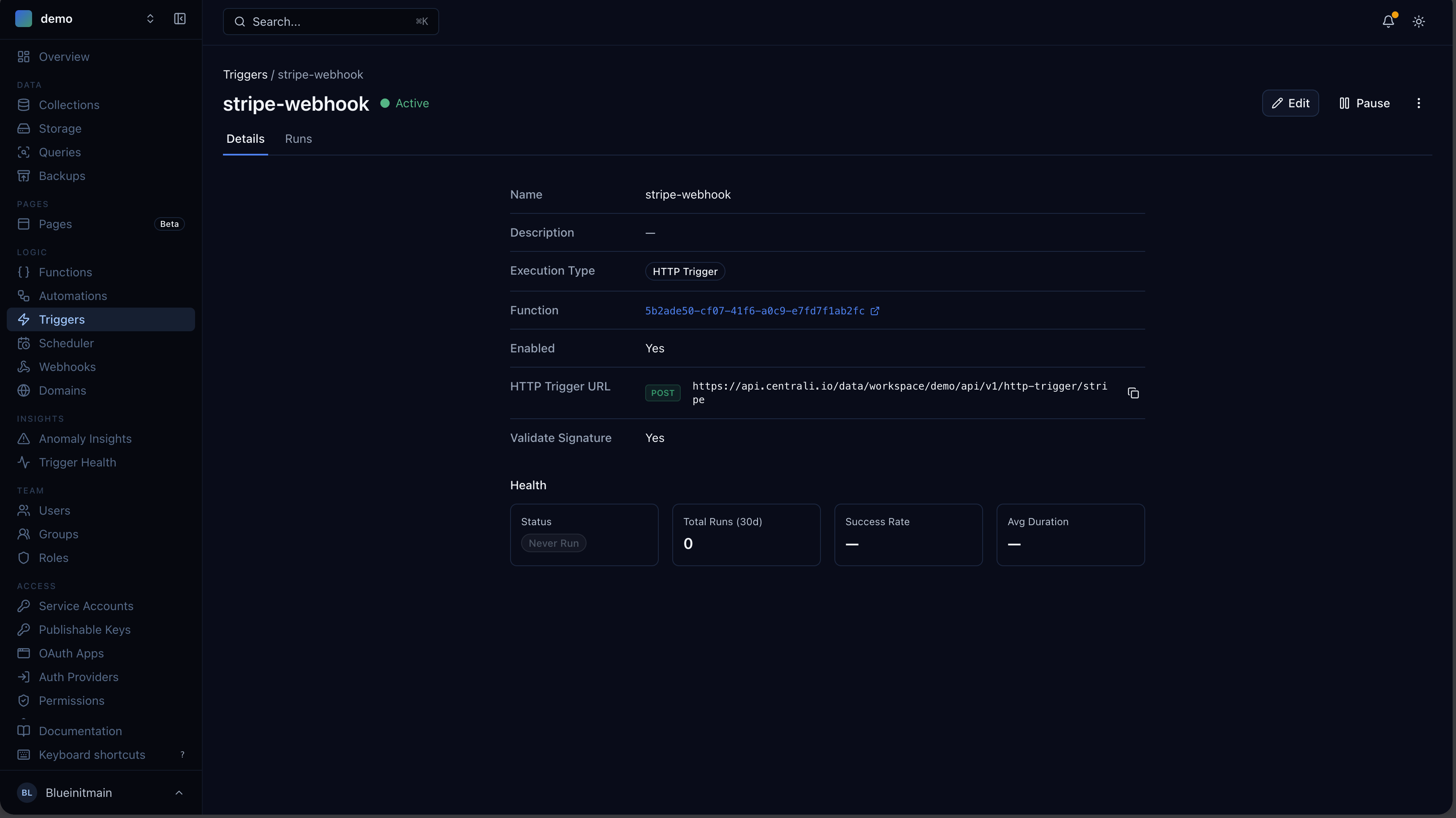
Go to Logic > Triggers and create a new trigger.
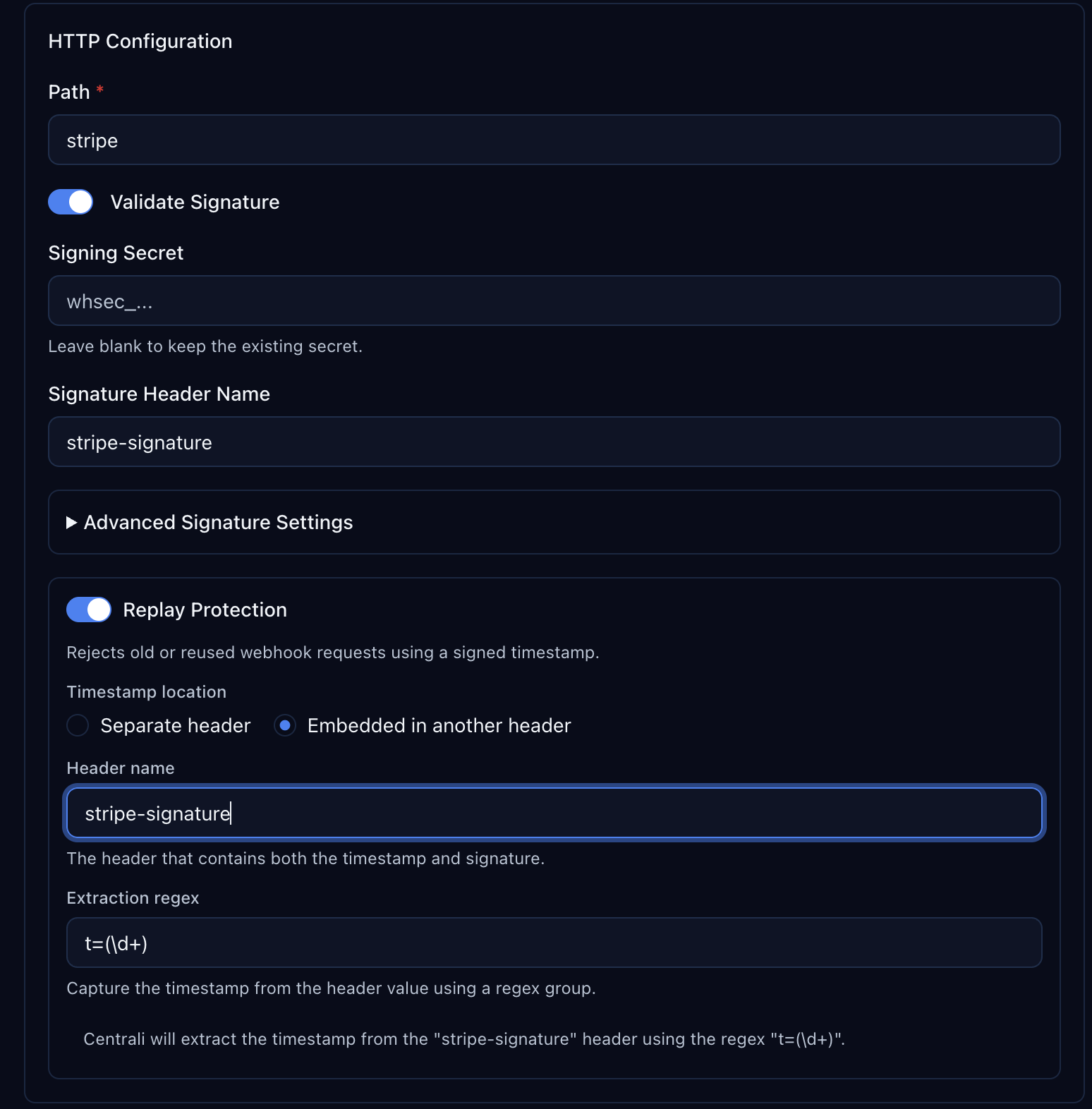
Configure signature verification and replay protection:
| Field | Value |
|---|---|
| Name | stripe-webhook |
| Function | store-stripe-event |
| Type | Webhook |
| Path | /stripe |
This gives you a public webhook URL:
https://centrali.io/workspace/{your-workspace}/api/v1/webhook/stripe
Signature Verification
Stripe signs every webhook with HMAC-SHA256 using a compound header: t=1492774577,v1=5257a869.... Configure the trigger to validate it:
| Setting | Value |
|---|---|
| Validate Signature | true |
| Signature Header | stripe-signature |
| Extraction Pattern | v1=([^,]+) |
| Timestamp Extraction Pattern | t=(\\d+) |
| HMAC Algorithm | sha256 |
| HMAC Encoding | hex |
| Secret Encoding | raw |
You'll paste your Stripe signing secret here after the next step.
Step 3: Connect Stripe
Open the Stripe Dashboard (test mode is fine).
- Add endpoint — paste your Centrali webhook URL
- Select events — pick what you need:
charge.succeeded,charge.failed,invoice.payment_failed,customer.subscription.created, etc. - Copy the signing secret — on the endpoint detail page, click Reveal to get the
whsec_...value - Paste it back in the Centrali trigger settings
Events now flow from Stripe into your stripe-events collection.
Step 4: See Your Data
Send a test webhook from the Stripe Dashboard — click Send test webhook on your endpoint and pick charge.succeeded.
Open the stripe-events collection in the Centrali console.
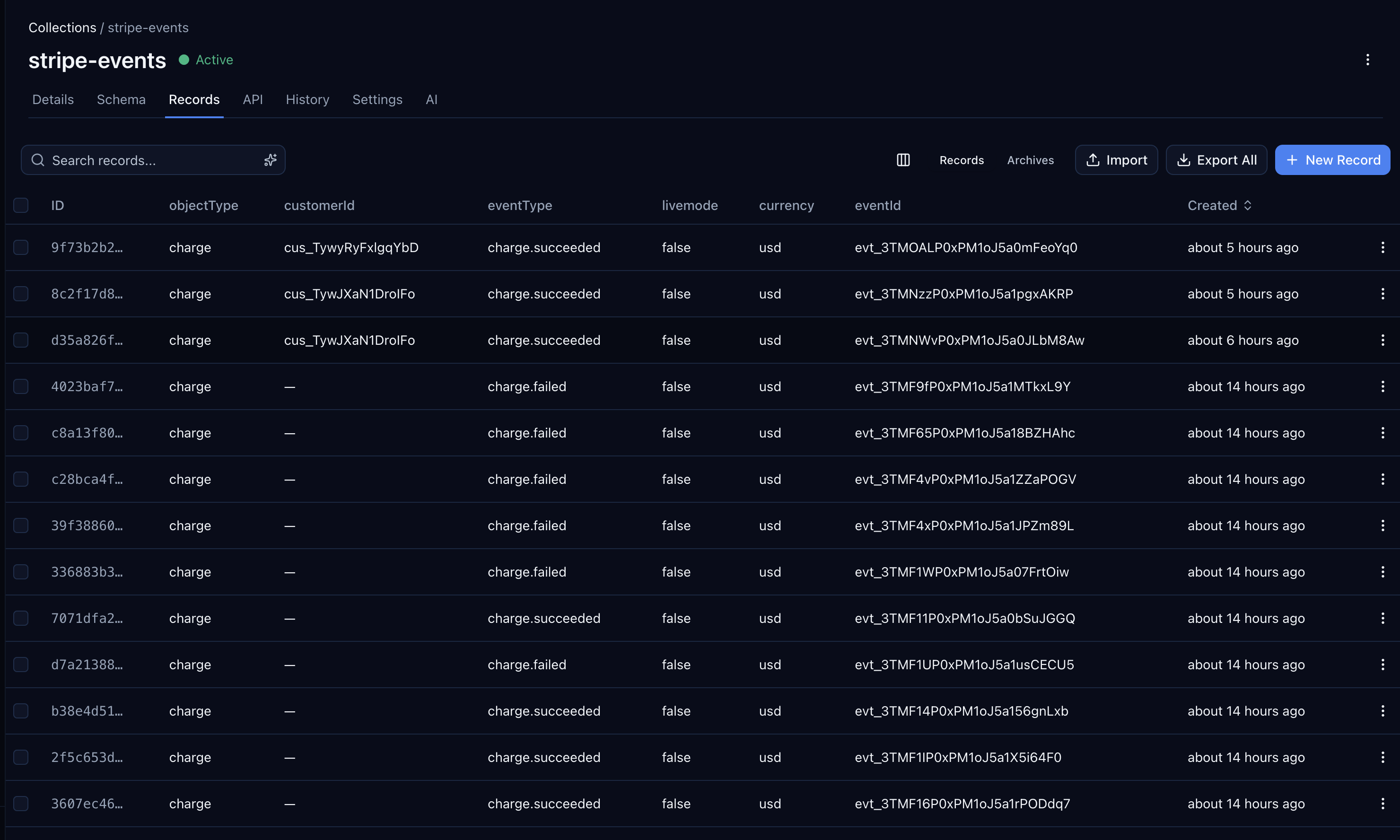
Filter by eventType, sort by created, click into any record to see the full payload. This data doesn't expire — it's yours permanently.
Query Programmatically
Install the SDK to query from your application code:
npm install @centrali-io/centrali-sdk
import { CentraliSDK } from '@centrali-io/centrali-sdk';const centrali = new CentraliSDK({workspaceId: 'your-workspace',clientId: process.env.CENTRALI_CLIENT_ID,clientSecret: process.env.CENTRALI_CLIENT_SECRET,});// All failed charges — ever, not just the last 30 daysconst failedCharges = await centrali.queryRecords('stripe-events', {'data.eventType': 'charge.failed',});// Every event for a specific customerconst customerEvents = await centrali.queryRecords('stripe-events', {'data.customerId': 'cus_ABC123',});// Payment intents over $100const bigPayments = await centrali.queryRecords('stripe-events', {'data.eventType': 'payment_intent.succeeded','data.amount[gte]': 10000,});
Or use the REST API directly:
curl "https://centrali.io/workspace/your-workspace/api/v1/records/slug/stripe-events?data.eventType=charge.failed" \-H "Authorization: Bearer YOUR_TOKEN"
Use Centrali MCP With Your AI Assistant
You can also query your stored Stripe events through Centrali's MCP server from Claude, Cursor, or any MCP-compatible AI assistant — no SDK setup needed.
See the MCP setup guide for how to connect your AI assistant to Centrali.
What's Next
Now that your webhook events are stored, you can build on top of them:
- Get Alerted When a Stripe Charge Fails — a 15-line function that notifies Slack, Discord, Teams, or email the instant a
charge.failedevent arrives. - Query Stripe Webhook Events Like a Database — amount ranges, customer segments, daily failure rates, scheduled reports.
- Ingest Webhooks From Any Provider — GitHub as the Example — the same storage pattern works for GitHub, Shopify, Twilio, or any provider.
- Your Webhook Data Is Schemaless — Here's How to Give It Structure — turn raw webhook JSON into typed, validated properties.