The Centrali admin console is the control center for your workspace — where you define collections, write functions, configure automations, and manage access. With version 4.0, we rebuilt it from the ground up.
The old console served us well, but it was built on a stack that made iteration slow and the experience inconsistent. For 4.0, we started fresh with React 18, Vite, and TailwindCSS — a foundation that lets us ship faster and deliver a more polished experience.
Here's what changed.
A New Dashboard
The first thing you see after signing in is now a real-time overview of your workspace.
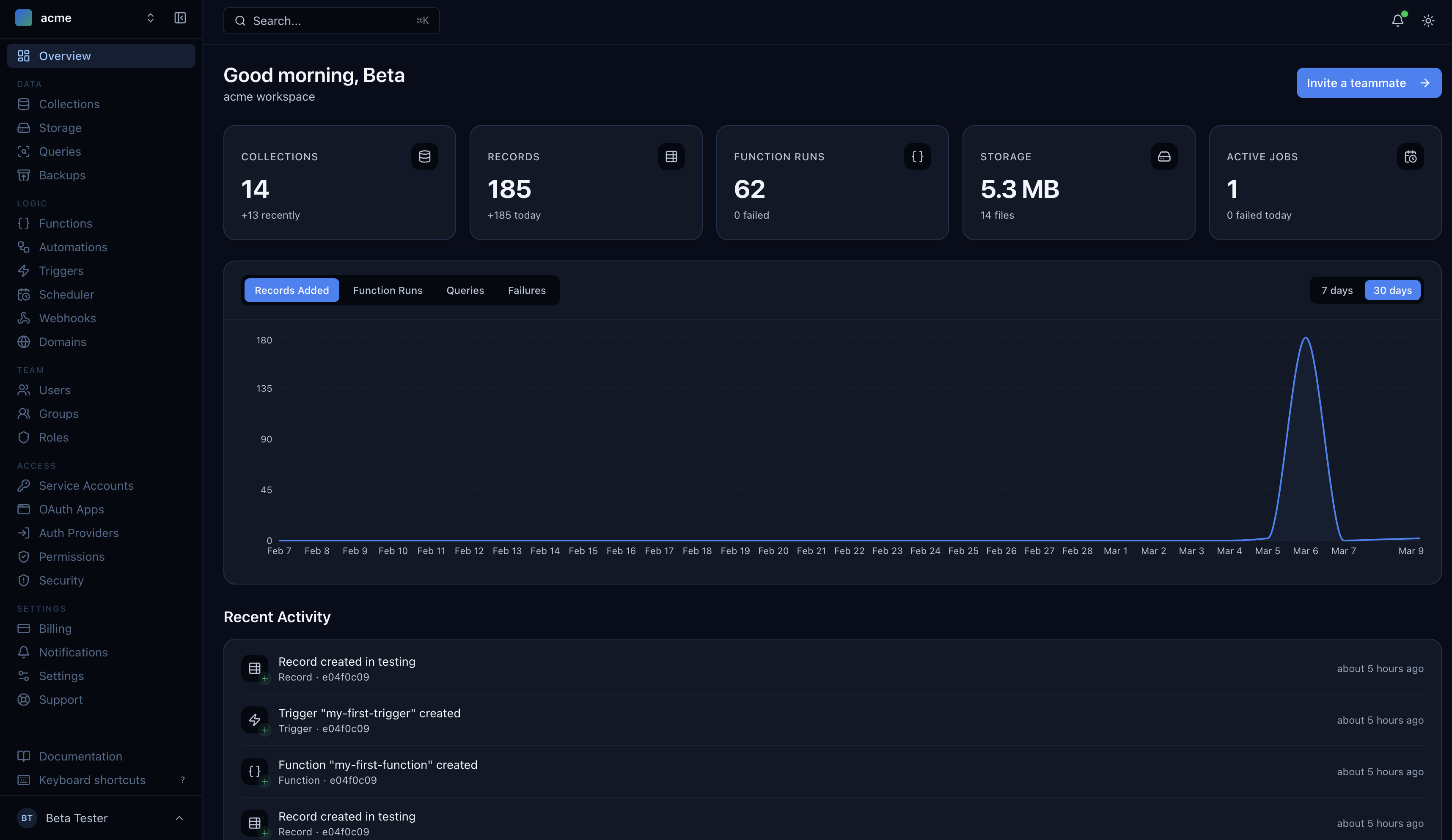
Collections, records, function runs, storage usage, and active jobs — all at a glance. The activity feed shows recent changes across your workspace, and the chart lets you toggle between 7-day and 30-day views to spot trends.
Collections, Redesigned
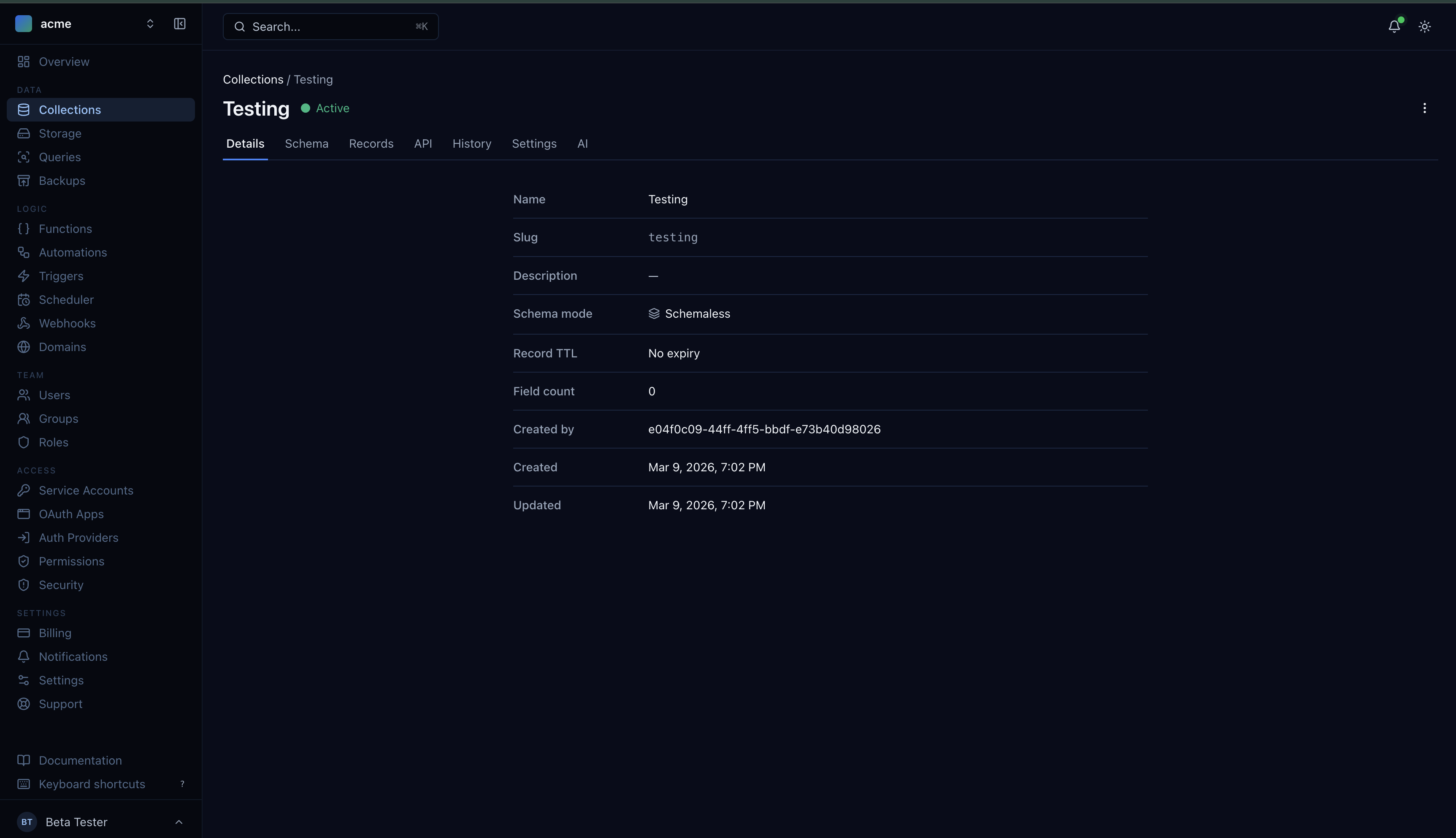
Collections are central to Centrali, and they deserved more attention. The new detail view organizes everything into logical tabs: Details, Schema, Records, API, History, Settings, and AI.
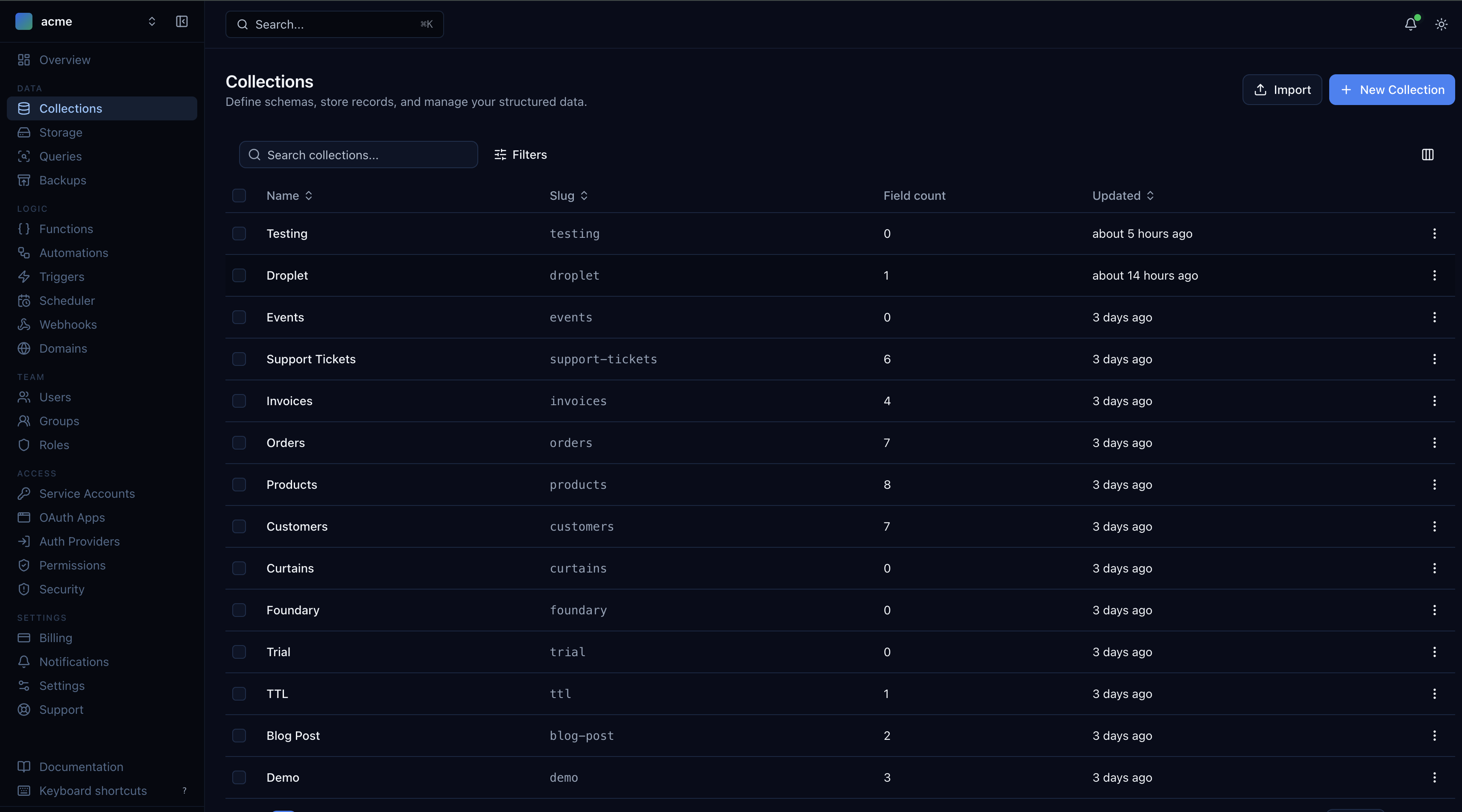
The list view is cleaner — sortable columns, field counts, and timestamps. Click into any collection and you land on a details page that gives you the full picture without overwhelming you.
Schema Editor
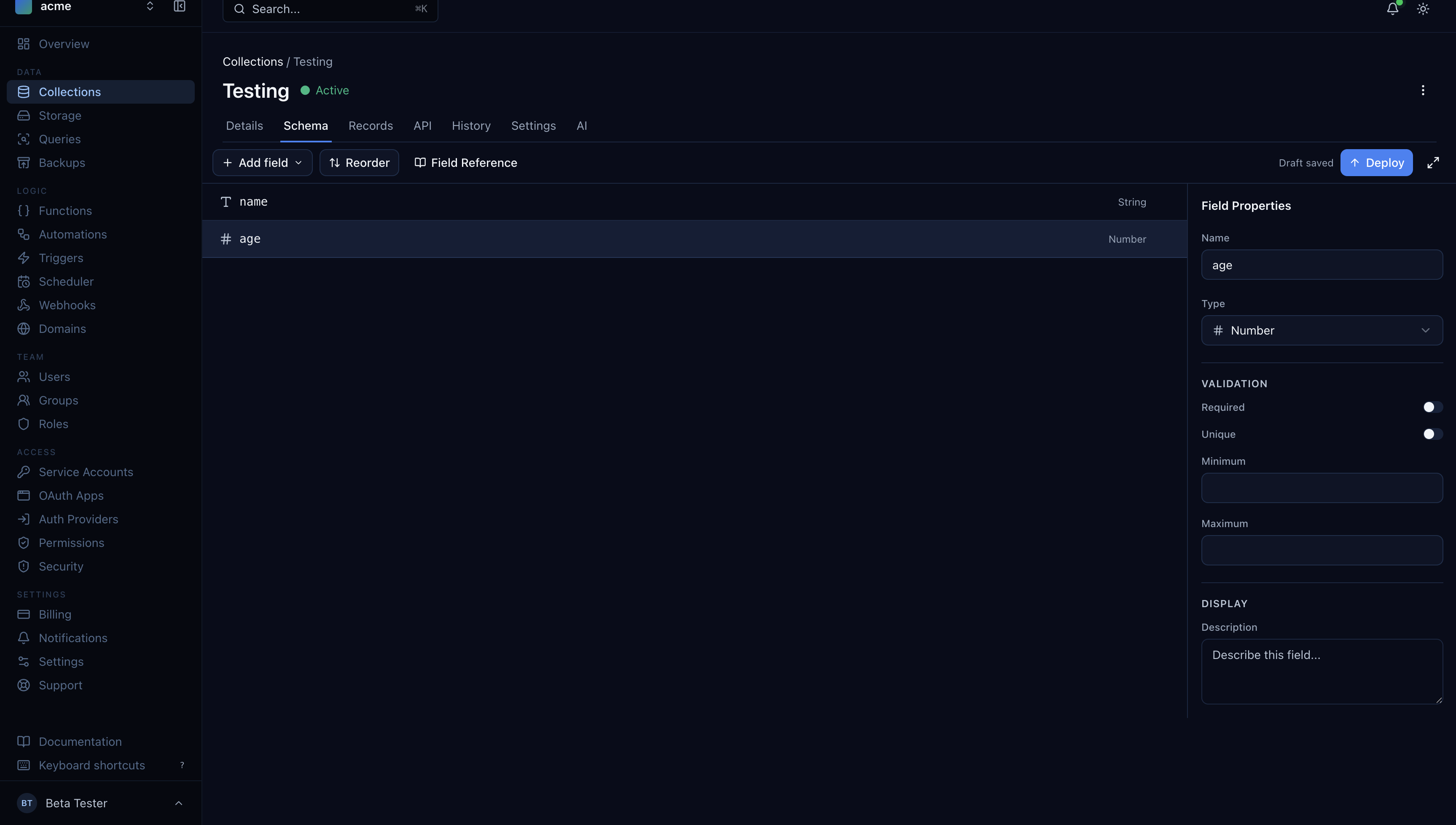
The schema tab is where you define your data model. Add fields, set types, configure validation — all in a side-panel editor that shows your changes as a draft before you deploy.
Inline API Reference
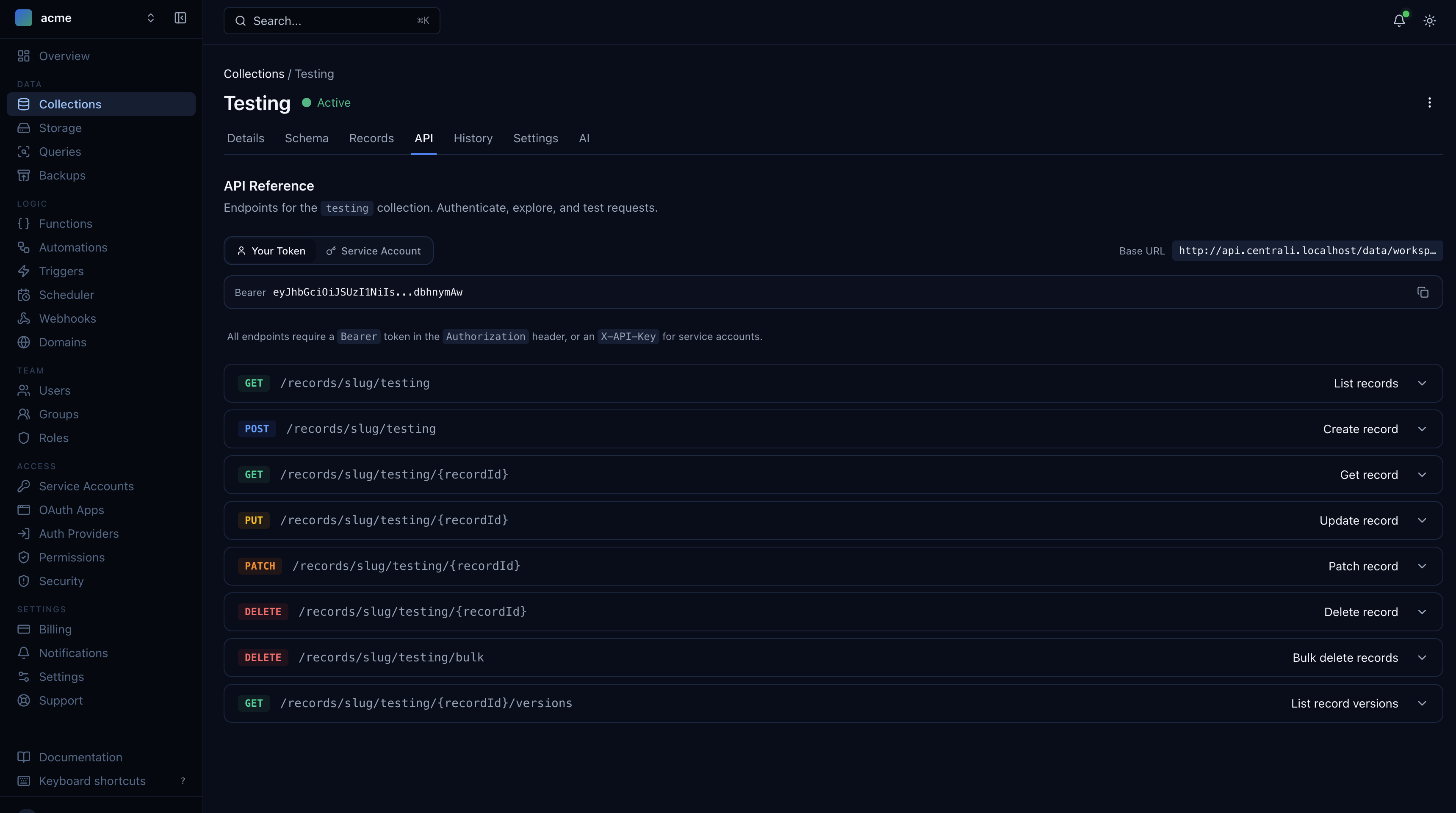
Every collection now has an API tab showing the exact REST endpoints for that collection. No more switching to documentation — the endpoints, authentication requirements, and base URL are right there.
AI Validation
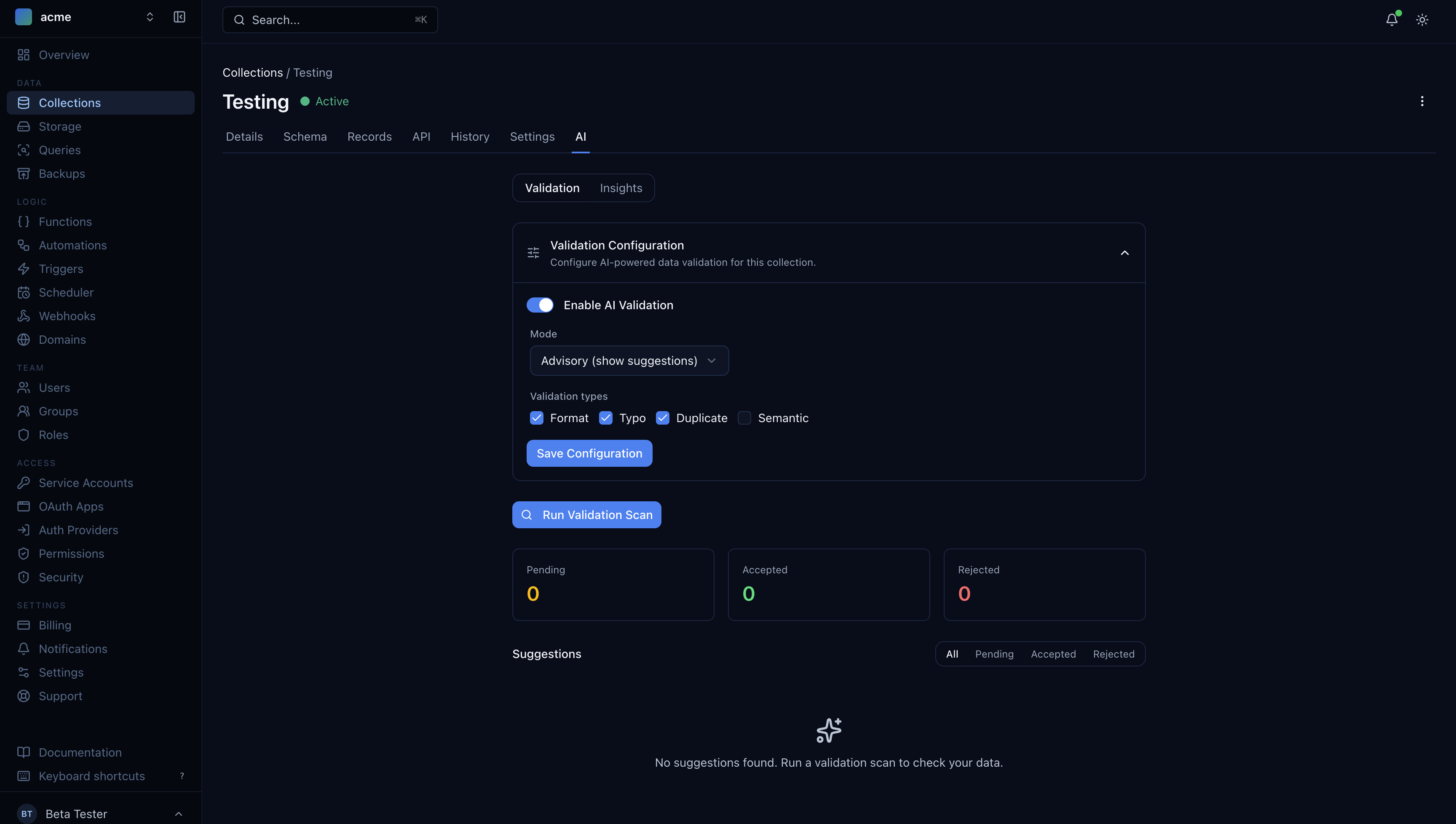
The AI tab lets you configure intelligent data validation per collection. Enable it, choose your validation types (format, typo, duplicate, semantic), and run scans to catch data quality issues automatically.
Automations and the Visual Builder
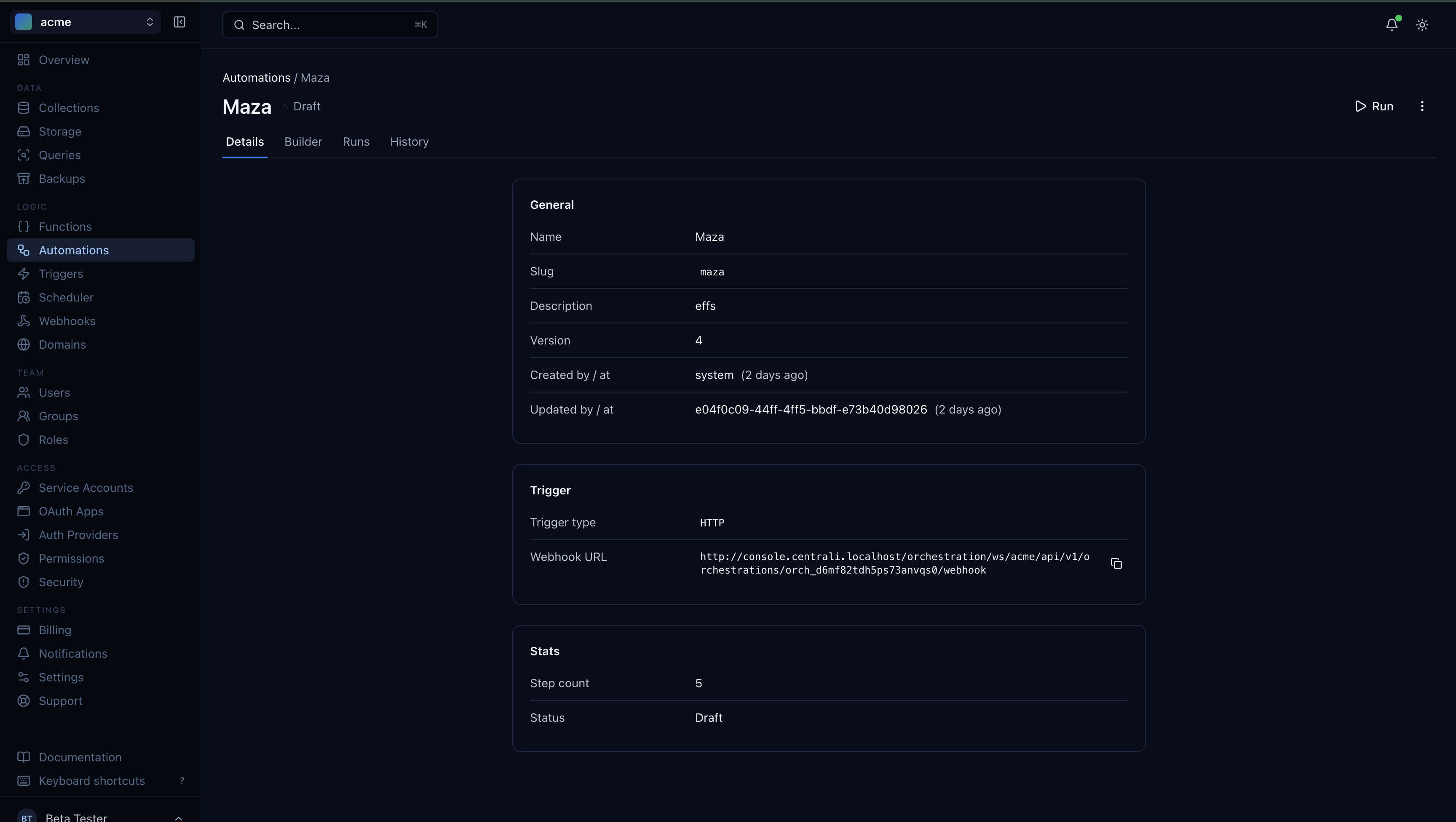
Automations got a major upgrade. The detail view shows everything about your workflow — trigger type, webhook URL, step count, and version history.
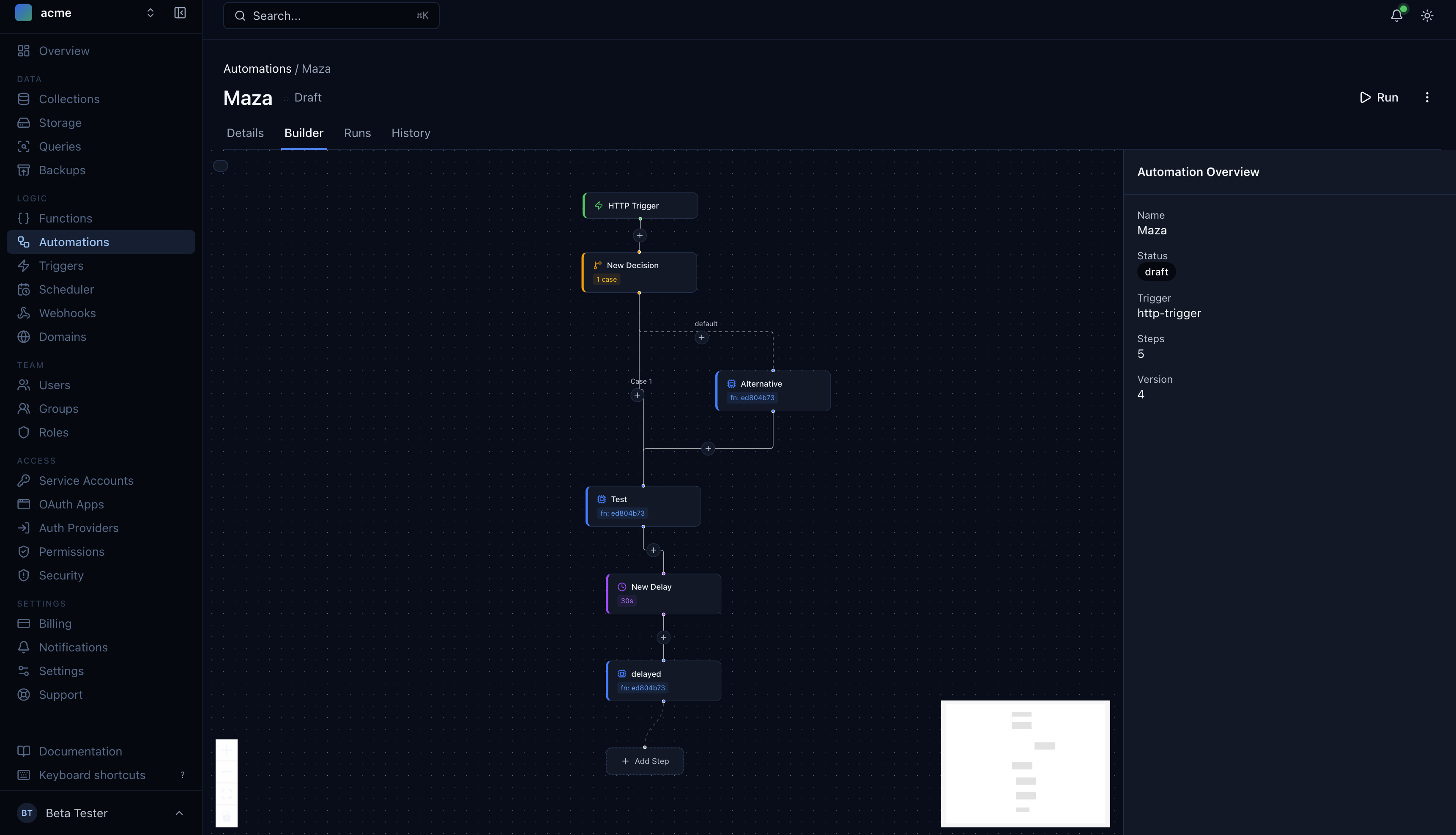
But the real highlight is the visual builder. Design multi-step workflows by dragging and connecting nodes — HTTP triggers, data operations, conditions, and more. Each step is configurable inline, and the overview panel shows the full picture.
Functions with Inline Testing
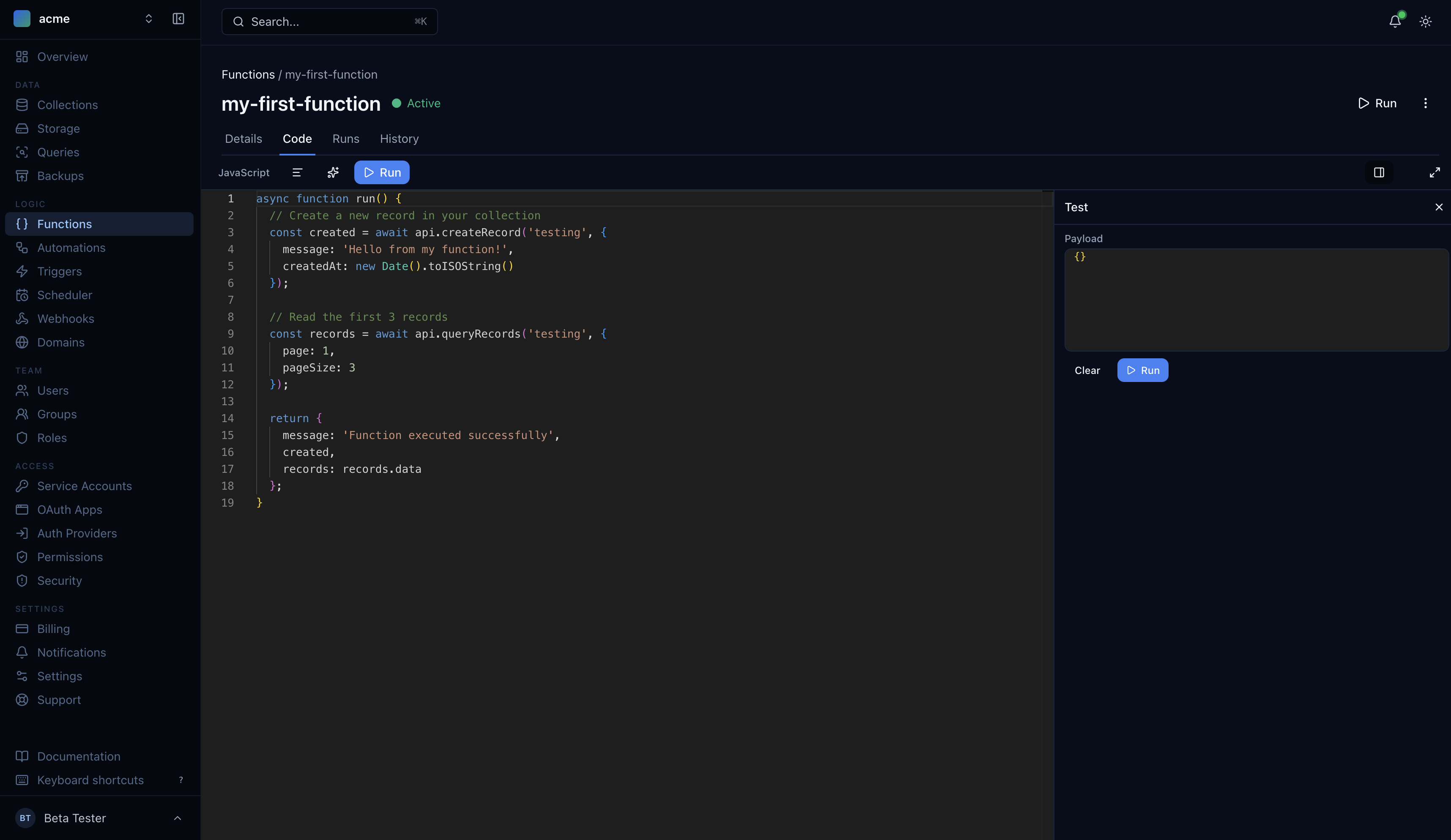
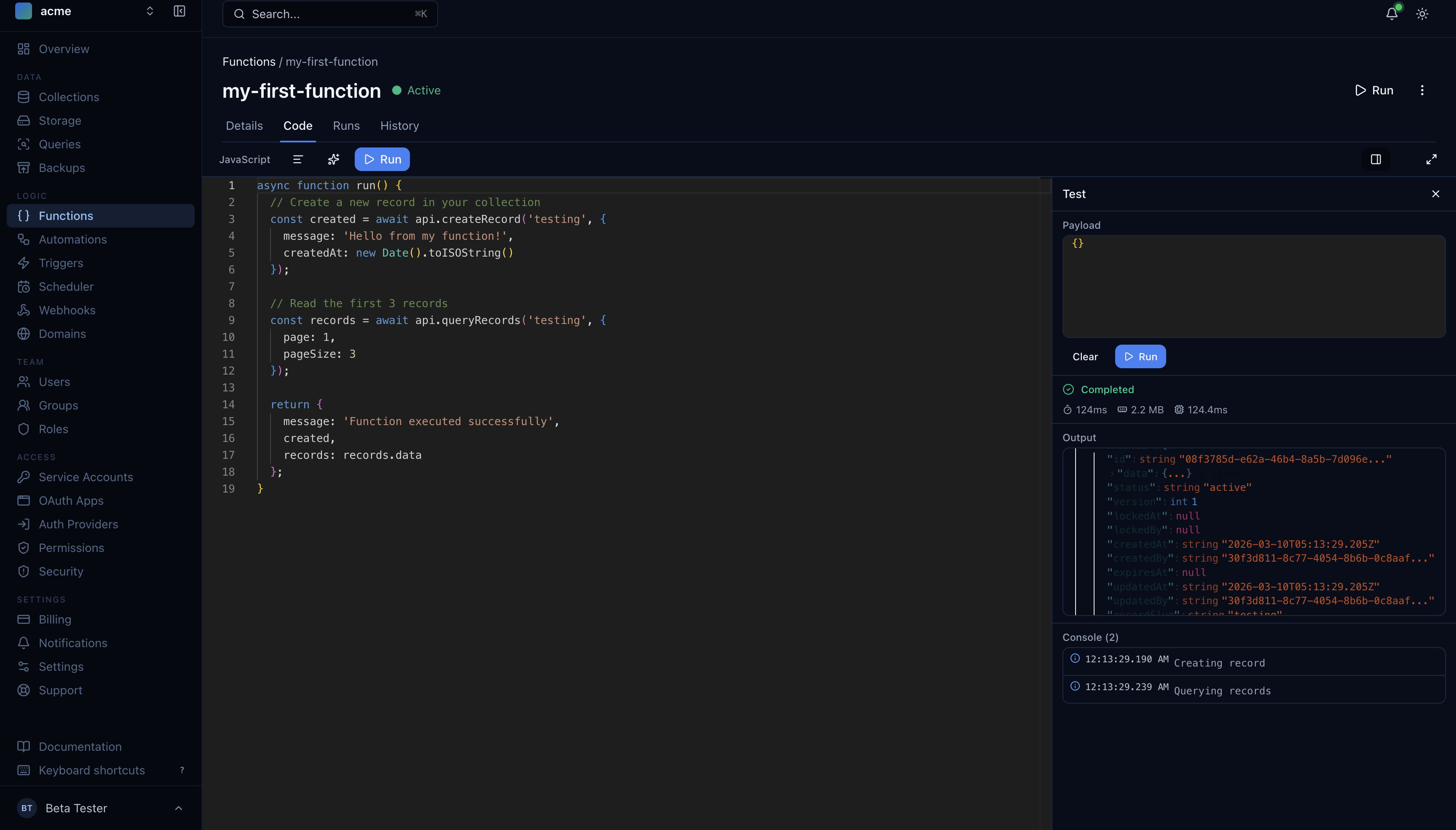
The function editor now includes an inline test runner. Write your function code, hit Run, and see the output, execution time, memory usage, and console logs — all without leaving the page.
Triggers and Health Monitoring
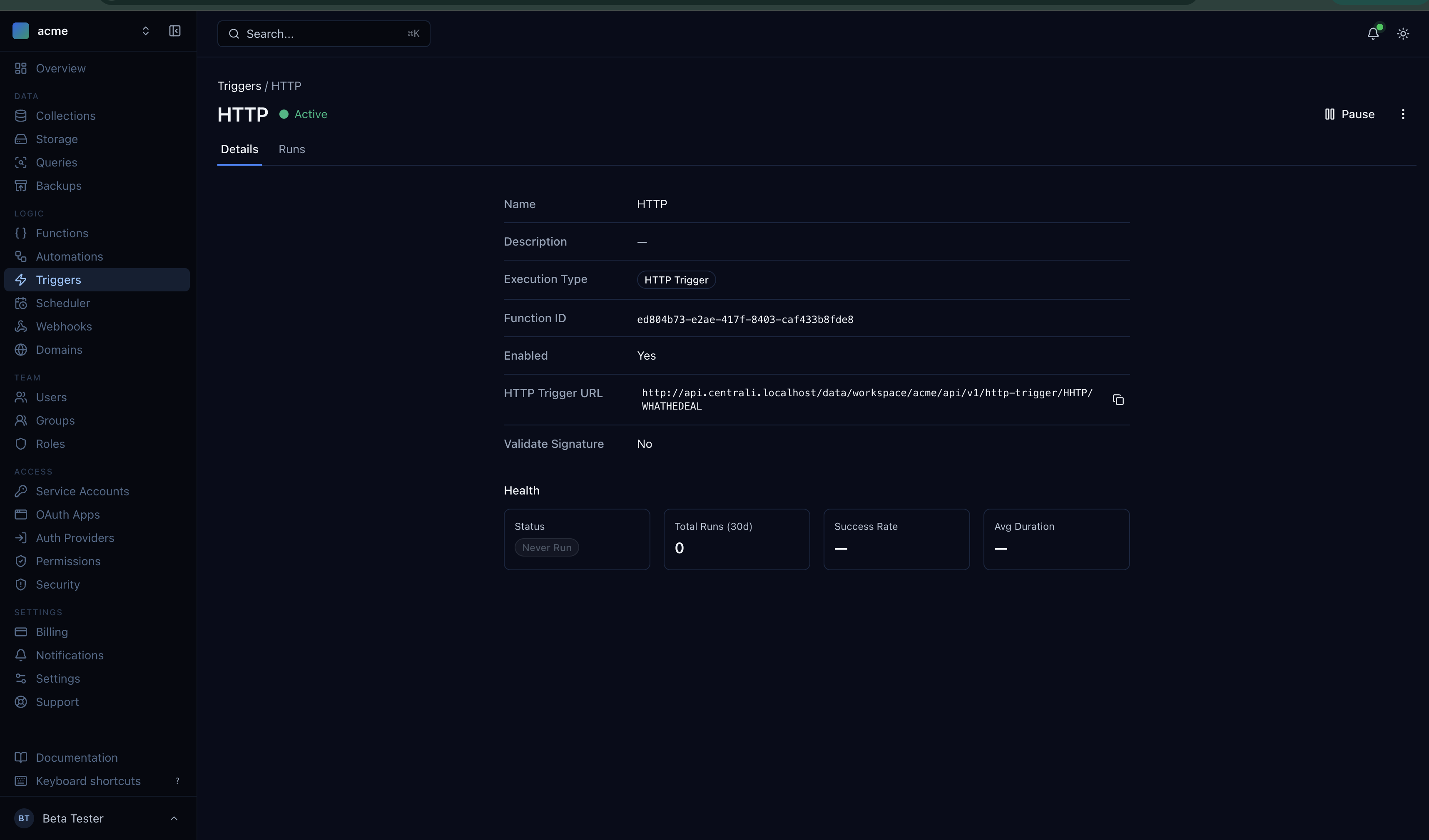
HTTP triggers now have a dedicated management page with health metrics. See your trigger URL, execution stats, success rates, and run history at a glance.
Webhooks with Delivery Insights
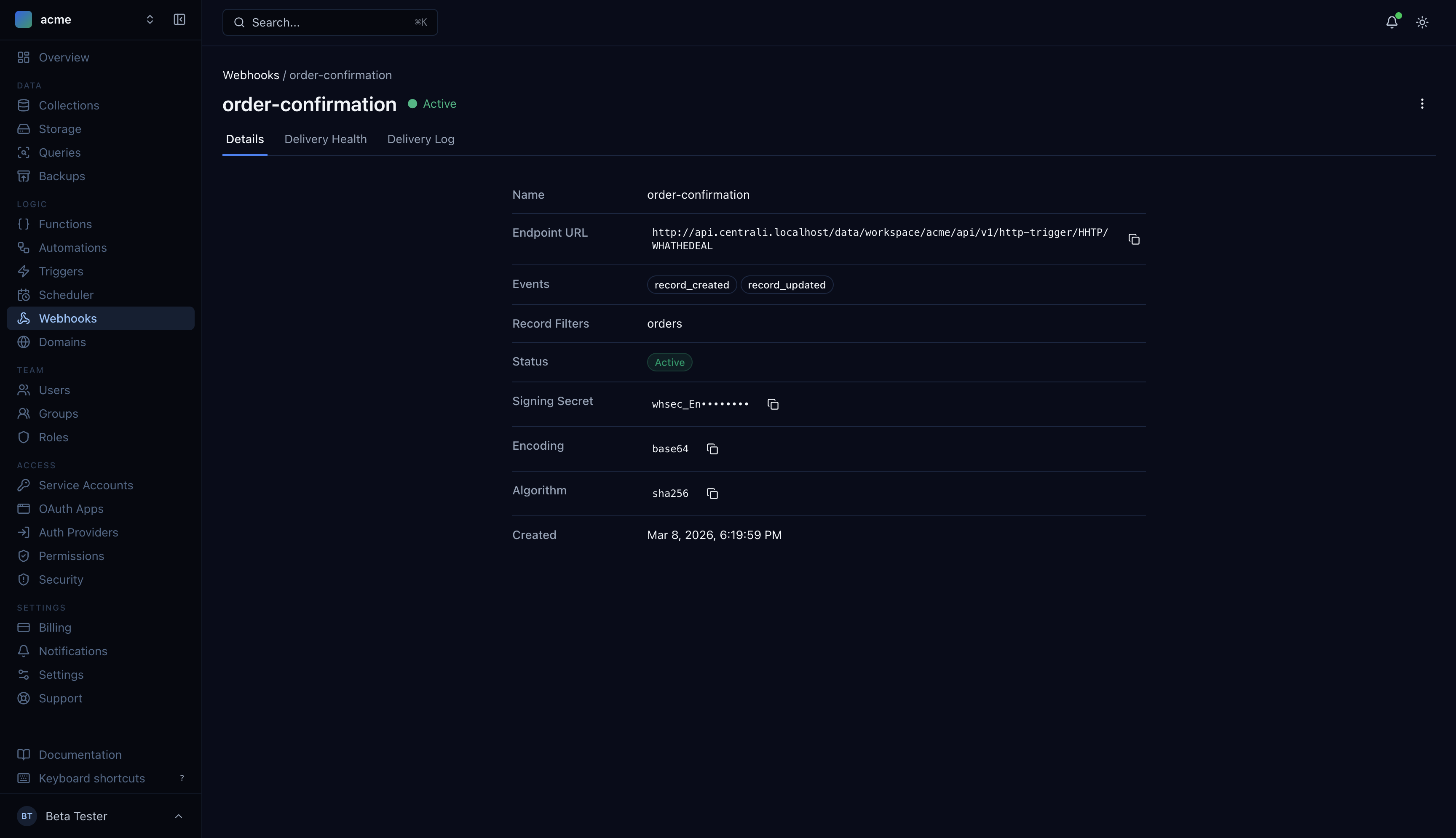
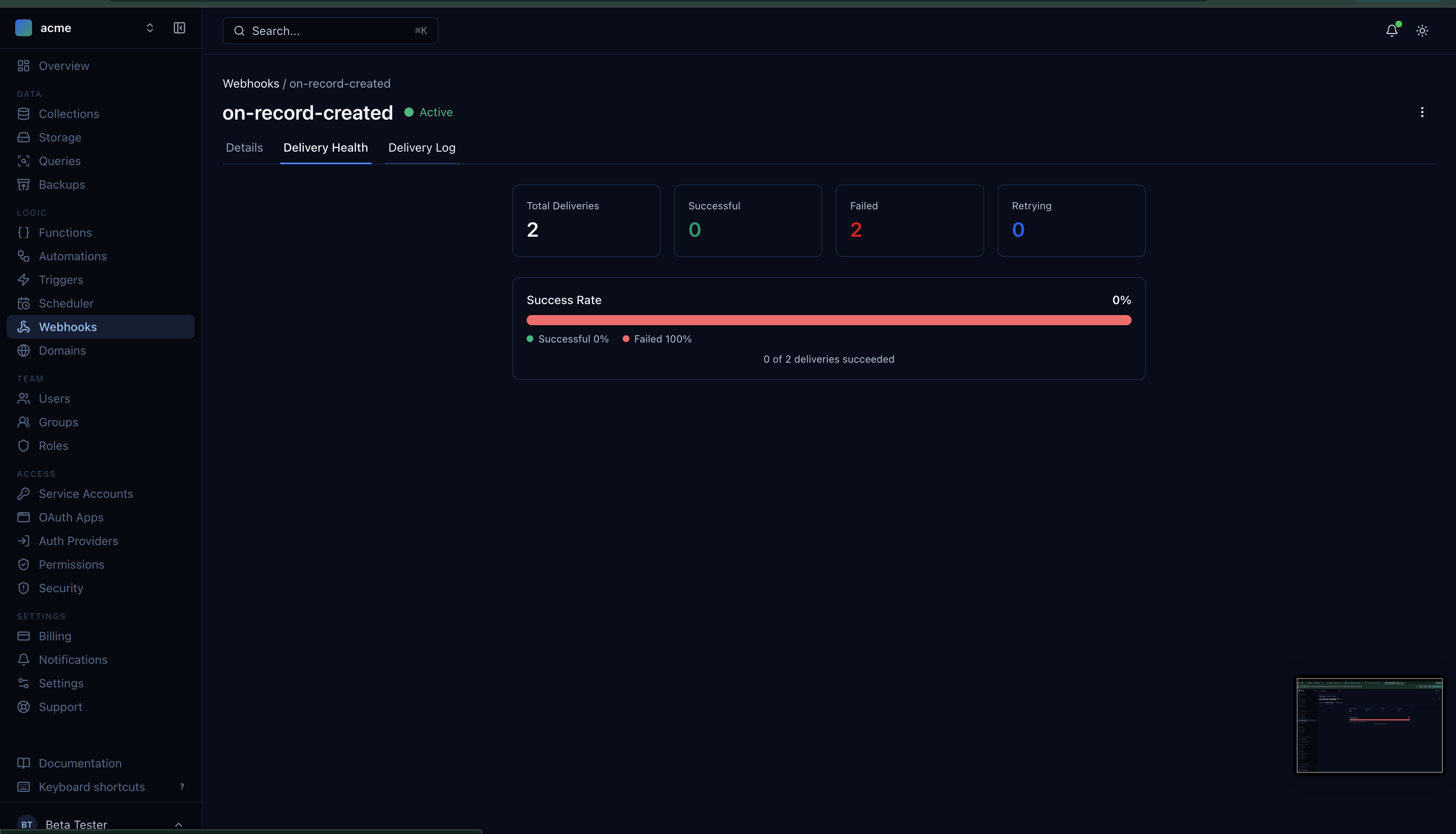
Webhooks are no longer fire-and-forget. The new webhook detail view shows your endpoint configuration, signing secret, and event filters. The delivery health tab gives you success rates, failure counts, and retry status.
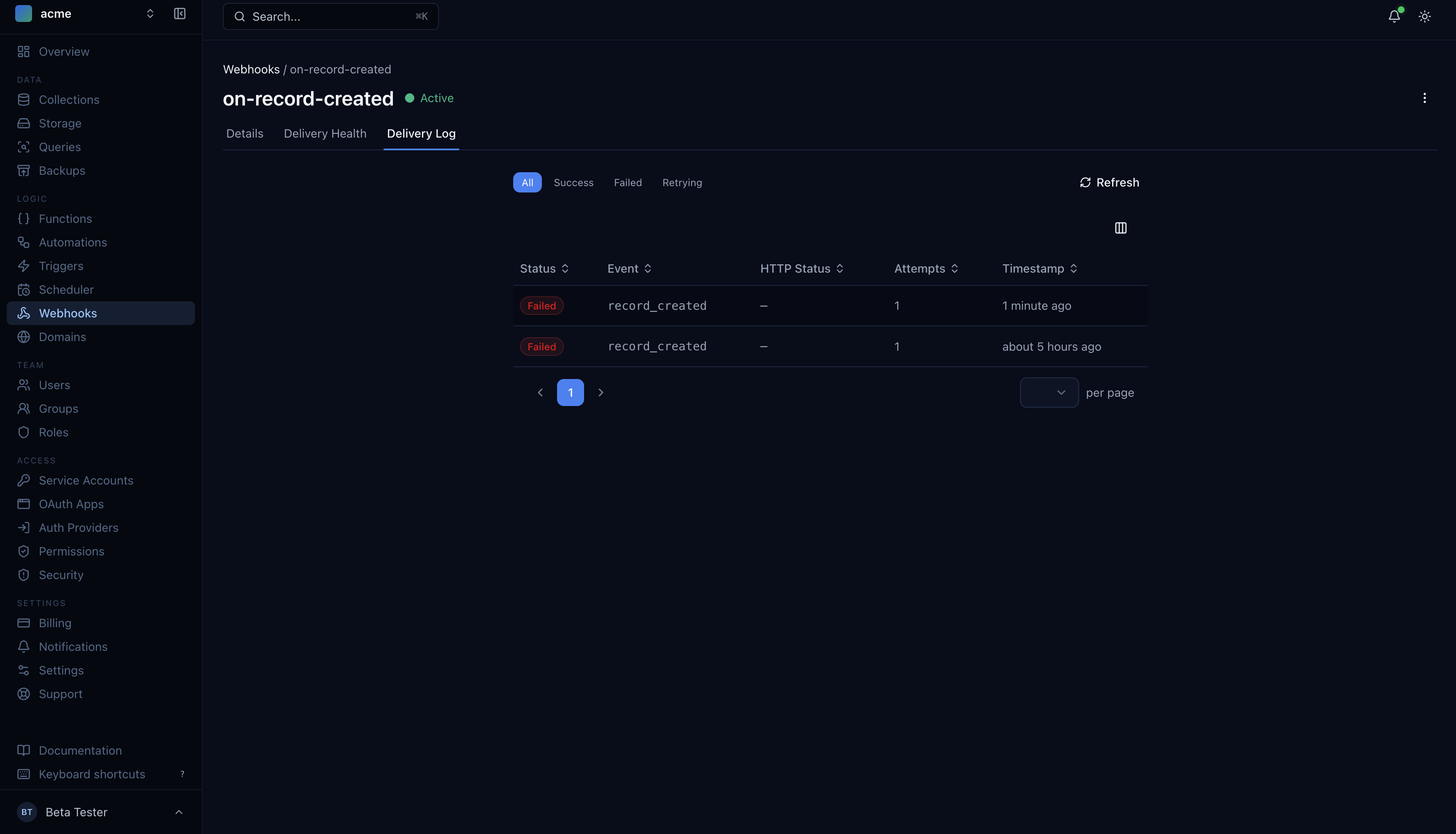
The delivery log shows every attempt — status, event type, HTTP response, retry count, and timestamp. Filter by success, failed, or retrying to debug delivery issues fast.
Dark Mode and Navigation
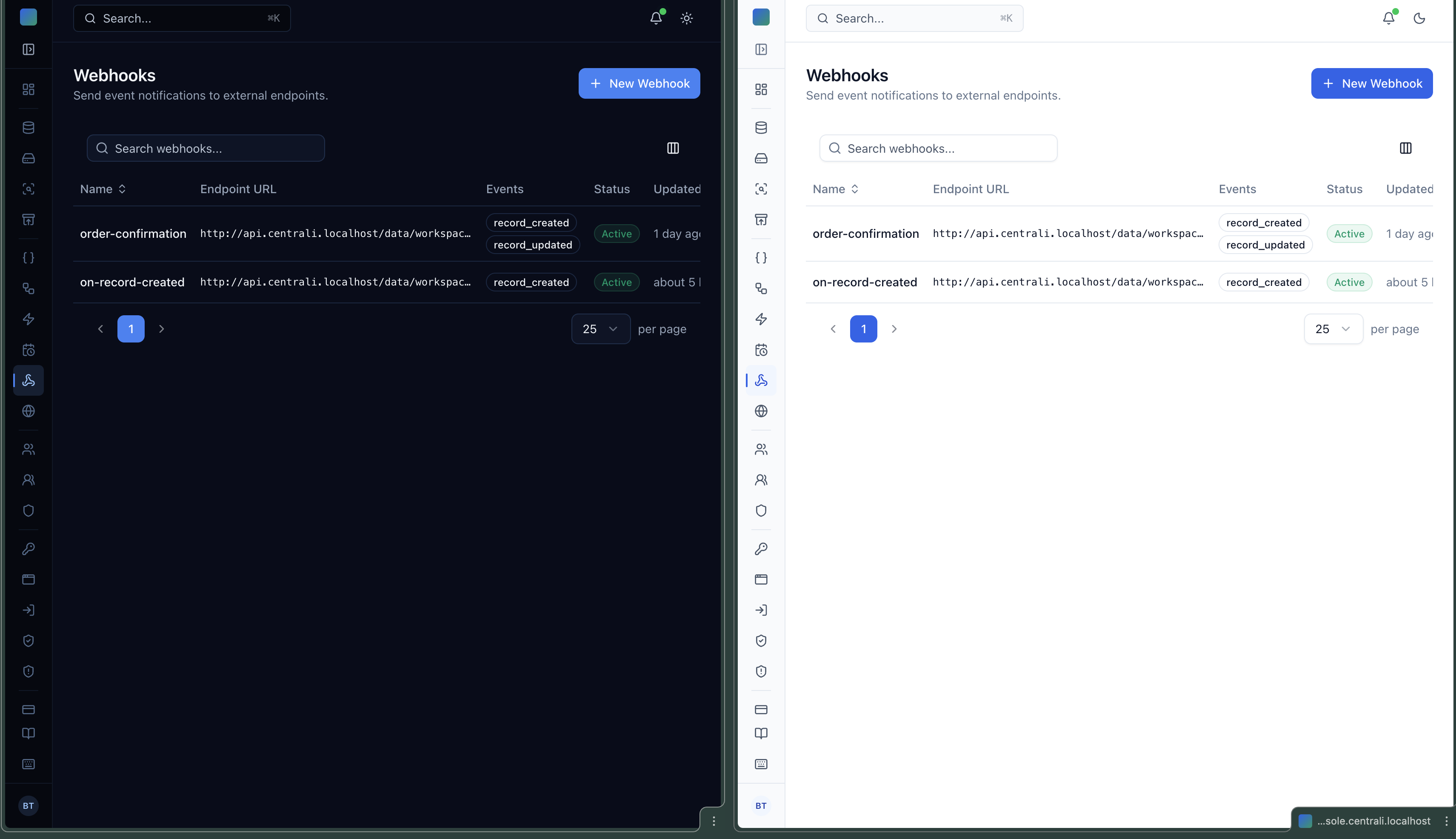
The entire console supports dark mode with system preference detection. Your choice persists across sessions via localStorage and syncs with your profile settings.
The sidebar has been restructured into logical groups — Data, Logic, Team, Access, and Settings — with a command palette (Cmd+K) for quick navigation to any resource.
Auth Pages Moved to IAM
Forgot-password, reset-password, and verify-email pages now live in the IAM service as server-rendered pages. This means authentication flows no longer depend on the console frontend being available — they work directly through the auth service with the same branded look and dark mode support.
What's Next
Version 4.0 is the foundation. We're already working on end-to-end tests for the console, and the next releases will focus on the onboarding experience, more keyboard shortcuts, and deeper integration between the console and the SDK.
If you have feedback on the new console, reach out at [email protected].