Automation is at the heart of modern backend development. Whether you're processing orders, sending notifications, or synchronizing data across services, you need reliable workflows that handle complexity without breaking.
Today, we're excited to announce Workflow Automation—a powerful new feature in Centrali 2.9.0 that lets you build complex, multi-step workflows with a visual editor, no custom infrastructure required.
Why Workflow Automation?
Until now, building multi-step processes in Centrali meant writing functions that called other functions, managing state manually, and implementing your own retry logic. This worked, but it was tedious and error-prone.
Common challenges included:
- Error handling — What happens when step 3 of 5 fails? Do you retry? Start over?
- State management — How do you pass data between steps?
- Conditional logic — How do you route workflows based on data values?
- Timing — How do you wait before sending a follow-up email?
- Observability — How do you debug a failed run?
Workflow Automation solves all of these with a visual editor and declarative configuration.
What You Can Build
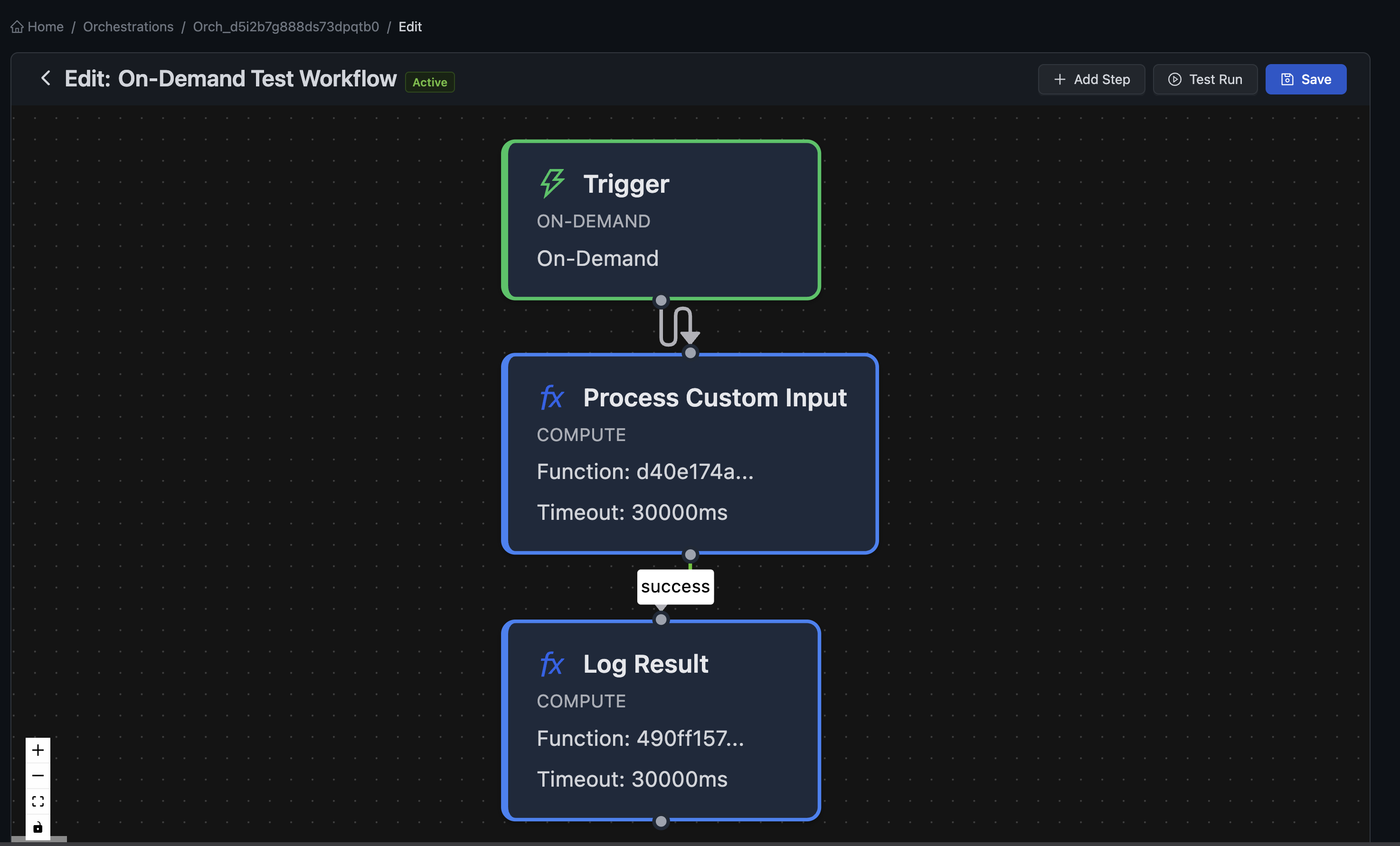
Order Processing Pipeline
Chain validation, payment, inventory, and shipping into a single workflow:
- Validate Order (compute) — Check inventory, validate addresses
- Process Payment (compute) — Charge the customer
- Check Result (decision) — If payment failed, route to error handling
- Reserve Inventory (compute) — Decrement stock levels
- Send Confirmation (compute) — Email the customer
Approval Workflows
Build multi-stage approval processes with timeouts:
- Submit Request (trigger: on-demand)
- Notify Approver (compute) — Send email to manager
- Wait for Response (delay) — Wait up to 48 hours
- Check Status (decision) — Route based on approval state
- Execute or Escalate (compute) — Complete request or escalate
Data Synchronization
Keep systems in sync with event-driven workflows:
- Record Updated (trigger: event)
- Transform Data (compute) — Map fields to external format
- Push to External API (compute) — Call third-party service with retry
- Log Result (compute) — Record sync status
Three Step Types
Automations support three types of steps, each designed for a specific purpose:
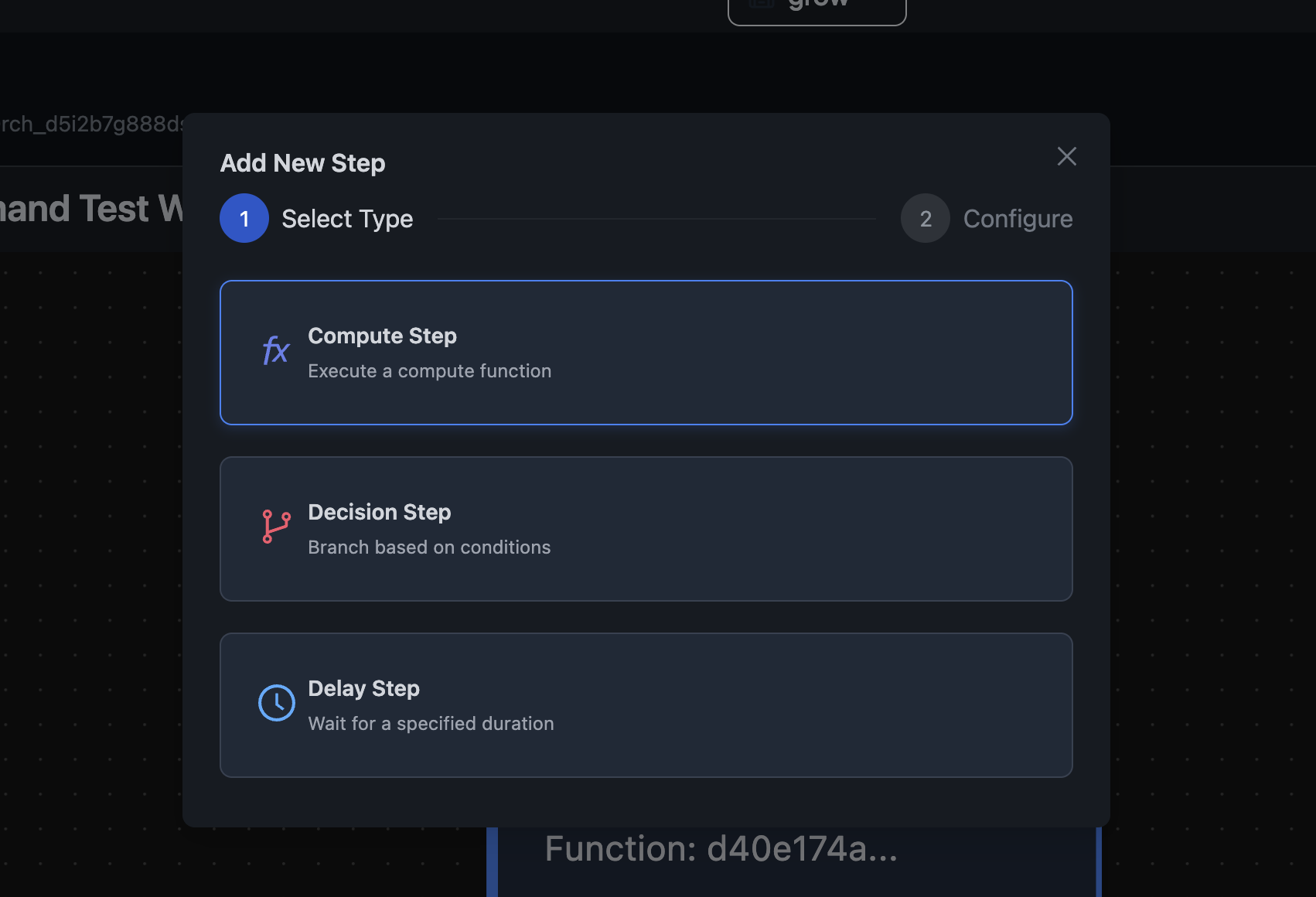
Compute Steps
Execute your functions with automatic retry and error handling:
- Timeout configuration — Set maximum execution time
- Retry policy — Configure max attempts and exponential backoff
- Error handling — Route to fallback steps on failure
- Context passing — Automatically receive input and previous step outputs
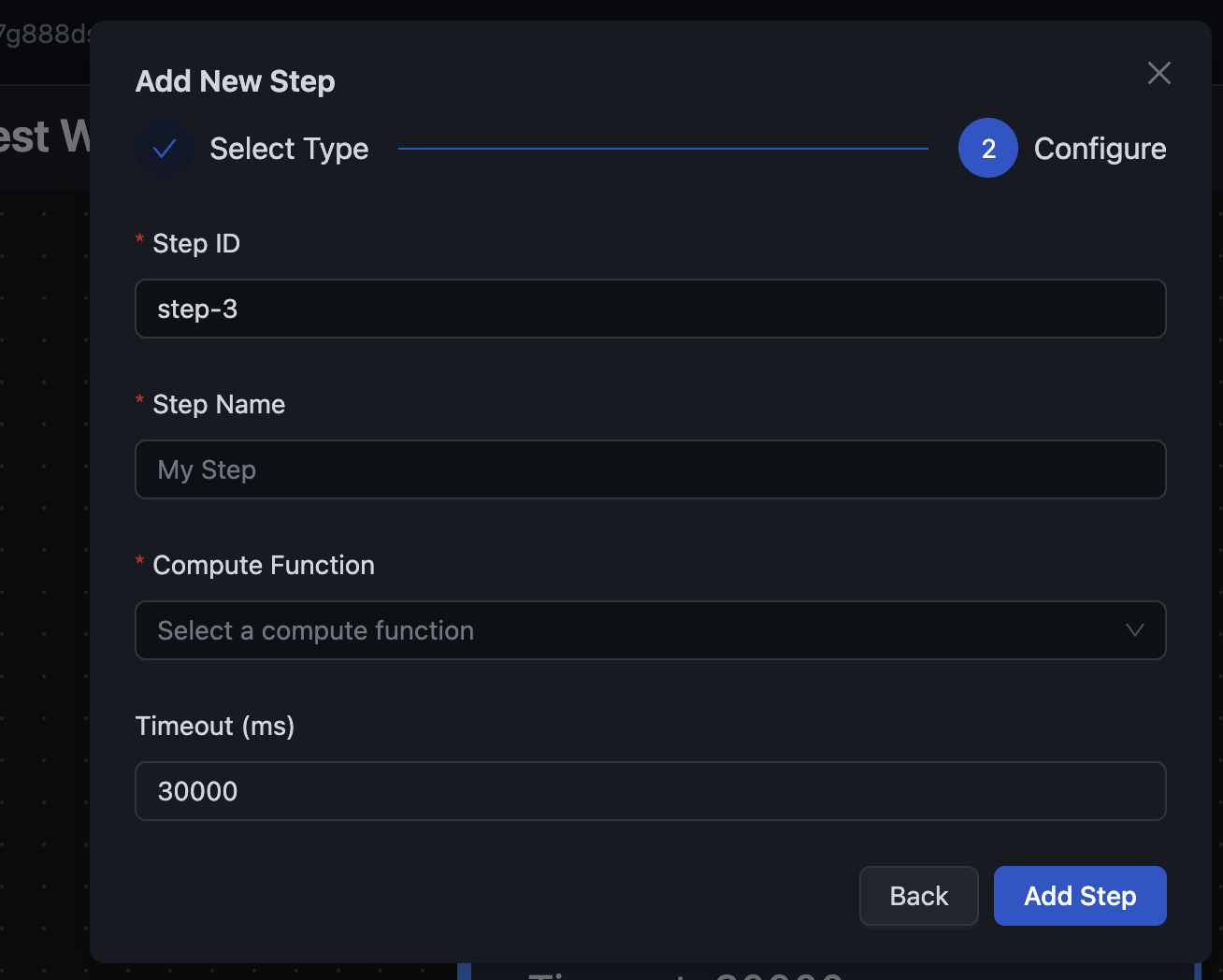
Decision Steps
Route workflows based on data conditions—no code required:
- 10 comparison operators — equals, not equals, greater than, less than, exists, in array, and more
- Multiple conditions per case — All conditions must match (AND logic)
- Nested path support — Access
input.data.order.statusorsteps.validate.output.isValid - Default fallback — Define what happens when no case matches
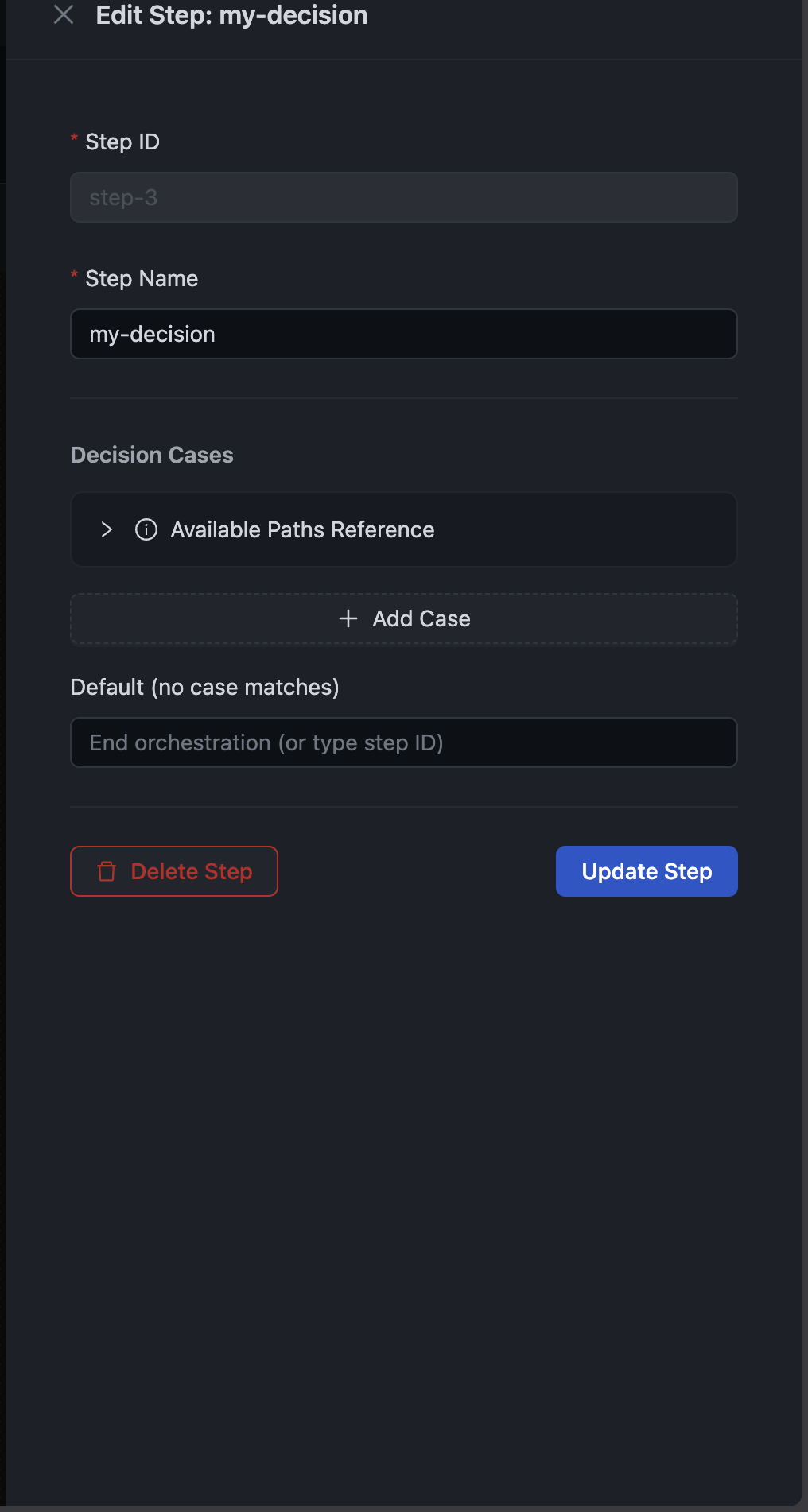
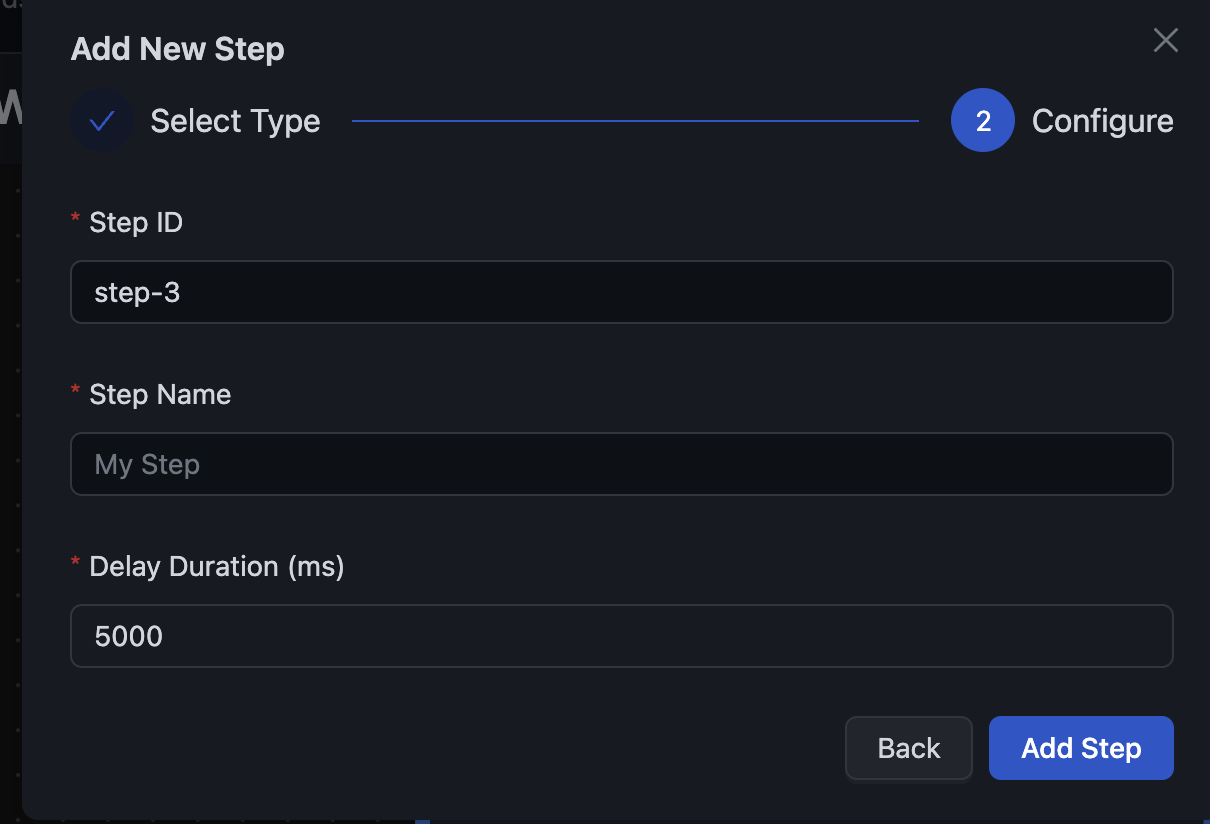
Delay Steps
Pause workflow execution for specified durations:
- Millisecond precision — Wait exactly as long as needed
- Perfect for — Reminder emails, rate limiting, approval timeouts
- Durable — Uses the scheduler service for reliable resume
Four Trigger Types
Start workflows from multiple sources:
Event-Driven
Automatically trigger when data changes:
- Record created
- Record updated
- Record deleted
- Record restored
- Bulk records created
HTTP Webhooks
Expose public endpoints for external integrations:
- Custom webhook paths
- Optional HMAC-256 signature validation
- Secure by default
Scheduled
Run workflows on a schedule:
- Cron expressions (e.g.,
0 9 * * MONfor every Monday at 9 AM) - Fixed intervals (e.g., every 5 minutes)
- One-time execution
- Timezone support
On-Demand
Trigger workflows programmatically via API:
- Pass custom input data
- Ideal for testing and manual runs
- Full API support
Run Observability
Every workflow execution is tracked with detailed observability:
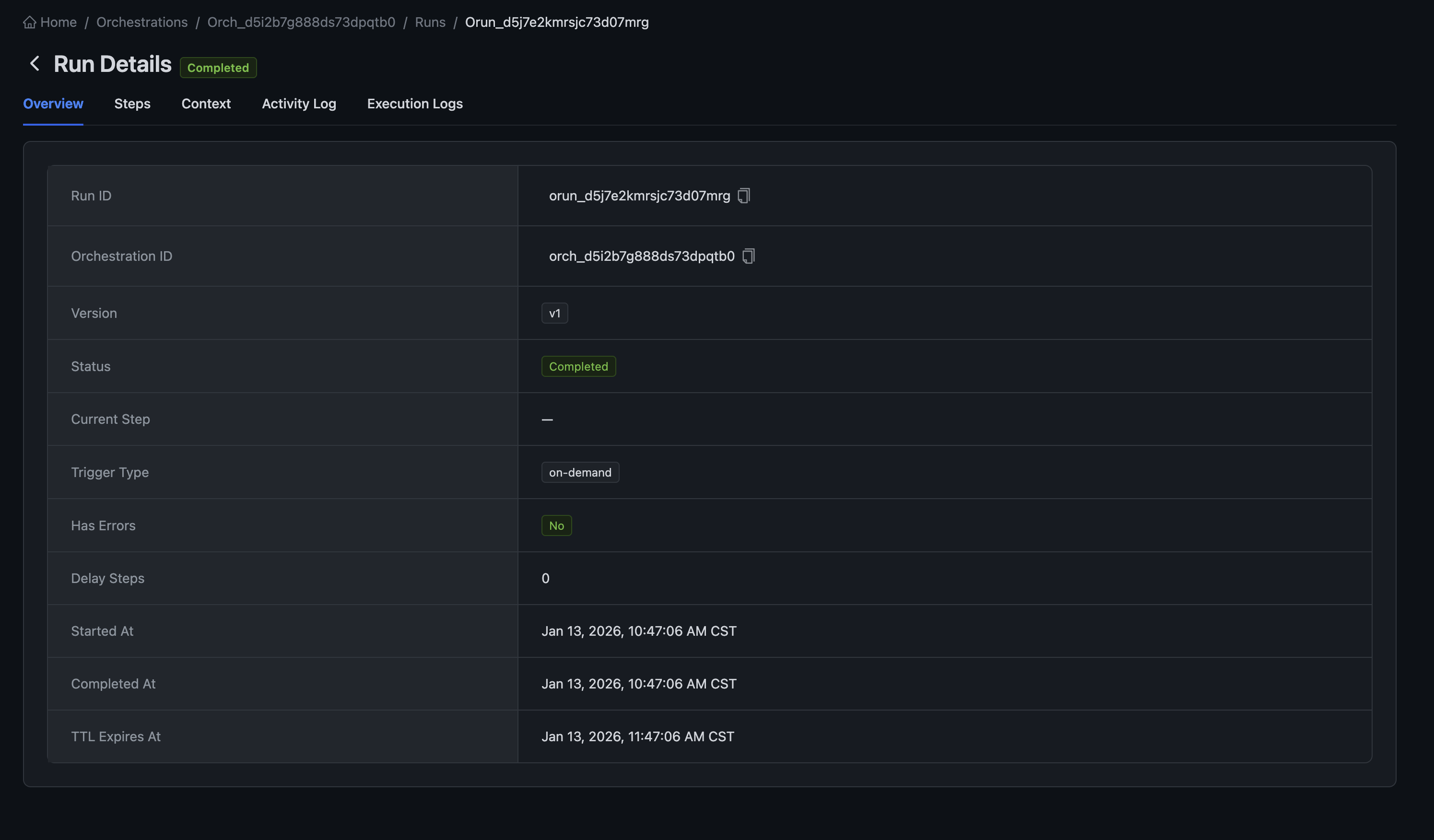
Step-by-Step History
See exactly what happened at each step:
- Input received
- Output produced
- Execution timestamps
- Link to function run details
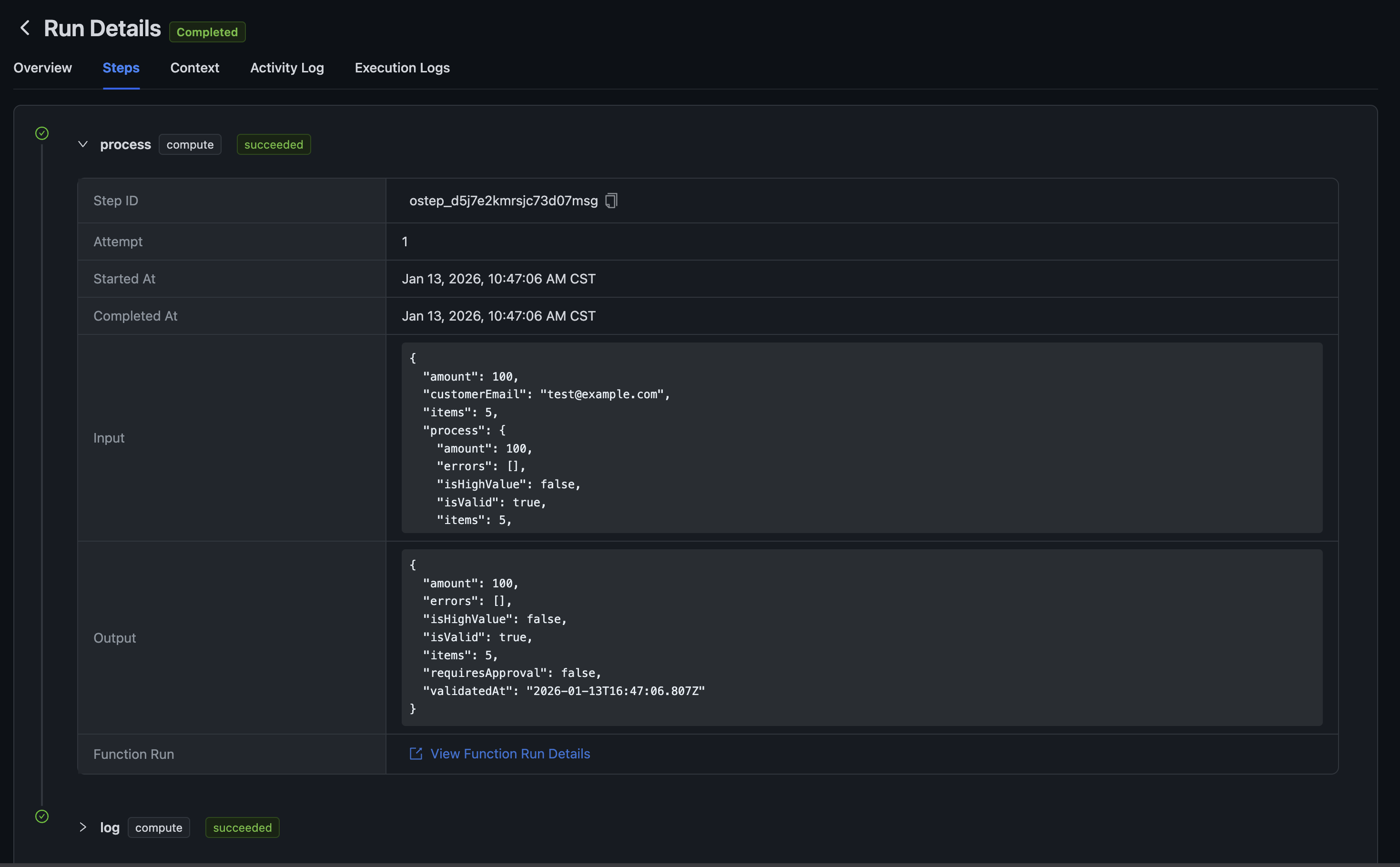
Context Inspection
View the full execution context:
- Trigger input data
- Context variables (workspace, orchestration ID, run ID)
- Accumulated step outputs
- Trigger metadata
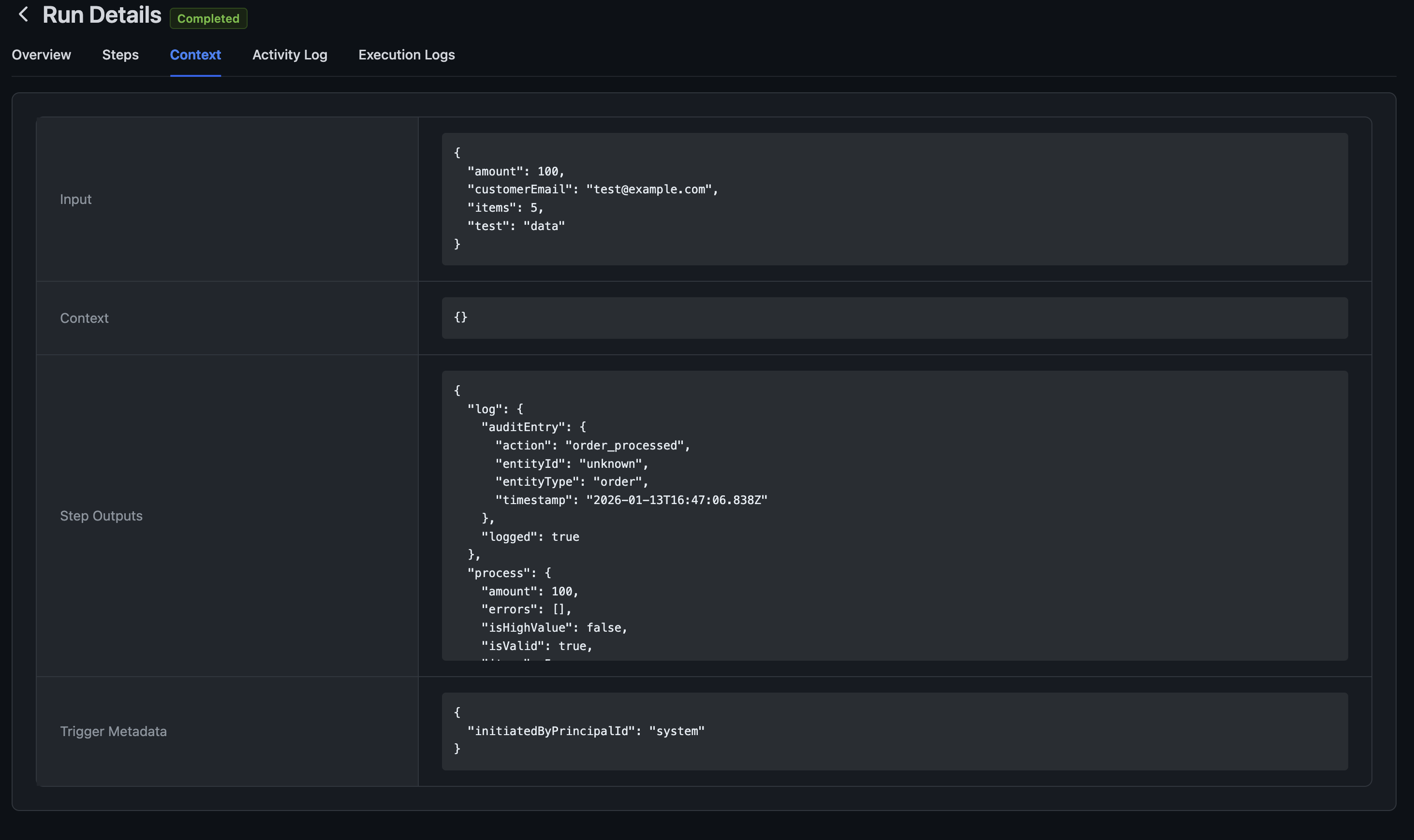
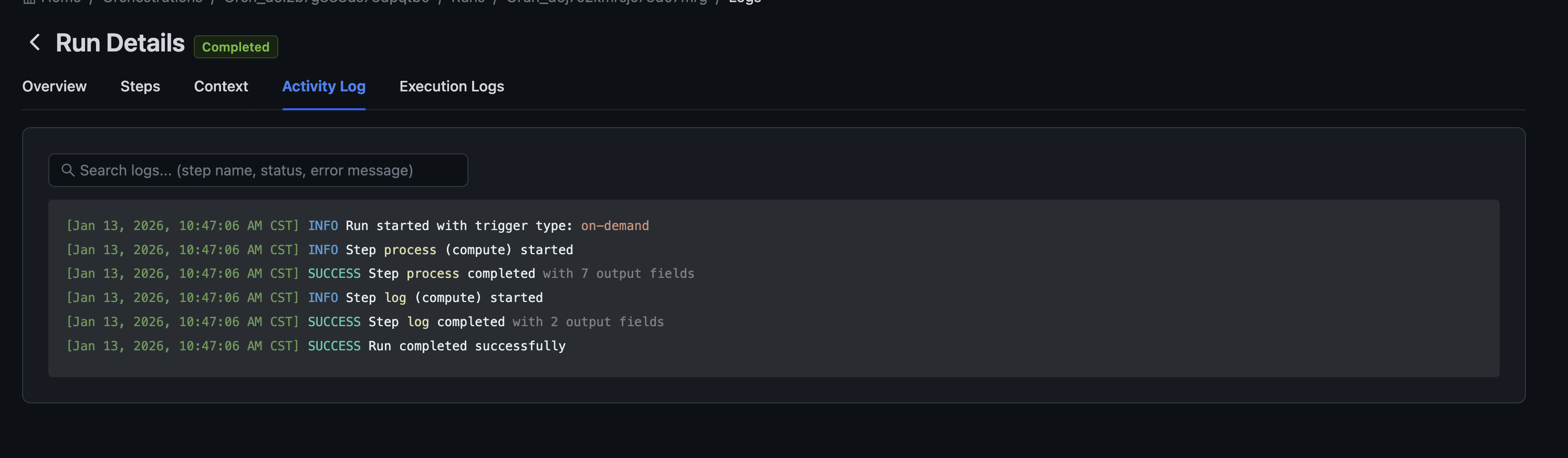
Activity Log
Timeline of events during execution:
- Run started
- Step started/completed
- Errors encountered
- Run completed
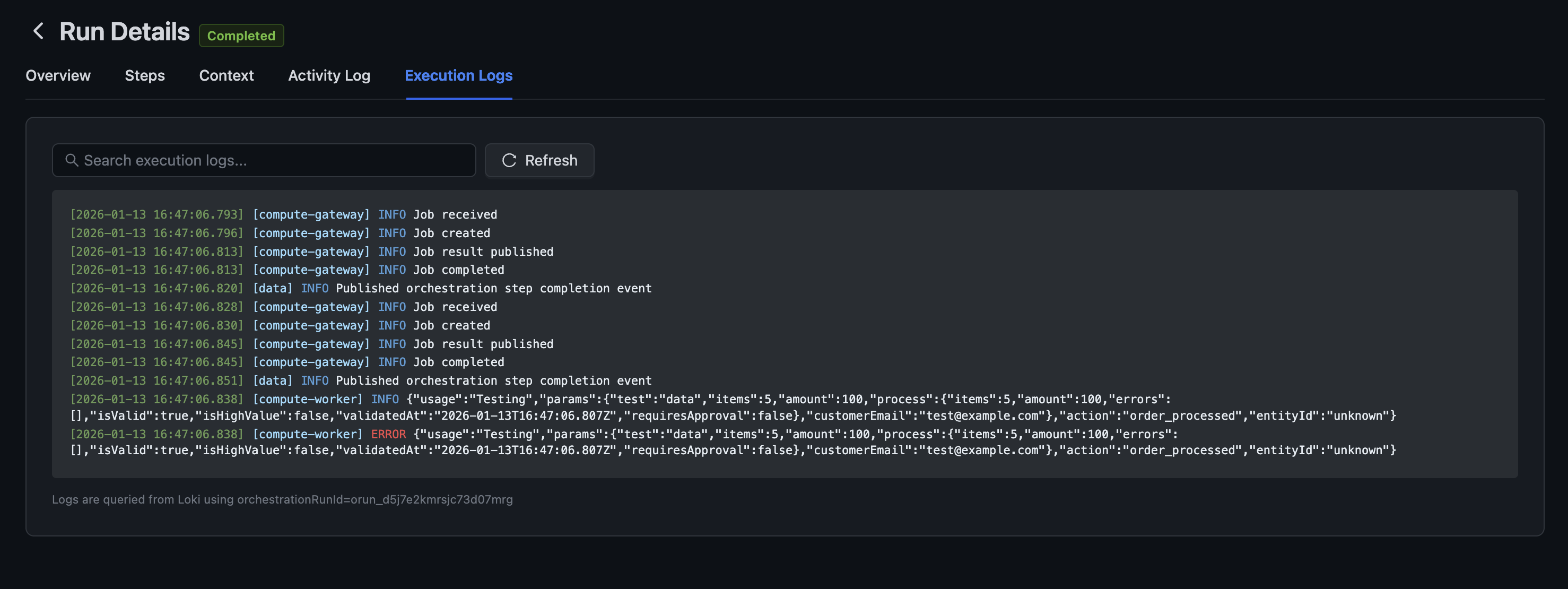
Execution Logs
Low-level logs from the compute runtime:
- Job received/created/published
- Worker output
- Error details
Built-In Reliability
Automations are designed for production workloads:
- Automatic retry — Failed compute steps retry with exponential backoff
- TTL expiration — Runs expire after a configurable time to prevent zombie processes
- Concurrency limits — Prevent resource exhaustion with per-orchestration limits
- Rate limiting — Distributed rate limiting per workspace
- Durable messaging — NATS JetStream ensures messages aren't lost
Getting Started
Workflow Automation is available now in Centrali 2.9.0. To create your first workflow:
- Navigate to Automations in your workspace
- Click + Automation to create a new workflow
- Choose a trigger type (event, scheduled, HTTP, or on-demand)
- Add steps using the visual editor
- Save and activate your automation
Check the Automation documentation for detailed guides and examples.
What's Next
This is just the beginning. We're working on:
- Parallel steps — Execute multiple steps simultaneously
- Sub-automations — Call automations from other automations
- Version history — Track changes to your workflows over time
- Templates — Pre-built workflows for common patterns
We'd love to hear your feedback on Workflow Automation. Let us know how it's working for you and what additional features would be helpful.
Workflow Automation is available in Centrali 2.9.0. Update your deployment or check the changelog for details.