TL;DR: ChatGPT forgets your lists when the chat ends. Connect it to Centrali and it can save them, then read and update them in any future chat. Setup takes about five minutes: turn on developer mode, add https://mcp.centrali.io as a plugin, and sign in.
Why ChatGPT forgets
You plan a week of meals with ChatGPT and it builds a great grocery list. Next week you open a new chat and ask what you still need to buy. It has no idea.
Each conversation starts from nothing. ChatGPT's built-in memory helps a little, but it's made for short facts about you ("prefers metric", "has a dog"), not a pantry list, a job search, or anything you want to add to and check off over weeks.
The fix: give it a place to write things down
Centrali is a place to store data, like a set of spreadsheets that ChatGPT can read and write for you. You say "add olive oil to my grocery list", and ChatGPT saves it to Centrali. A week later, in a brand-new chat, you ask "what's on my grocery list?", and it reads it back.
You never open a spreadsheet or write a formula. ChatGPT creates the lists, picks the columns, and keeps them up to date.
It works through MCP (Model Context Protocol), the standard way ChatGPT connects to outside tools. Centrali runs an MCP server you can plug straight in. That's the only technical term in this guide.
The setup is four steps. After that comes a real example chat.
What you need
- A Centrali account with a workspace. Sign up free if you don't have one.
- A ChatGPT account that can use developer mode. Which plans include it changes over time, so check OpenAI's developer mode guide for the current list. We set this up on a Plus account.
You don't need API keys, client IDs, or anything installed locally. The hosted server handles sign-in over OAuth in the browser.
Step 1: Turn on developer mode
ChatGPT only accepts custom MCP servers once developer mode is on. Open Settings → Security and login, scroll to Developer mode, and flip the toggle.
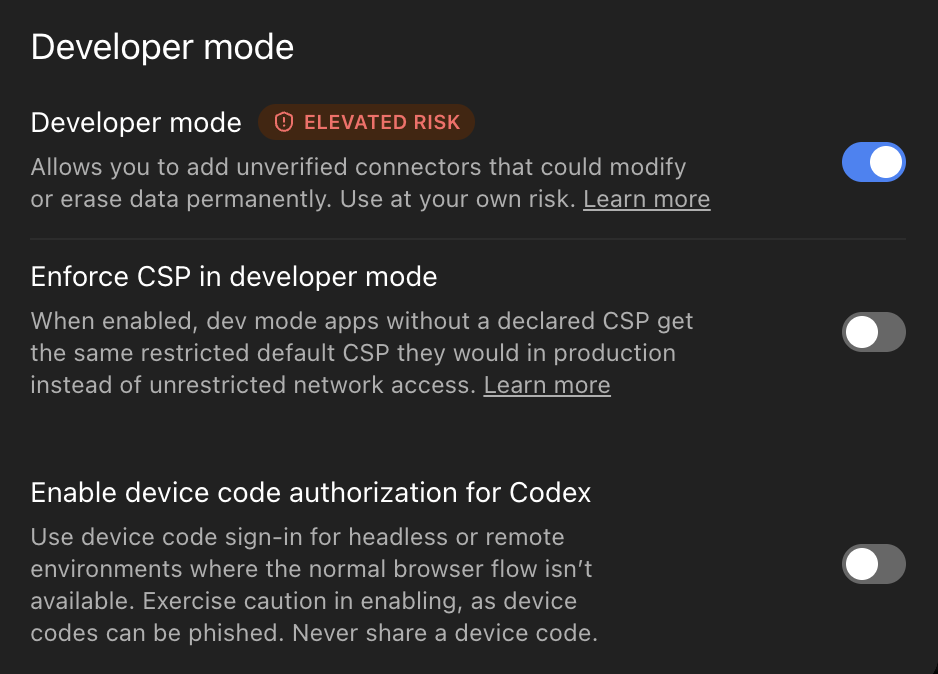
The Elevated risk label is there for good reason. A custom connector can change and delete data, so only add servers you trust. The What ChatGPT can and can't do section below covers what Centrali's tools can do. OpenAI's MCP risks and safety notes are worth a read too.
Step 2: Create the Centrali plugin
Go to Plugins, click the + in the top right, and choose Create app. In the dialog, click Create MCP App and fill in:
| Field | Value |
|---|---|
| Name | Centrali |
| Description | Anything that helps you recognise it, e.g. Query and manage my Centrali workspace |
| Connection | Server URL: https://mcp.centrali.io |
| Authentication | OAuth |
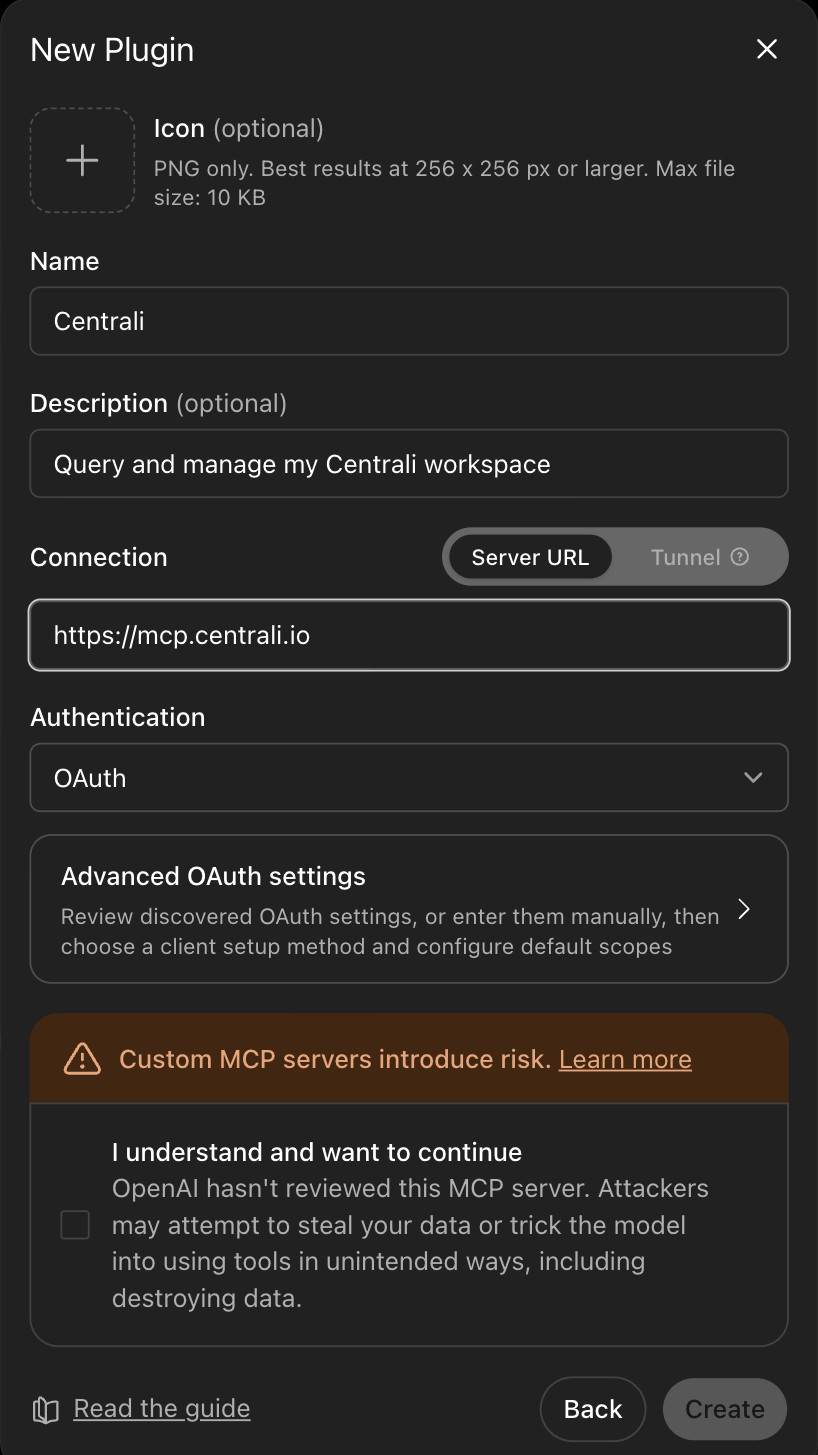
Leave Advanced OAuth settings alone. ChatGPT reads Centrali's OAuth metadata from the server URL and registers itself, so there's nothing to copy and paste. Tick I understand and want to continue, then click Create.
Step 3: Sign in to Centrali
ChatGPT opens a Centrali sign-in window. Log in, pick the workspace ChatGPT should use (skipped if you only have one), and approve access if prompted.
That's the whole auth story. The token belongs to you, so ChatGPT can do what your Centrali role allows and nothing more, and Centrali's audit logs record the actions under your name.
Once connected, the plugin shows up under Settings → Plugins with your account attached. In developer mode you can also scroll through every tool it exposes, along with ChatGPT's hints about which ones write or delete data.
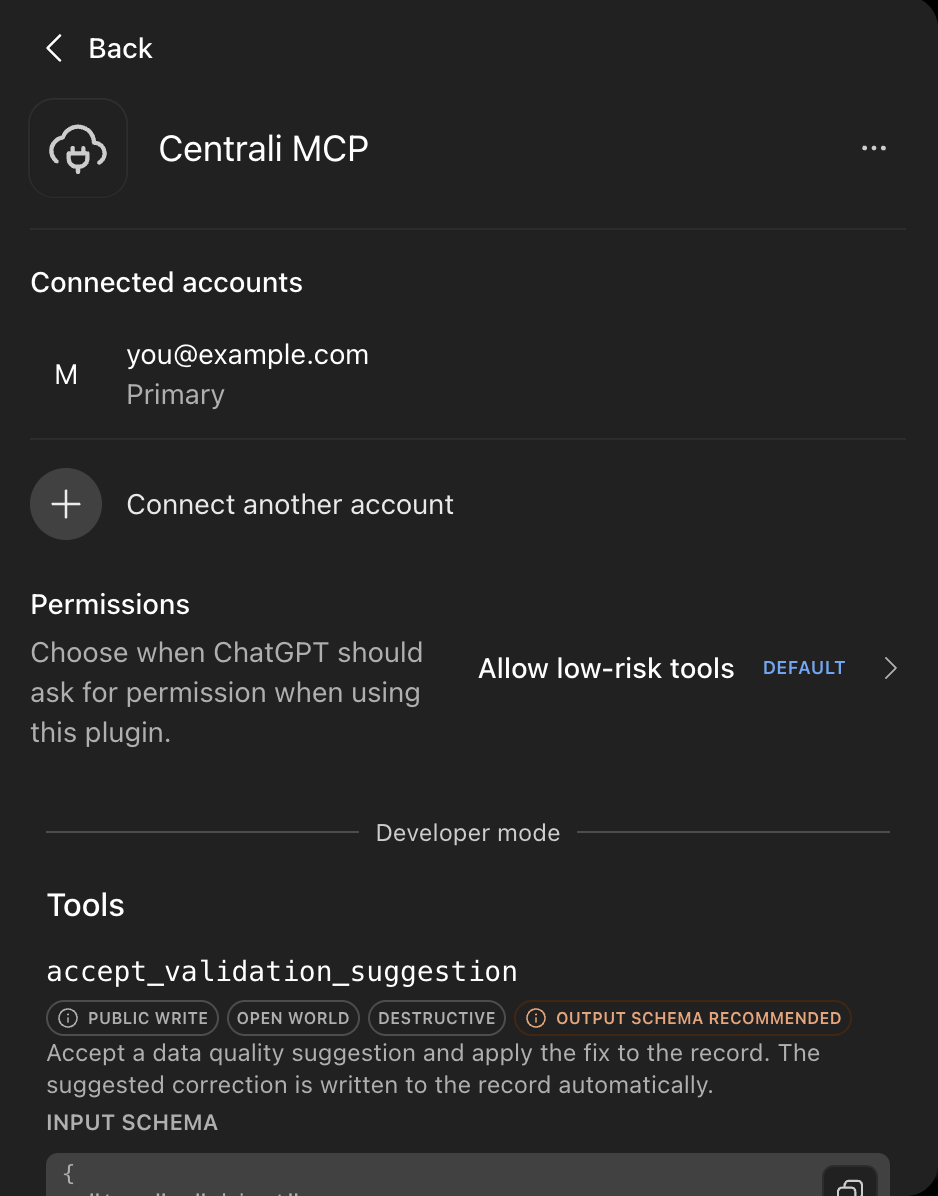
Permissions controls when ChatGPT asks before calling a tool. On the default, Allow low-risk tools, ChatGPT added items to our grocery list without asking. If you want to approve every change, pick a stricter setting here.
Step 4: Mention it in a chat
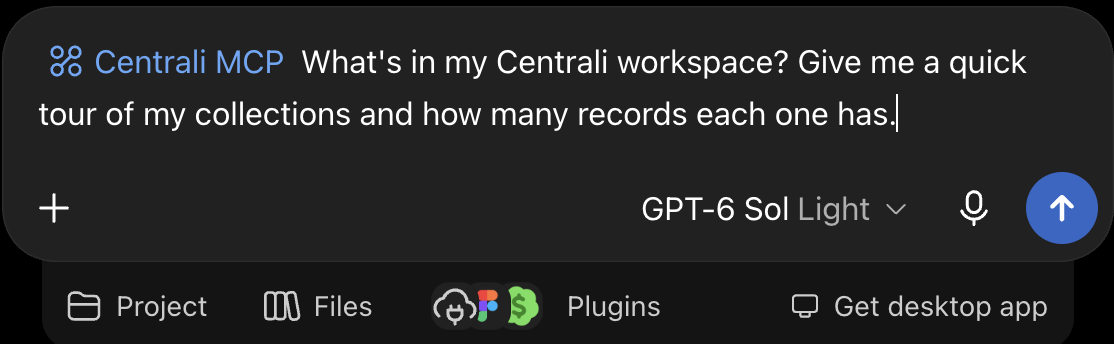
Start a new chat, type @Centrali, and pick Centrali MCP from the menu. That attaches the plugin to your message, so ChatGPT knows to use it.
Example: a kitchen assistant that remembers
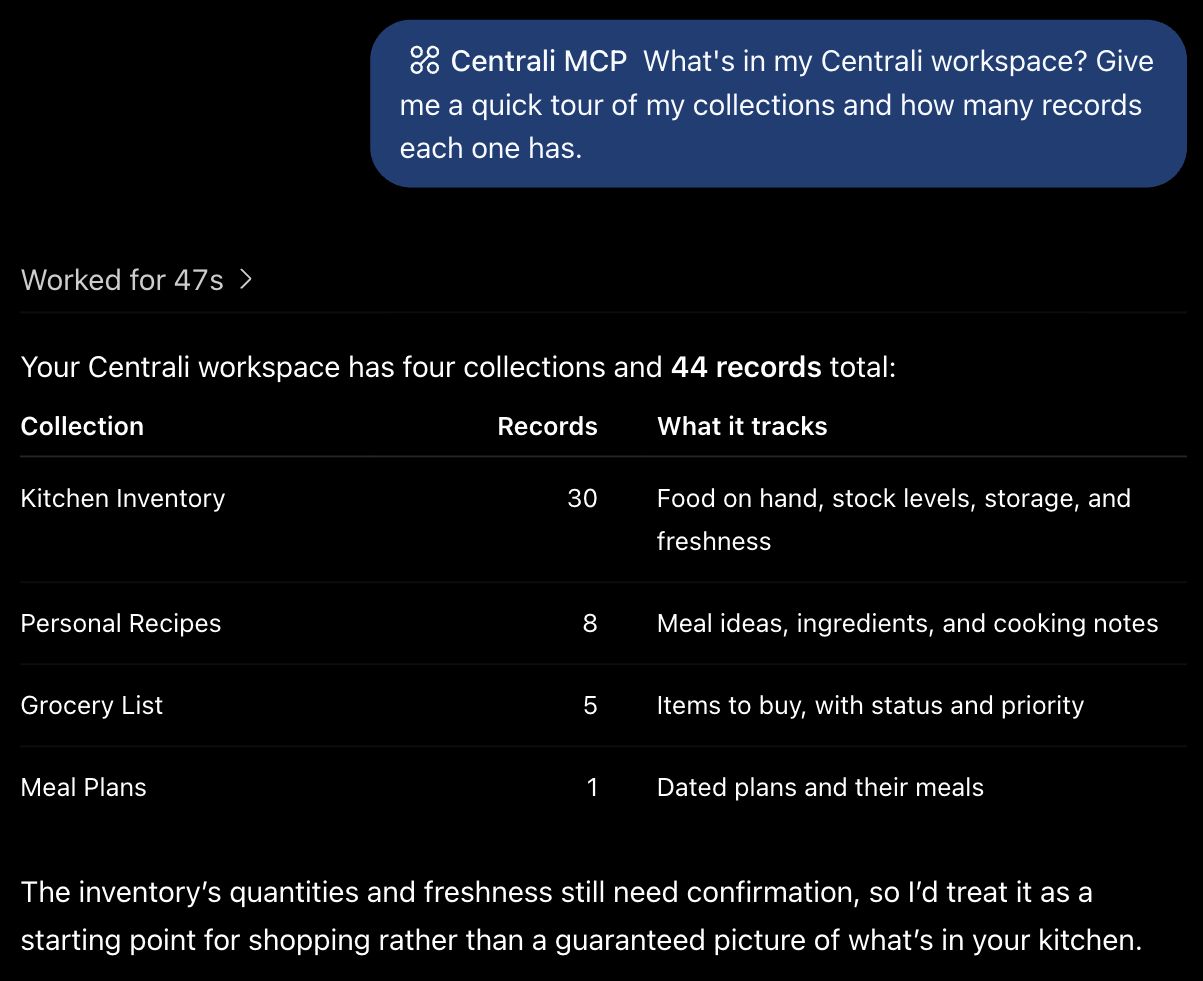
The screenshots below come from a real household kitchen. In an earlier chat, we asked ChatGPT to set up lists for our food. It created four in Centrali, Kitchen Inventory, Personal Recipes, Grocery List, and Meal Plans, and filled them in from the conversation. Centrali calls each list a collection, and each row in it a record.
Everything below came from fresh prompts days later.
"What's in my workspace?"
A good first question for any new connection. ChatGPT finds every list, counts what's in it, and works out what each one is for.
"What can I cook tonight?"
This is where it gets useful. To answer, ChatGPT has to check two lists against each other: your recipes, and what's in your kitchen.
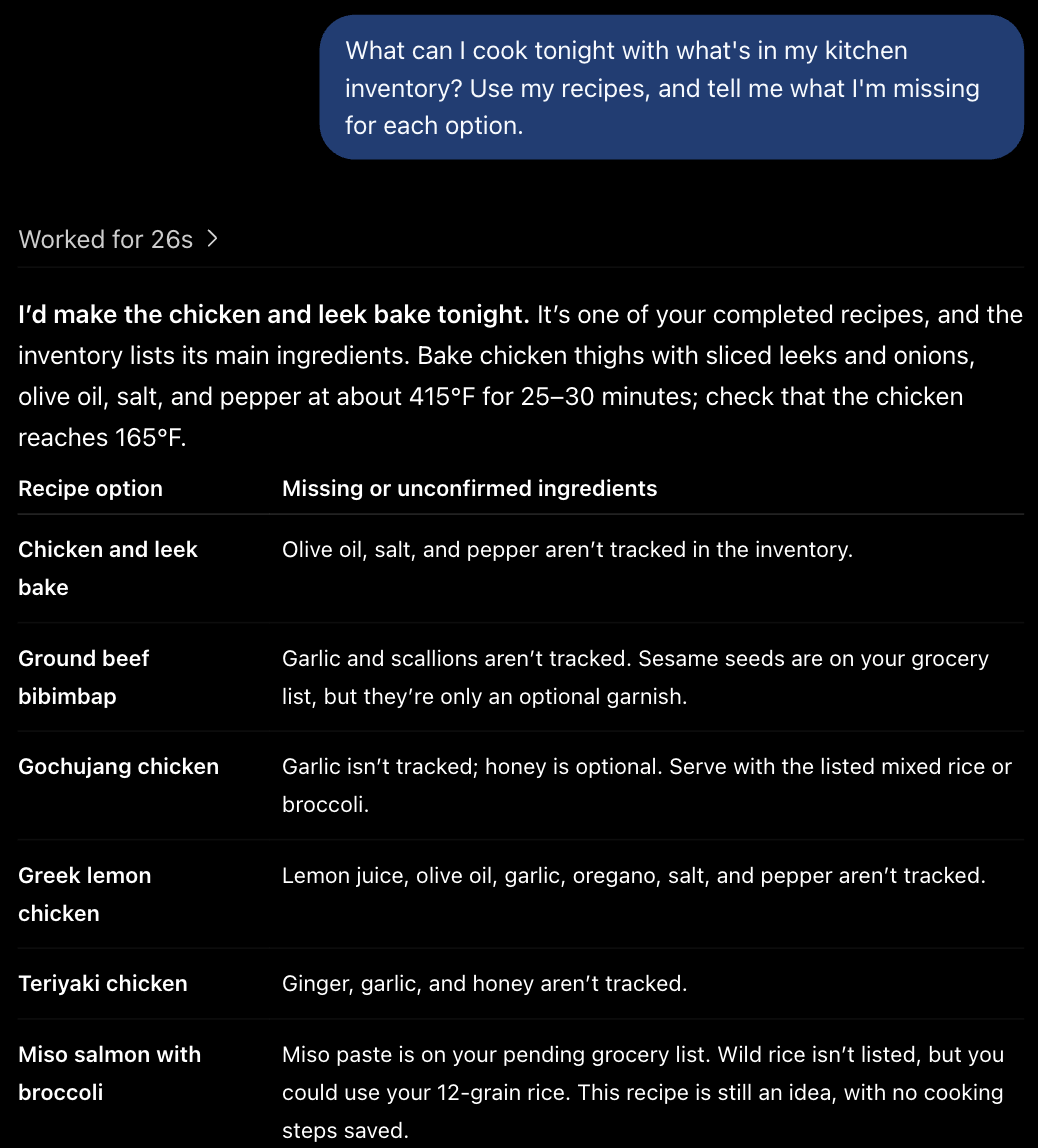
It also notices what the data doesn't say. Olive oil, salt, and pepper aren't in the inventory, so it calls them missing or unconfirmed instead of guessing.
"Add it to my grocery list"
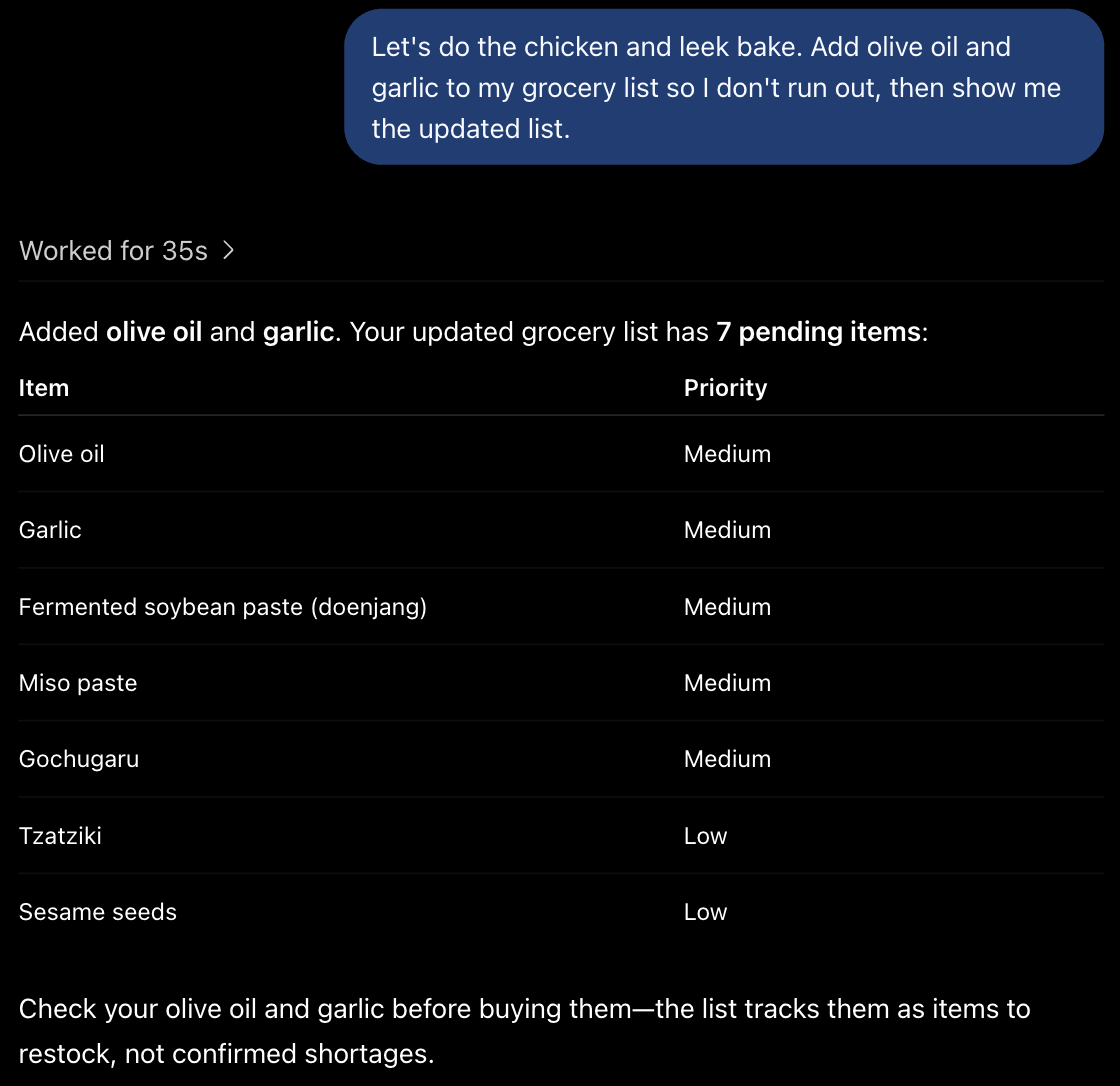
Now ChatGPT saves something. One sentence adds two items to the Grocery List, and ChatGPT reads the list back to confirm.
The proof: a brand-new chat
Open a new conversation, one with no history, and ask about the grocery list.
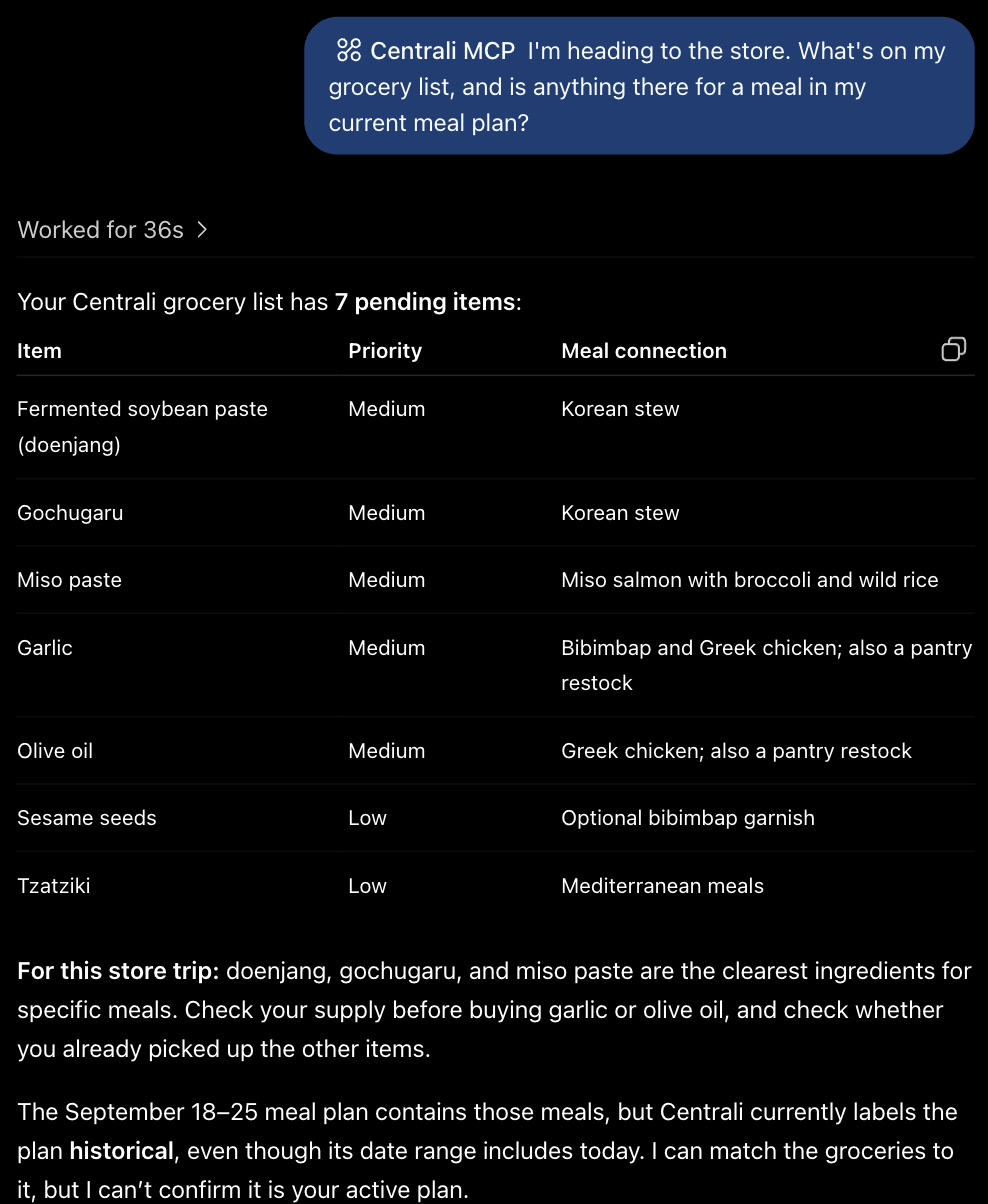
Olive oil and garlic are there. This chat has never seen the one that added them. ChatGPT read the list straight from Centrali, then matched each item to a meal in the Meal Plans list.
It also noticed that the meal plan is marked historical even though its dates include today. Because the data is a real record, ChatGPT points out the mismatch instead of making something up.
That's the whole idea: tell ChatGPT what matters, Centrali keeps it, and any future chat can pick it up.
More ways to use ChatGPT as a personal assistant with memory
The kitchen is one example. The same loop of save, look up, and update works for anything you'd otherwise keep in a note or spreadsheet you never open:
| Use case | What you'd say |
|---|---|
| Job search | "Save this role and the recruiter's name. Which applications need a follow-up this week?" |
| Home maintenance | "I replaced the furnace filter today. When did I last do it?" |
| Reading list | "Save this article and why I cared about it." Months later: "What did I save about pricing?" |
| Content pipeline | "Save this video idea, outline it, and track whether I've filmed it." |
| Trip planning | "Save these places. Build a three-day plan from them, then remember what I booked." |
Want old entries to clean themselves up, like a "things to do this week" list? Records can expire automatically.
For developers: it works on your app's data too. Ask ChatGPT to inspect a collection's schema, query recent records, check webhook deliveries, or draft a compute function.
What ChatGPT can and can't do
It can do anything the Centrali MCP tools cover, within your permissions: create and change collections, query and write records, run smart queries, and inspect functions, orchestrations, and webhook events. The MCP docs list every tool.
It can't see anything your Centrali account can't. Each tool call is checked against your workspace role, the same as in the console.
It isn't real-time. ChatGPT reads the data when you ask. It won't be notified when a record changes; for that, use Centrali's realtime events in your own app.
It's not instant. Every reply in the chat above took ChatGPT between 26 and 47 seconds, mostly spent choosing and calling tools. Fine for a conversation, too slow for a UI.
FAQ
Doesn't ChatGPT already have memory? It does, but it's built for short facts about you, like your name or that you're vegetarian. It isn't a place to keep a 30-item pantry list, a job-application tracker, or notes you want to search and update. Centrali stores those as records that ChatGPT can read and change in any chat.
Do I need to know how to code? No. Setup is a settings toggle, a form with one URL, and a sign-in. After that you just talk to ChatGPT. It creates the lists and fills them in for you.
What does it cost? Centrali has a free plan, which is plenty for personal lists. On the ChatGPT side you need an account that can use developer mode; check OpenAI's developer mode guide for which plans include it.
Can ChatGPT see or delete my data? Only what your Centrali account allows, and only in the workspace you pick when you sign in. The plugin's Permissions setting decides when ChatGPT stops to ask you first. On the default setting, adding items to a list went through without a prompt, so choose a stricter setting if you want to approve every change.
Troubleshooting
ChatGPT answers without touching Centrali. Mention @Centrali in the message. Without it, ChatGPT may answer from general knowledge.
The Create button is greyed out. Tick the risk acknowledgement checkbox, and make sure the URL is exactly https://mcp.centrali.io.
You connected the wrong workspace. Open Settings → Plugins → Centrali MCP, disconnect the account, and connect again. You'll get the workspace picker on sign-in.
Using Claude or Cursor instead? The same URL works there. See the MCP docs for each client's config snippet.
What's next
- Centrali MCP server docs: every tool, plus setup for Claude and Cursor
- Schemaless Mode: Skip the Schema, Start Building: why ChatGPT can create lists without you designing columns first
- Turn Schemaless JSON Into a Typed Schema: tidy up lists ChatGPT created on the fly
- What Is Record TTL?: make short-lived records expire on their own
- OpenAI's developer mode guide: plan availability and ChatGPT-side settings